Customer Support 1-877-557-2227
Page 25
Phone Basics
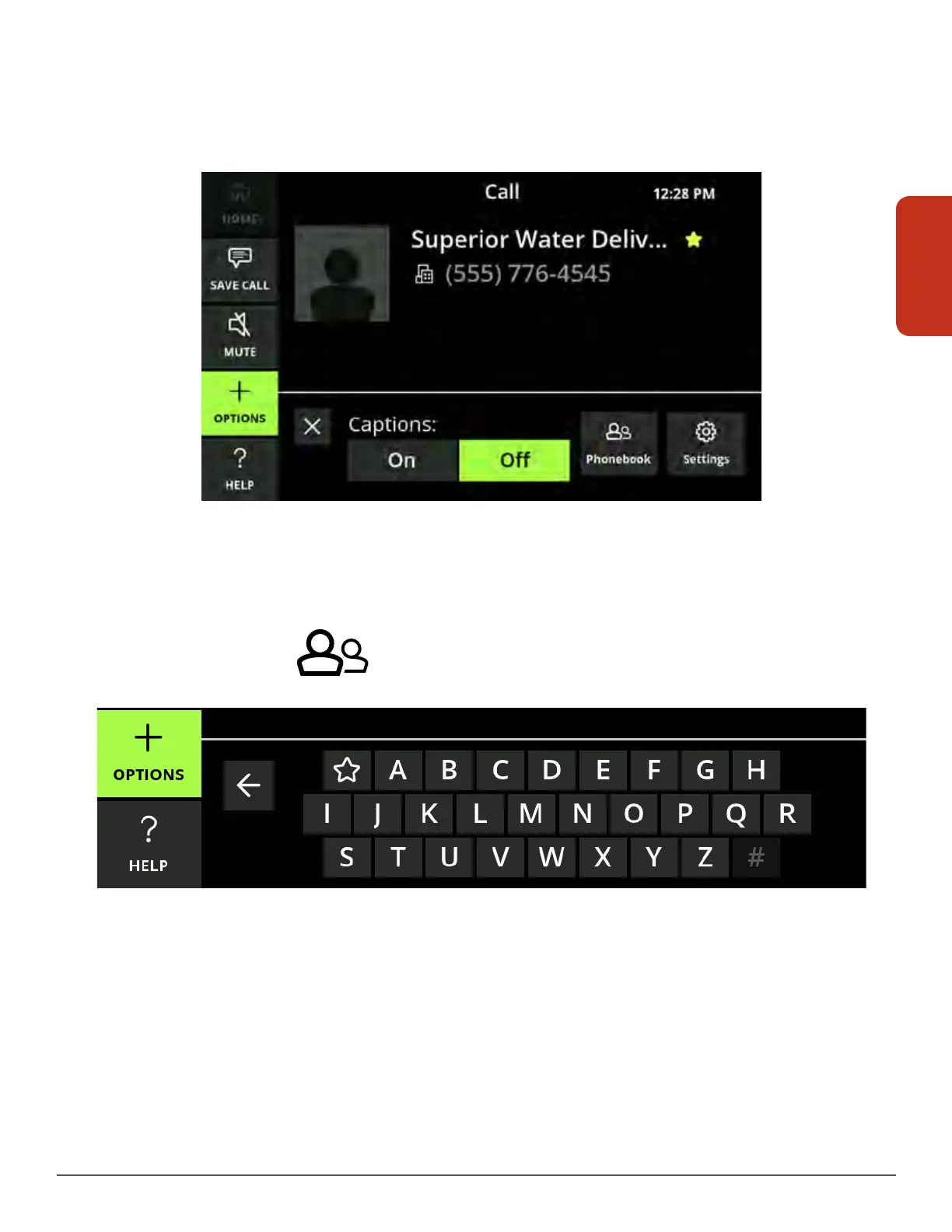
Call Options Menu
When in a call, the Call Options menu allows you to turn off captioning, access your
Phonebook and adjust settings for the current call.
Turn captions off by touching Off.
When in a call, if you need to access your Phonebook to look up a contact:
1. Select Options.
2. Select Phonebook
. A keypad will display.
3. Select either the letter of the first name of the contact (last name if you’ve
reordered your contacts by last name in Settings—see ”Display Settings” on page
87) or the star to pull up your Favorites.
4. Use your finger to scroll through the contacts.



 To Next Page