Saved Calls
Page 54
Saved Calls
Save a Conversation
Saved conversations are any captioned calls that you choose to save on your
CaptionCall phone. These conversations are saved until you choose to delete them.
Some reasons to save captioned calls include:
• Saving an important conversation from a family member
• Capturing price quotes
• Saving doctor appointment times or instructions
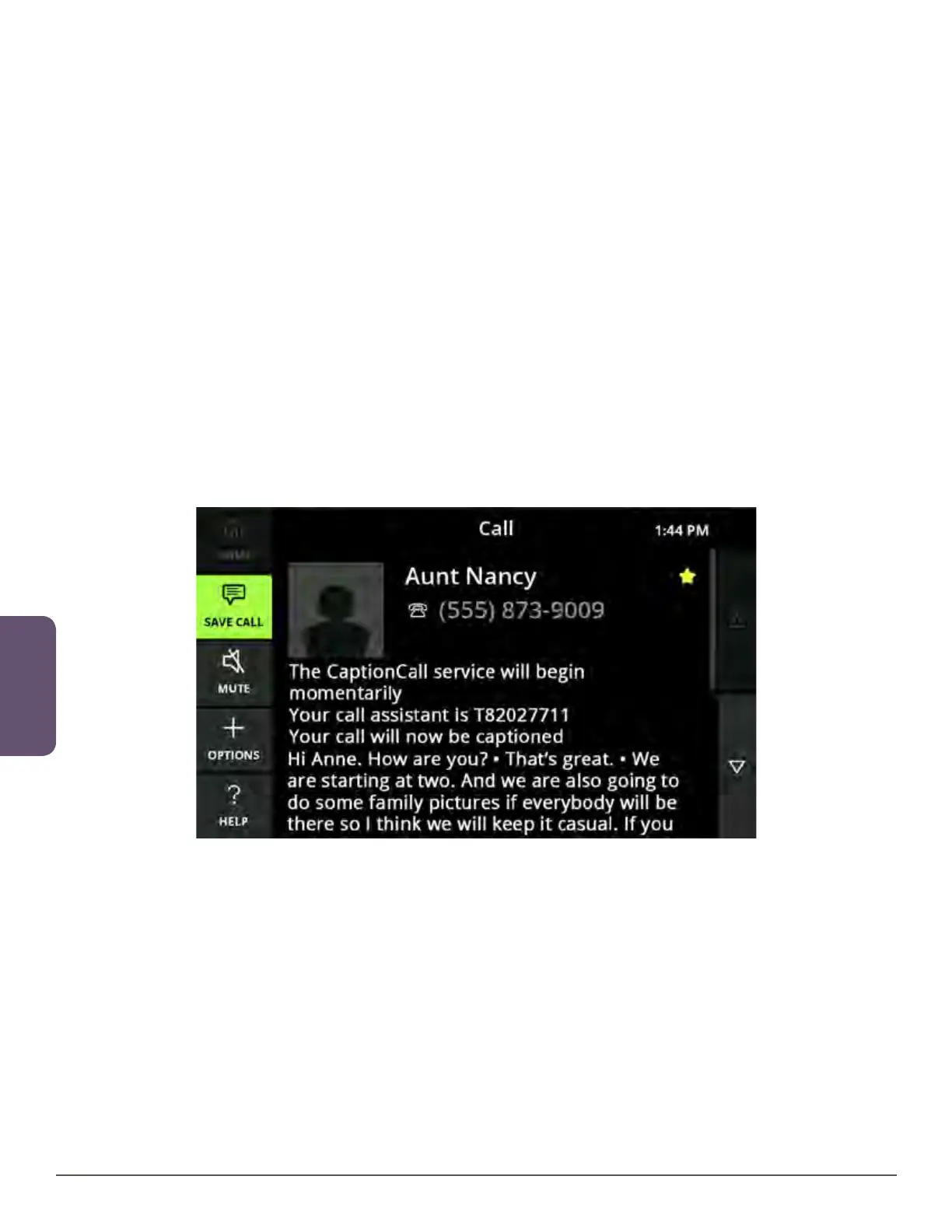
Captioning must be active before you can save a conversation.
1. Make a captioned call as you normally would (see page 20 for instructions).
2. Touch the Save Call button to save this conversation.
3. The Save Call button will turn green (to indicate that you are saving this
conversation).
Helpful Hints
• After the Save Call button turns green, do not touch it again before you hang up.
Otherwise, the conversation will not be saved
• You can also save the captions from voicemail and answering machine messages
(see the Messages section starting on page 59)



 To Next Page