6-WORKINGOPERATIONS
Loaderbucketwithforks(Optional)
WARNING
Avoidinjuryand/ormachinedamage!
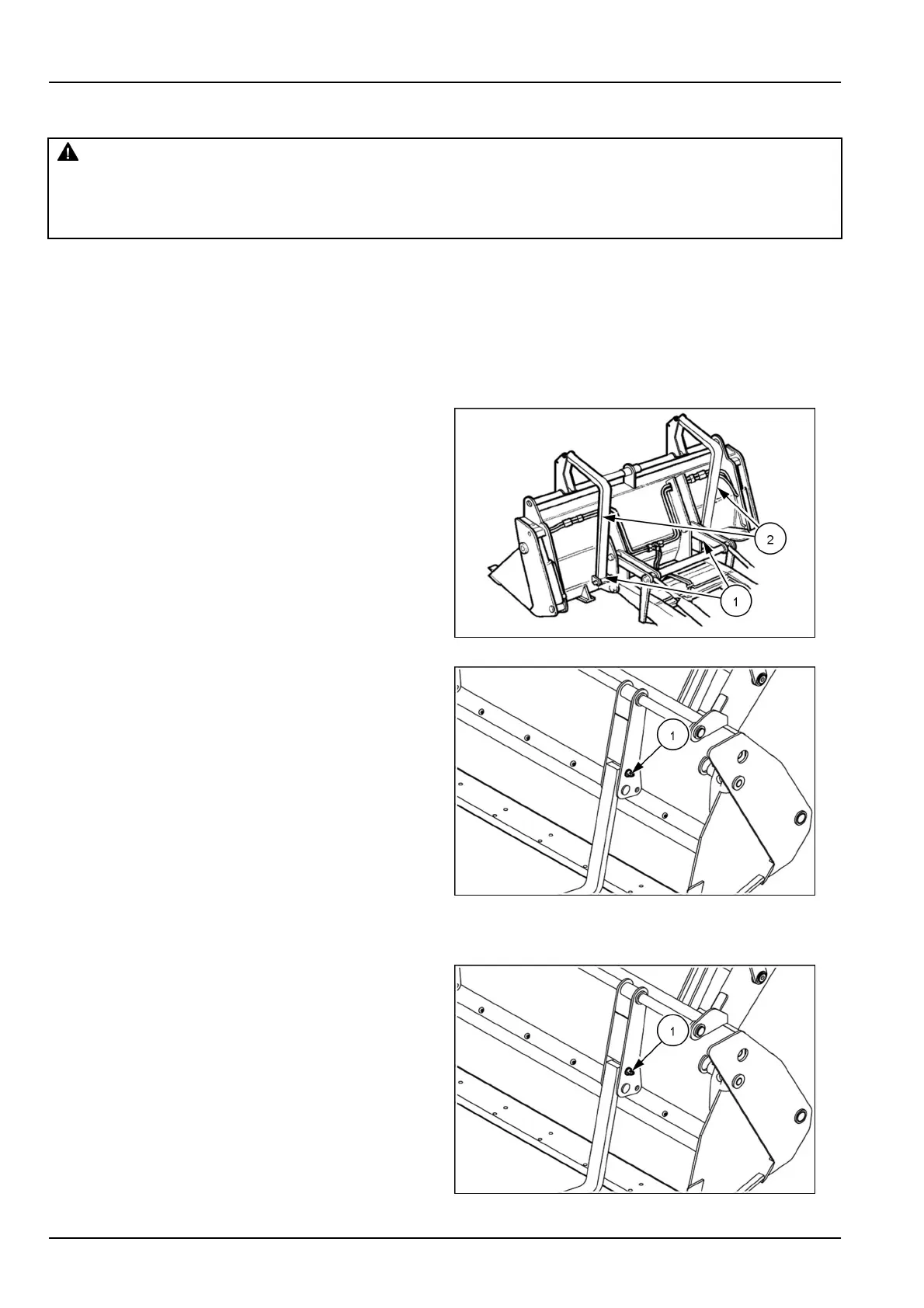
Whennotinuse,securelyretaintheforksintheirproperstoragepositionwiththepinsandsplitpins.
Failuretocomplycouldresultindeathorseriousinjury.
W1330A
NOTICE:Theforksareheavy,sousegreatcarewhenswingingthemintotheirworkingandstowageposition.
Installforksinworkingposition
1.Movethebuckettoalevelandrmground.
2.Stoptheengineandremovethestarterswitchkey.
3.Raisetheparkingbrakelever.
4.Removetheretainedpinandthepin(1).
5.Lowerthefork(2)manuallyandcarefullyuntilitislay-
inginpositionagainstthebucketcuttingedge.
NOTICE:Theforksmustbelayingagainstthecutting
edgeofthebucket,andneveragainstbucketteeth.
LEEN11T0167AA1
1.Installthepin(1)andthesafetypin.
2.Repeatthesameoperationsfortheotherfork.
3.Slidetheforksuntiltheyaresuitablyspacedforthe
intendedjob.
NOTICE:Thetwoforksmustbepositionedatthesame
distancefromthecentreofthebucket.
NOTICE:Neverusetheforkstoliftthemachine.
NOTICE:Whenusingtheforkswitha4x1bucket,never
attempttousethebucketjawopeningfunction.
LEEN11T0168AA2
Installtheforksinrestposition
1.Resttheloaderbucketonalevelandrmground.
2.Stoptheengineandremovethestarterswitchkey.
3.Disengagetheparkingbrakelever.
4.Removetheretainedpinandthepin(1).
5.Tiltthefork(2)manuallyandcarefullyuntilitisrear-
wardsintotransportposition.
LEEN11T0169AA3
6-16



 To Next Page