7-MAINTENANCE
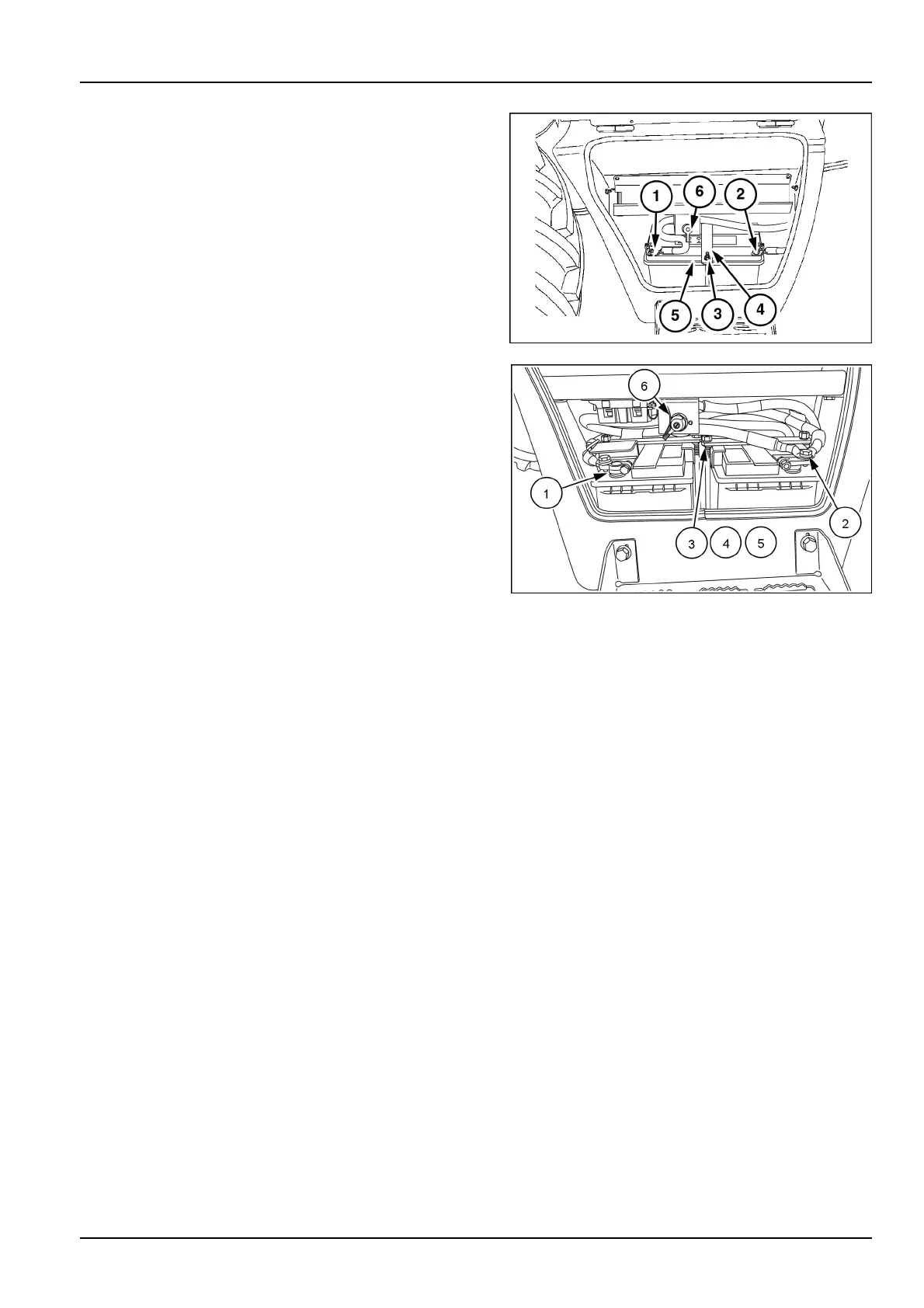
7.Placethebatteryswitch(6)intheOFFposition.
NOTE:Someunitsmaybeequippedwithadualbatteries
buttheprocessisthesame.Firstgureisasinglebattery
congurationandthesecondimageisadualbatterycon-
guration.
8.Removethebatterymasterswitchsupport(6)without
disconnectthebatterycables.
9.Youmustdisconnectthebatterycablesinthefollowing
order:
A.First,removetheterminalcoveranddisconnect
thenegativeterminalcables(1).
B.Second,removetheterminalcoveranddisconnect
thepositiveterminalcables(2).
10.Removethenutsandwashers(3),theclampingbar
(4)andthebrackets(5)andremovetheoldbattery.
11.Installthenewbattery.
12.Installthebrackets(5),theclampingbar(4)andthe
washersandnuts(3).
13.Cleanthecablesandtheconnectingterminalsand
coatthemwithgrease.
14.Youmustconnectthebatterycablesinthefollowing
order:
A.First,connectthepositiveterminalcables(2)and
installtheterminalcover.
B.Second,connectthenegativeterminalcables(1)
andinstalltheterminalcover.
15.Assemblethebatterymasterswitchsupport(6).
MOLI12LBB0494AB2
LEEN12T0887FA3
7-131



 To Next Page