10-ACCESSORIES
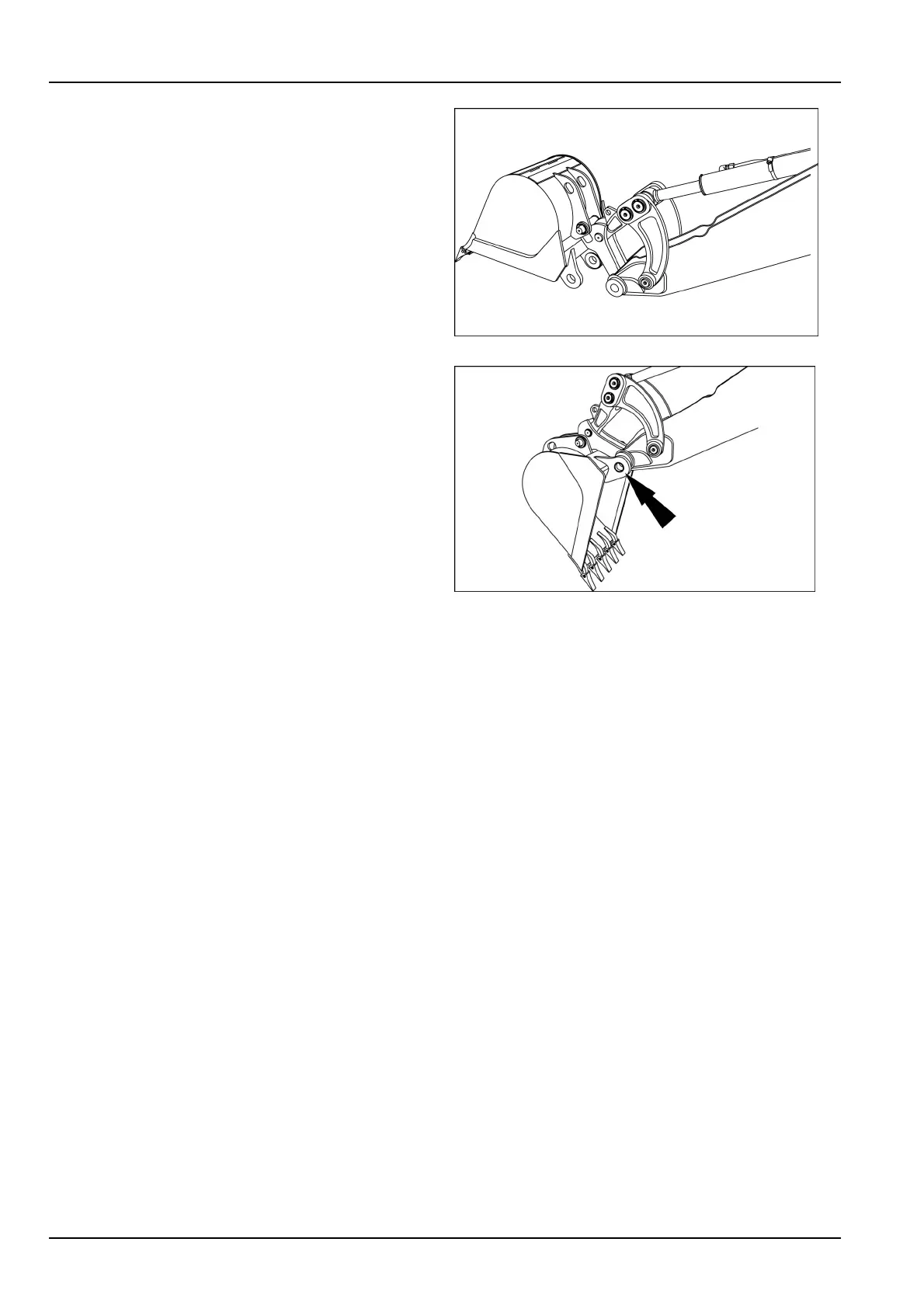
4.Rotatethebucketoutandlowertotheground.
5.Rotatethequickcoupleroutofthebucket.
6.Pickupthenextbucketandraisetheboom.
RCPH10TLB397AAF3
7.Suspendthebucketofftheground,retractthebucket
cylinderuntilthebucketstartstorotateout.
8.Installthebucketpin,thesteelwasher,andthesnap
ring.
RCPH10TLB398AAF4
10-2



 To Next Page