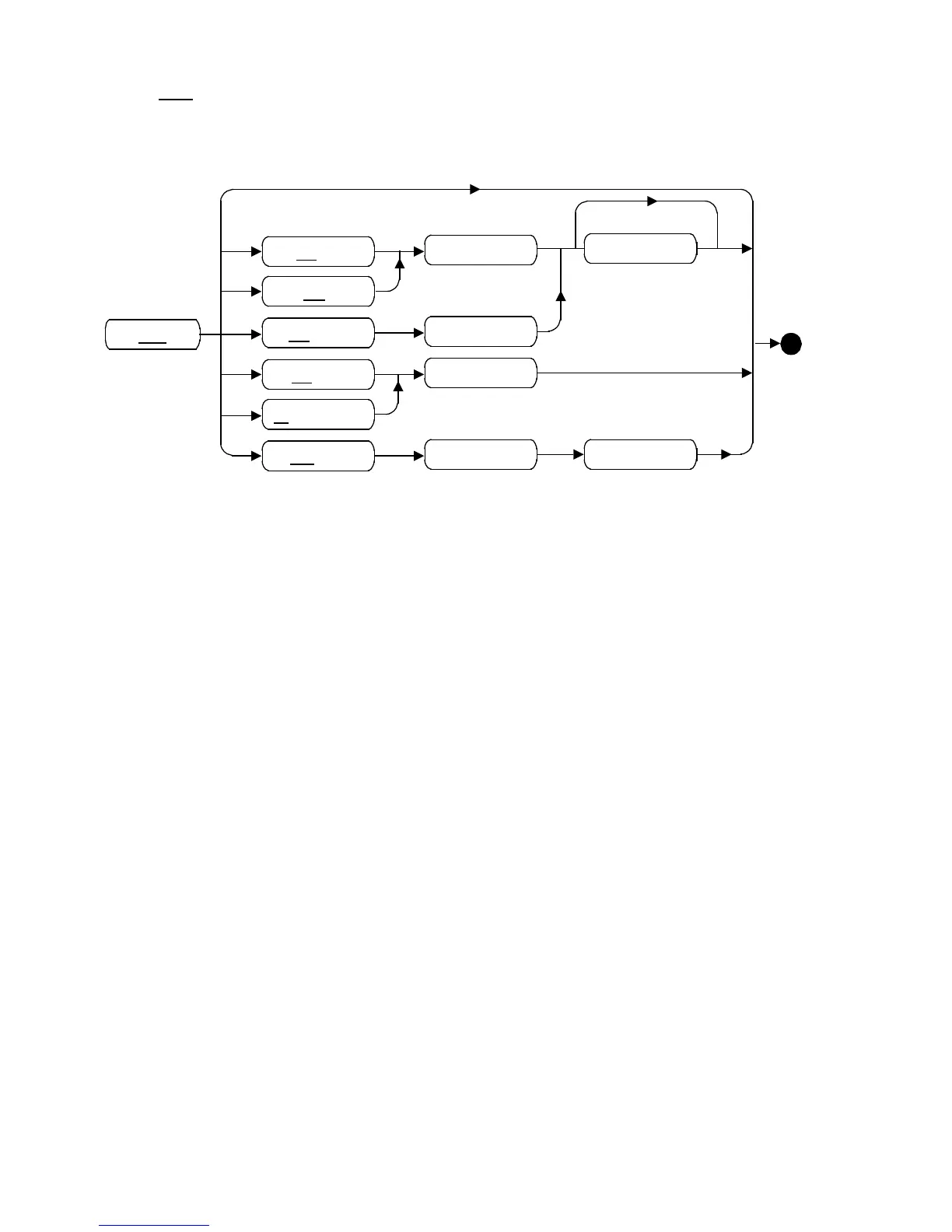
5.2.7 SET
This command allows various operational parameters to be viewed or
changed.
ECHO
GA
REFRESH
ESCAPE
DISCONNECT
SWITCH
<Flag>
<RefString>
<KeyDef>
<KeyDef>
<SessionId>
<SessionId>
SET
If SET is entered on its own, a list of current settings is output, for example:
Sess ECHO GA SWITCH REFRESH TIMEOUT
1 Loc. Dis. PF1 ^M30
*2 Rem. Dis. PF2 ^M ---
3 Rem. Dis. PF3 ^M ---
4 Rem. Dis. PF4 ^V ---
Escape = ^A
Disconnect = ^D
Dialogue Inactivity Timeout = 5 mins.
where * indicates the currently-selected session (i.e. the session that will be
entered if the
SESSION command is used without any parameters, and the
session that will be affected when the
SET command is used without a
SessionId.)
The following paragraphs discuss
SET entered with a parameter.
The setting of ECHO to Rem implies that the attached service provides
echo; the echoing of characters, e.g. password entry, is then up to the
service.
The use of the TELNET Suppress Go-Ahead feature is selected by enabling
GA suppression. Normally this is disabled by default, but some
applications may use this TELNET option, which is provided for such an
X870-300351 Issue 1 5-10 Rev.0



 To Next Page