18 System Installation
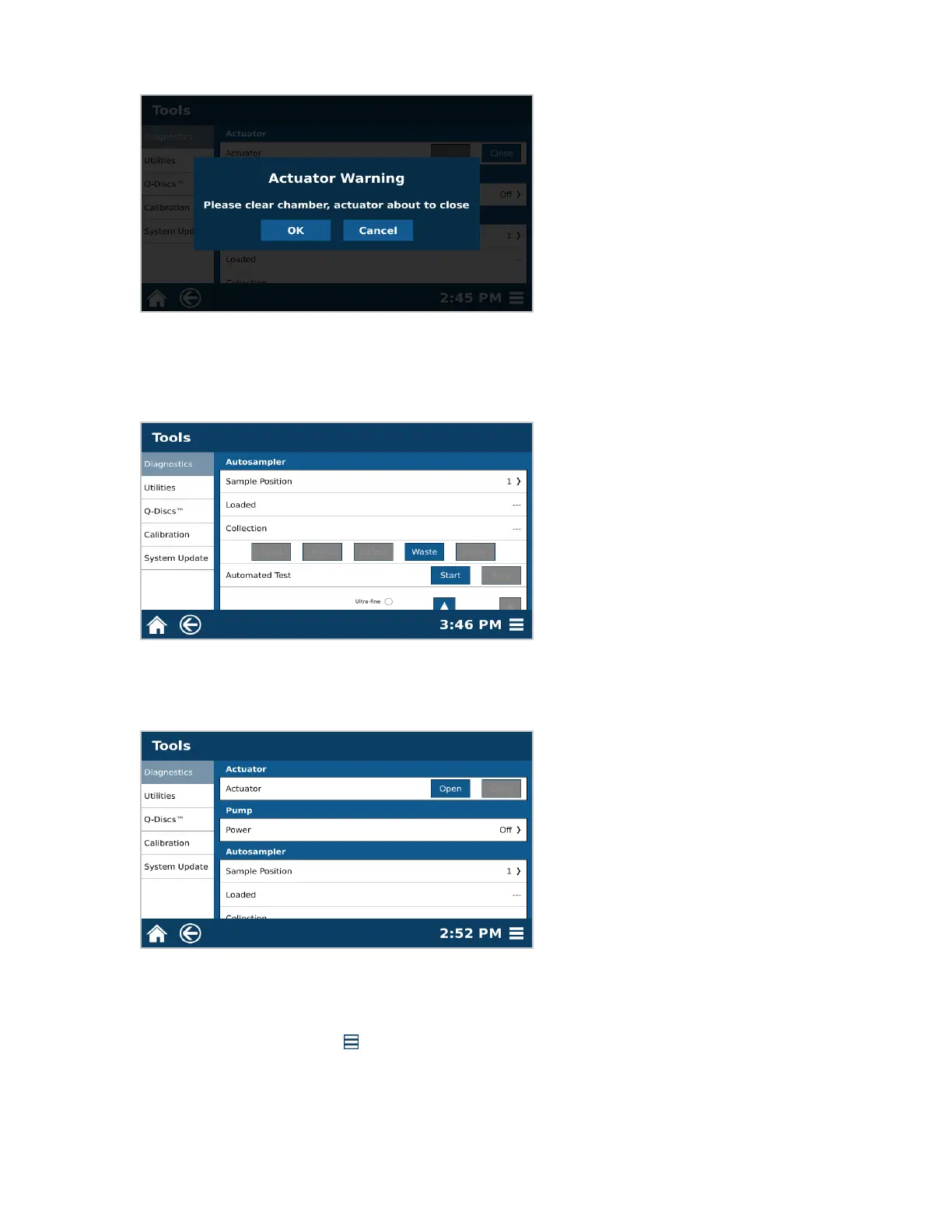
12.4. Select “Close.”
12.5. A warning will appear. Select “OK” once chamber is clear.
12.6. Scroll down to the Autosampler section. Select “Waste.” The autosampler dispense needle will travel to
the waste position. Observe the movement of the autosampler at this time. The dispense needle should
glide smoothly in to the waste port. If movement is not smooth the waste position will need to be calibrat-
ed.
12.7. Select “Home.” The autosampler will travel to the home position.
12.8. Scroll upward to the Actuator section.
12.9. Select “Open.”
12.10. If the autosampler crashes at any point during the verication, the autosampler will need to be calibrated.
Please see Calibrations section of this manual.
13. Calibrate Pressure.
13.1. Select the System Menu icon in the bottom right corner of the screen.
13.2. Select Tools.
13.3. Select Calibration.



 To Next Page