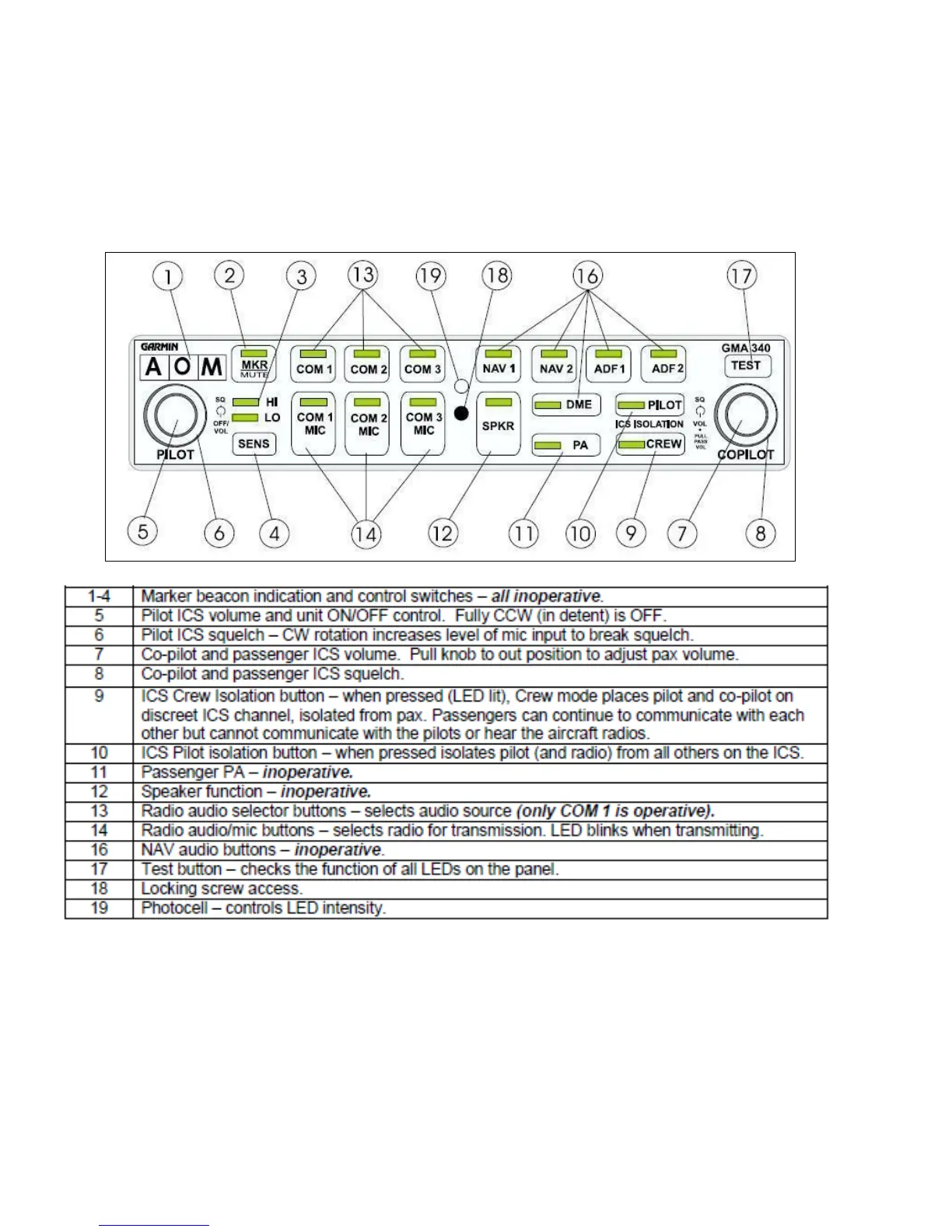
91. Radio (COM) and intercom (ICS) audio functions are controlled through the Garmin
GMA 340 Audio Panel. Information on the key functions of the audio panel is incorporated into
the Pilots Checklist, Emergency Procedures and Operating Data. Refer to Annex D for more
detailed operating instructions.
92. Normal operation is achieved by selecting COM 1 MIC and setting pilot/co-pilot
volumes/squelch levels as required. All other buttons can be deselected (LEDs OFF). A fail
safe circuit connects the pilot’s headset and microphone directly to the radio if the audio panel
fails or is turned off. The LED lighting intensity is controlled by the photocell on the panel face.
Nomenclature backlighting is controlled by the instrument lighting dimmer control.



 To Next Page