1-54
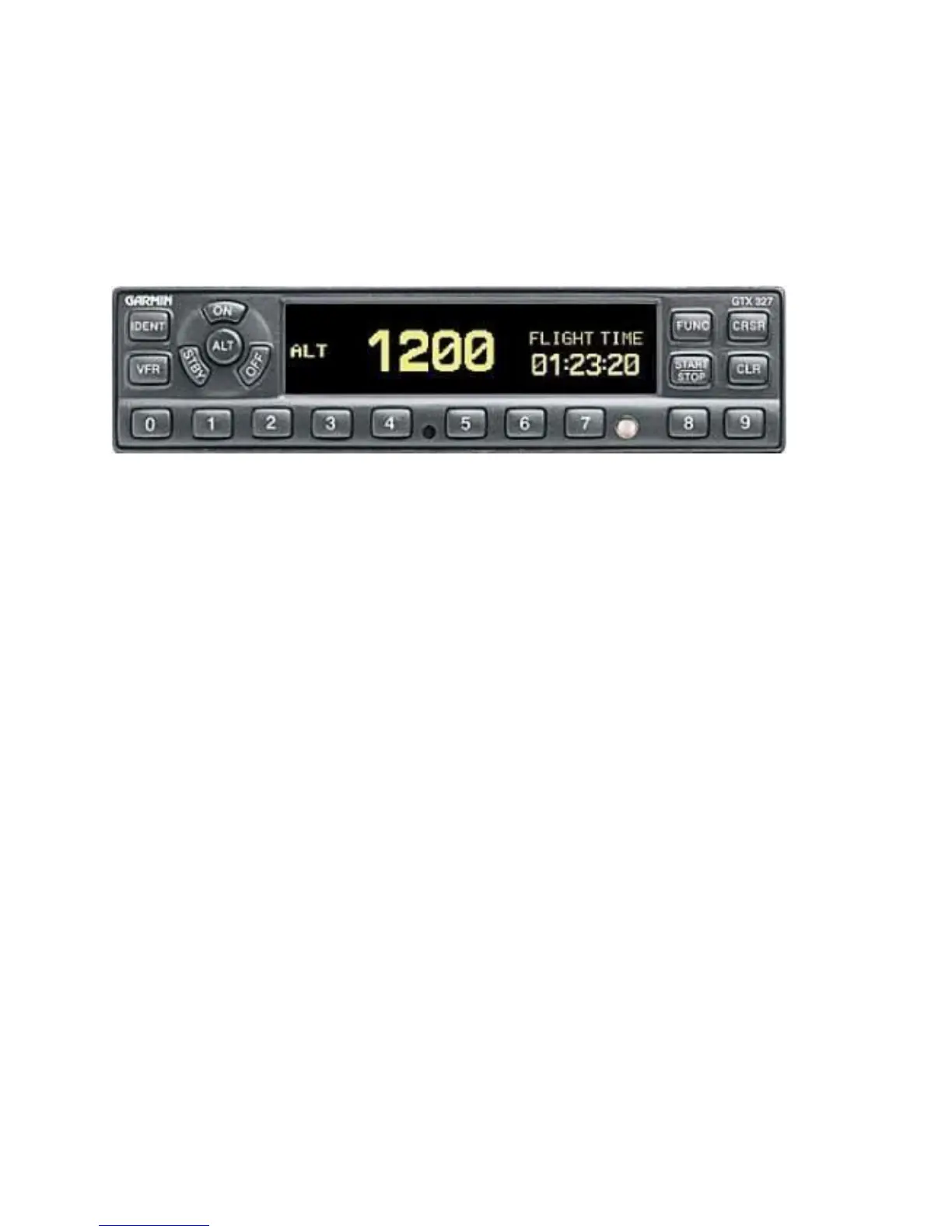
97. A Garmin GTX 327 Mode C digital transponder is installed. Information on the key
functions of the transponder is incorporated into the Pilots Checklist, Emergency Procedures
and Operating Data. Refer to Annex E for more detailed operating instructions. Pressing
the STBY, ALT or ON keys turns the unit on, after which it performs an internal self-test. If an
internal failure is detected, the screen will display SELF TEST FAILED and the unit must be
removed for repair.
Figure 1-62 Garmin GTX 327
a. OFF – powers off the unit when held for three seconds;
b. STBY – selects standby mode;
c. ON – selects Mode A only (no altitude information). Replies to interrogations are
indicated by a flashing ® in the display;
d. ALT – selects Mode A and C (interrogation replies include altitude output from
encoding altimeter). ALT appears in the display;
e. Code Selection Keys 0-7 – provide 4096 identification codes. Pressing any one
begins the code selection process and the new code is active as soon as the
fourth digit is entered;
f. IDENT – activates special position identifier (SPI) pulse for 18 sec. IDENT will
appear in the display when this feature is activated;
g. VFR – selects pre-programmed code (set to 1200). Pressing key again restores
previous code;
h. FUNC – Cycles between several ancillary functions, specifically Pressure Altitude,
Flight Time, Count-Up Timer and Count-Down Timer;
i. START/STOP – Starts and stops the timers;
j. CRSR - Initiates time entry for count down timer and cancels transponder code
entry; and
k. CLR – Resets timers (when in timer mode, or cancels the previous key selection.
l. OFF – powers off the unit when held for three seconds;




 To Next Page