13 610 02 1018
48
Operation
5.11 Software updates
5.11.1 Loading the software onto the USB stick
5.11.1.1 Extracting the software using Windows
• Save the ZIP le onto your computer’s hard disk.
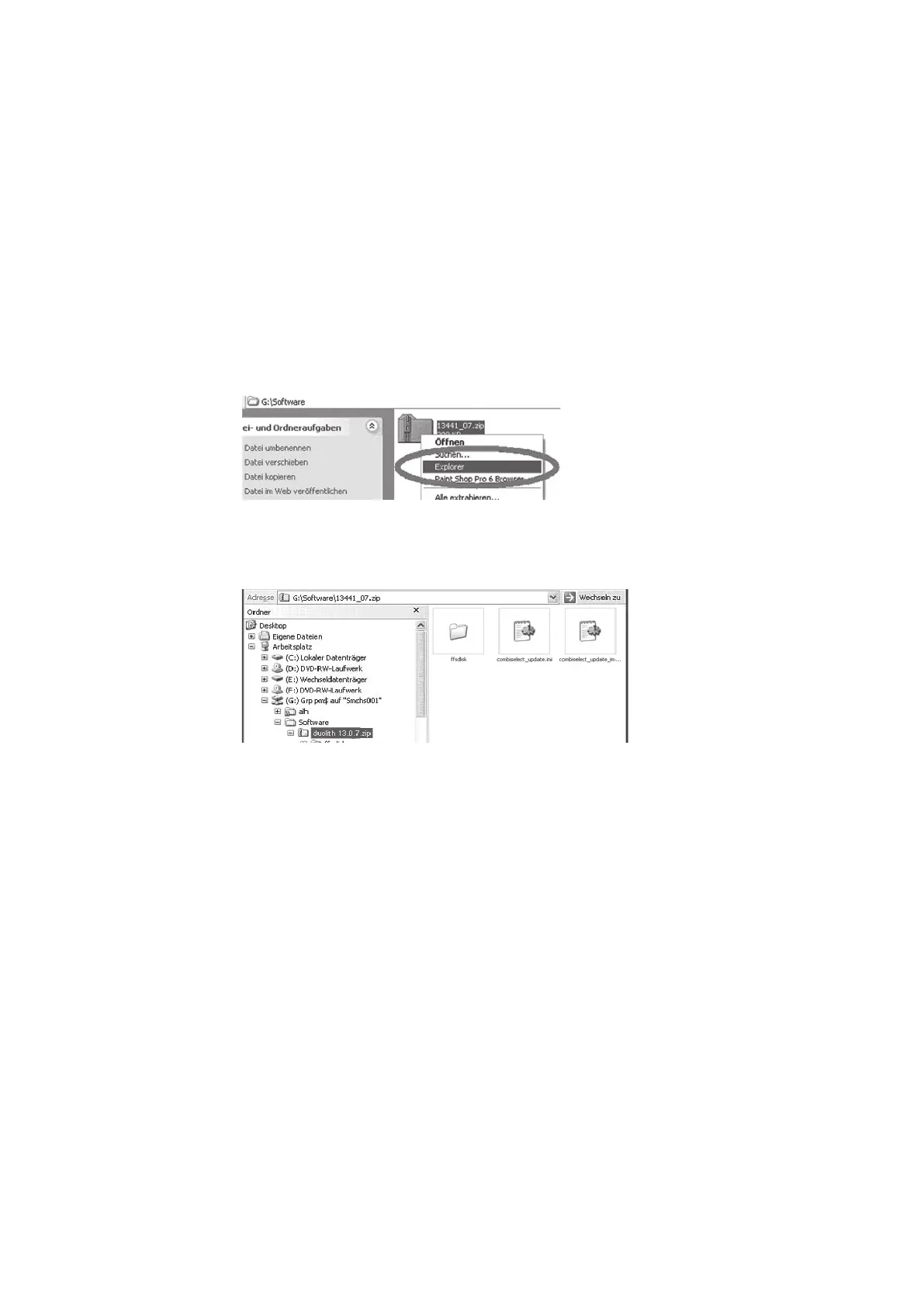
• Right-click on the ZIP folder icon.
• In the shortcut menu that appears, select the “Explorer” item.
Fig. 5-38 Selecting “Explorer”
The folder with the update les appears on the left of the window.
Fig. 5-39 Folder with update les
• In this folder, select the “combiselect_update.ini” and “combiselect_update_img.
ini” les and the “ffsdisk” folder and copy them onto your USB stick.
• Start the software update as described.











 To Next Page