13 610 02 1018
37
Operation
5.6 Storing the treatment parameters
• Touch the “Menu” button.
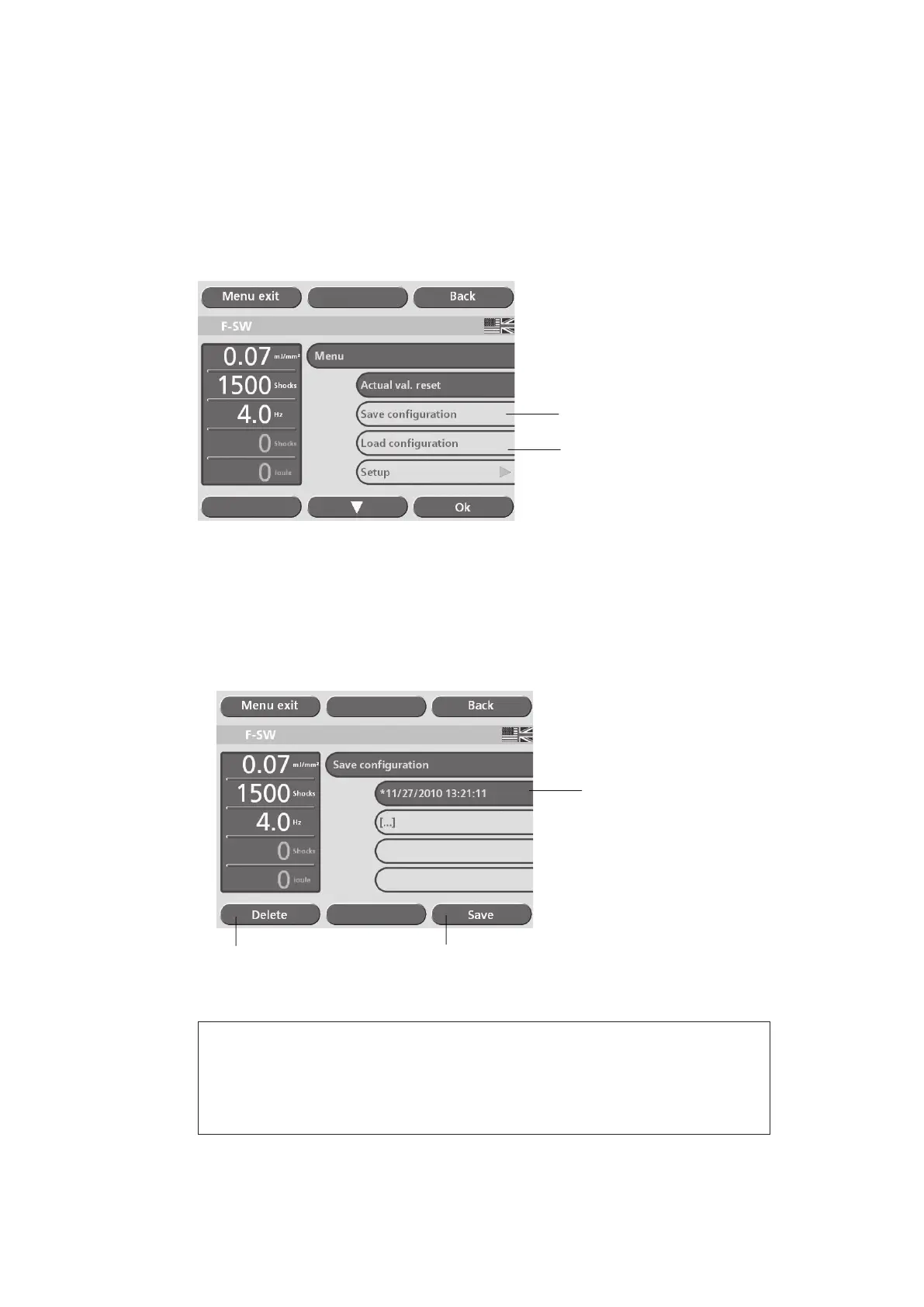
• Select the “Save conguration” function as shown in the picture below (1) to save
the current setting of the treatment parameters.
• Touch the “OK” button.
1
2
Fig. 5-20 Storing the treatment parameters
A list with a total of 100 memory locations appears on the touch screen display in the
“Save conguration” sub-menu. The system automatically stores the new parameter
congurations at the end of the list with the corresponding creation date and time as
shown in the picture below (1).
• Touch the “Save” key to save the current setting (see picture below).
1
3
2
Fig. 5-21 “Save conguration” sub-menu
NOTE
If you select a eld that is already occupied, you are asked if you want to over-
write the content. Conrm by touching “OK” or revoke your selection by tou-
ching the “Back” key.











 To Next Page