13 610 02 1018
45
Operation
5.10 Data transfer
Using this function, treatment data can be exported onto a USB memory stick in a
format that can be opened in Excel. Also, operating data can be saved (backup) or
restored following a repair or if the instrument is replaced.
• Ensure that your USB memory stick supports the USB V1.1 protocol. You can order
a validated USB stick from your dealer.
Exporting treatment data
• Load a patient-specic parameter record.
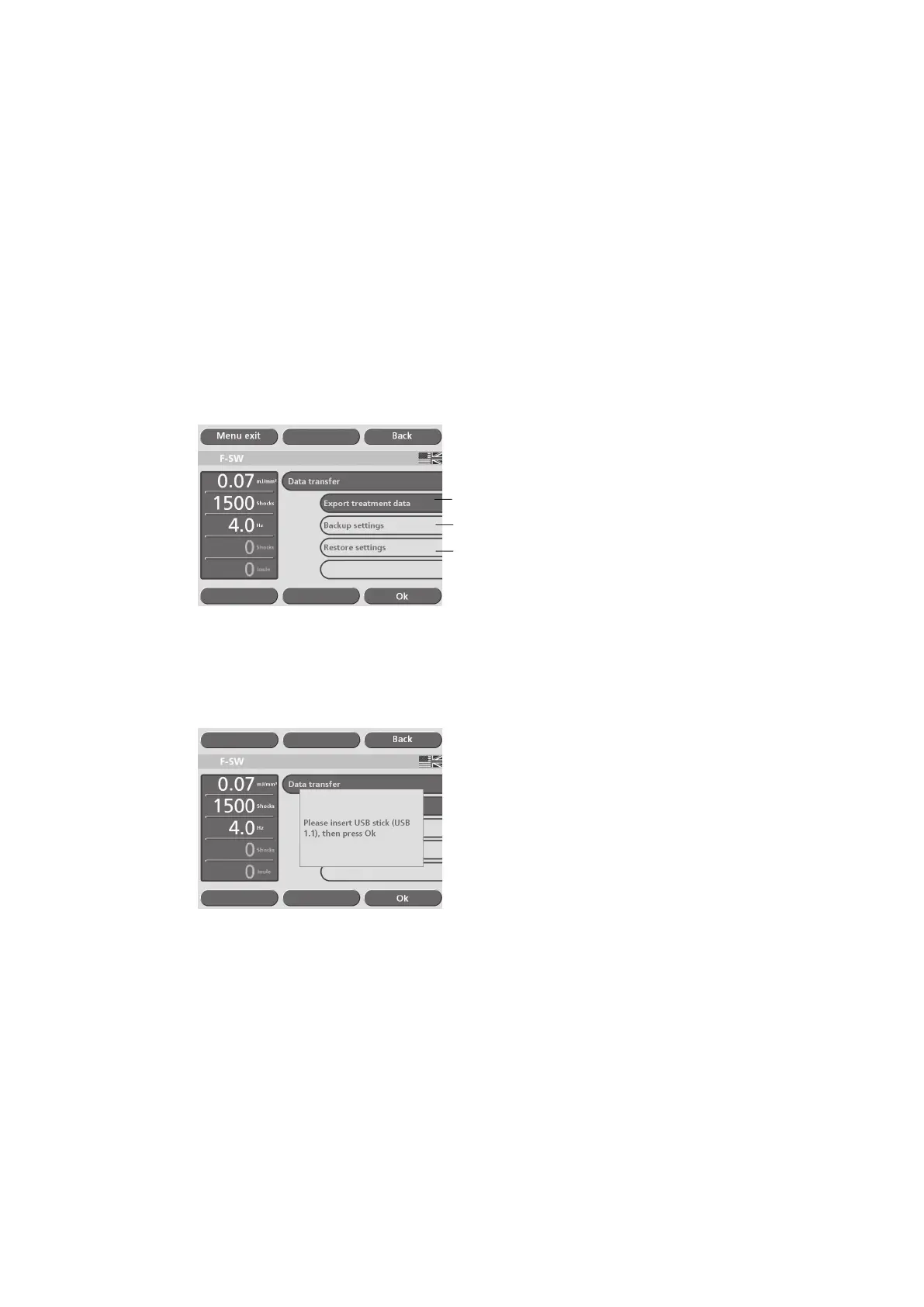
• Select the “Data transfer” / “Export treatment data” function in the 1st sub-menu
(see picture below).
1
2
3
Fig. 5-34 Data export
• Connect the memory stick to the USB port as soon as you are prompted to do so
(see picture below) and conrm by touching “OK”.
Fig. 5-35 Data export
The USB connection is established.











 To Next Page