13 610 02 1018
39
Operation
5.7 Loading treatment parameters
The alphabetical list of treatment parameters that have already been stored or of the
patient record can be opened either directly from the parameter entry screen or from
the main menu screen.
• If you are in the parameter entry screen, touch the “Conguration” button (Fig.
5-18).
• If you are in the main menu, select the “Load conguration” function from the list
(Fig. 5-20/2).
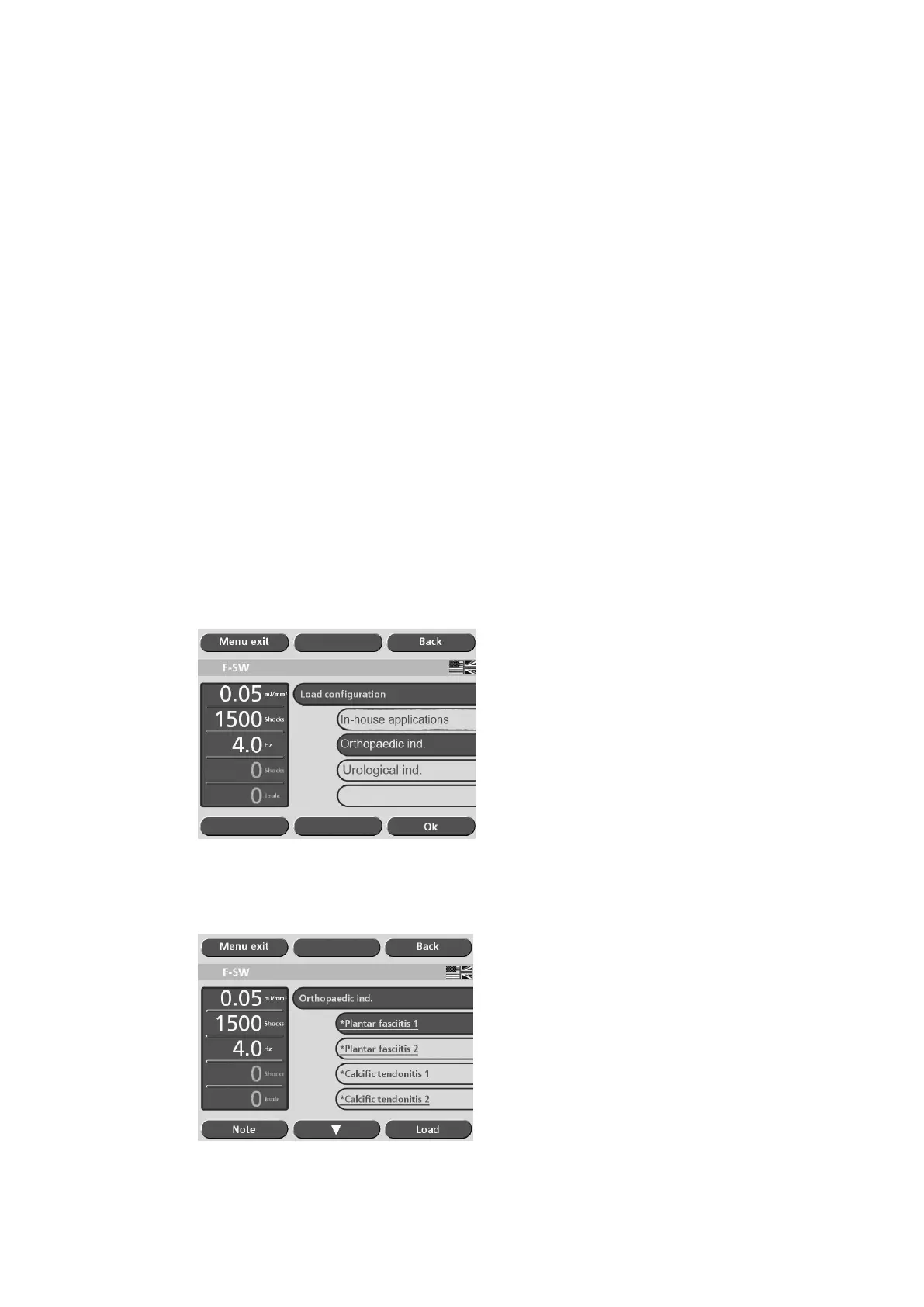
The “Load conguration” menu contains the following indication groups:
– In-house applications
– Orthopaedic indications
– Urological indications
5.7.1 Pre-programmed indications from the manufacturer
• Touch the button on which the required application area is displayed (see picture
below).
• Touch the “OK” button.
Fig. 5-23 Loading a conguration I
• Select the required indication.
Fig. 5-24 Loading a conguration II











 To Next Page