13 610 02 1018
53
Operation
The trigger button functions as an on/off switch when it is pressed briey
(< 1.5 s). Pressing it for longer (> 1.5 s) causes it to function as a tip switch, i.e. the
shocks will continue until the button is released.
NOTE
If a nominal shock wave value of less than 1000 shock waves is selected (e.g. 400
shock waves), a window with the following text appears after the nominal value
has been reached: “Number/energy set value reached”.
The message can be acknowledged by touching the “OK” button or the corres-
ponding trigger button. Further treatment is possible.
If the nominal shock value is 0 (displayed as “ - ”), the stop only occurs at 19,999
shocks.
This message is activated again as soon as a multiple of the set nominal value is
reached (e.g. 800 shock waves, 1200 shock waves, etc.).
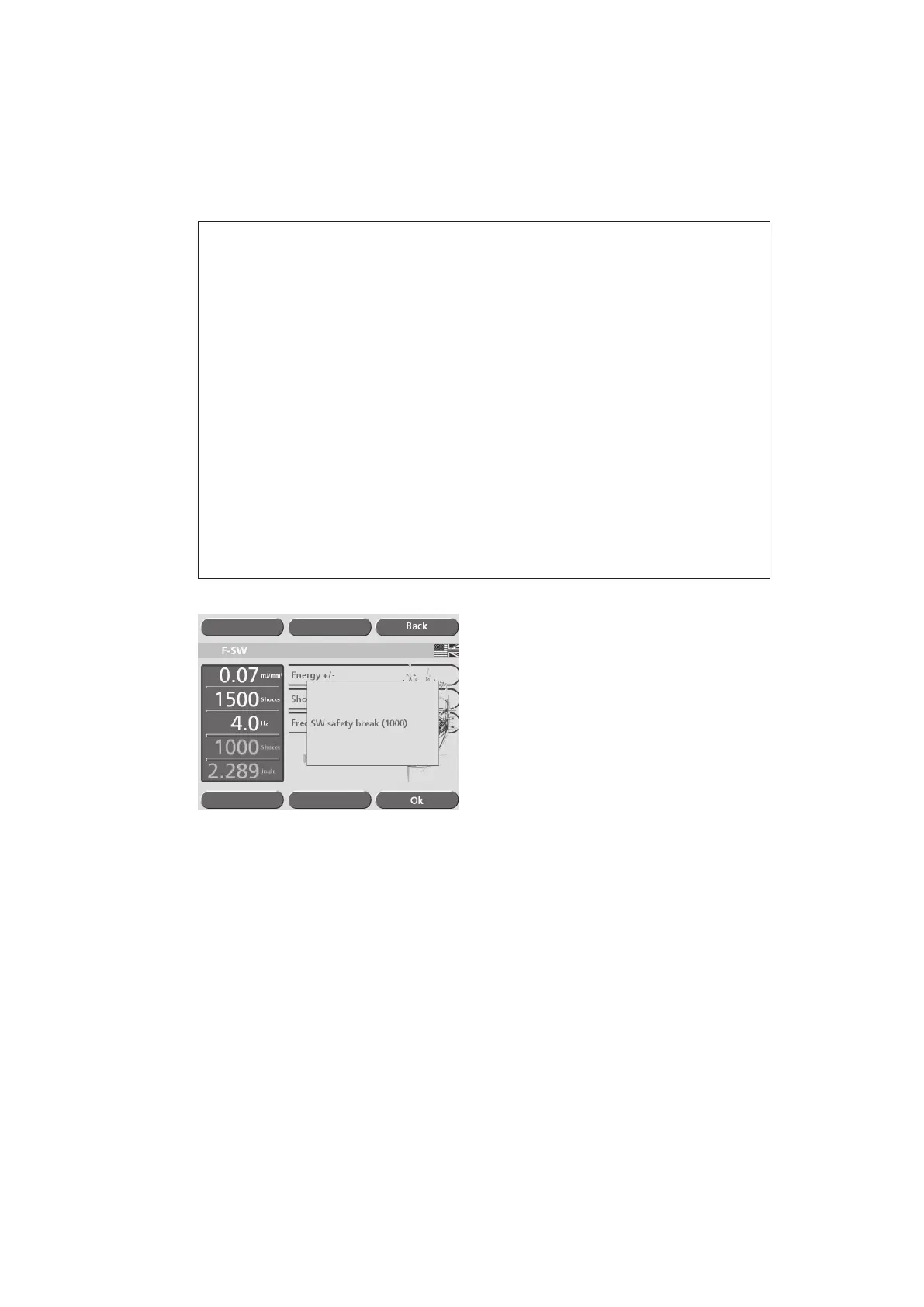
If a nominal value above 1000 shock waves is selected (e.g. 1700 shock waves),
the instrument automatically triggers a safety stop at 1000 shock waves (see
picture below). The next stop occurs when the set nominal value is reached. Fol-
lowing this, the counter continues to stop at intervals of 1000 (e.g. 2700, 3700,
etc.).
Fig. 5-49 Safety stop











 To Next Page