4.0 CONFIGURATION MENU
Cheetah Xi Programming Manual 4-27
P/N: 06-651 Rev 1, 09/2013
4.4.1.1.1 PERIPHERAL DEVICE TESTING
When the peripheral device type is set to either SWITCH 20-ZONE or ANNUNC 20-ZONE, additional test
features can be performed on the selected peripheral device by pressing the F1, F2 or F3 keys:
1 2 3 4 5 6 7 8 9 0 1 2 3 4 5 6 7 8 9 0
A
P E R I PHERAL ADDR : 0 2
B
T Y P E : S M O K E C O N T R O L
C
S U P E R V I S E : Y E S Z: 000
D
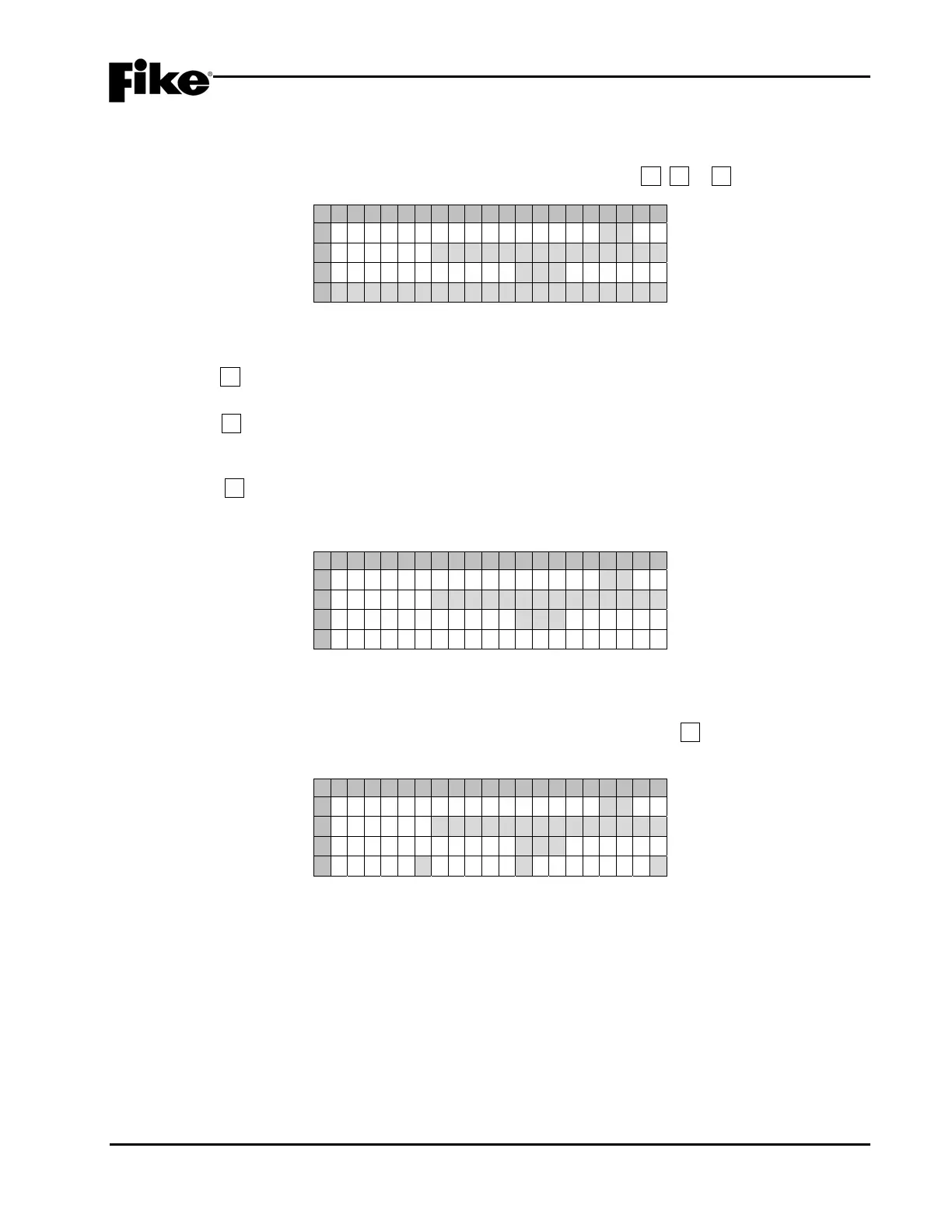
* * S E N D I N G L E D T E S T * *
Exhibit 4-41: LED Test Screen
• Row D – Toggles to display the feedback message for the test initiated.
Press F1 to send a LED test command to the selected peripheral device. The feedback message
“**SENDING LED TEST**” will be indicated on Row D of the display, as shown above.
Press F2 to force the selected peripheral device to perform a checksum test on its configuration
memory. The feedback message “**CHECKSUM TEST**” will be indicated on Row D of the display.
If the checksum fails, a trouble message “PER #aa CONFIG ERROR” will be reported to the panel.
Press F3 to force the selected peripheral device to perform a checksum calculation on its
configuration memory. The feedback message “**CHECKSUM CALC**” will be indicated on Row D
of the display, as shown below.
1 2 3 4 5 6 7 8 9 0 1 2 3 4 5 6 7 8 9 0
A
P E R I PHERAL ADDR : 0 2
B
T Y P E : S M O K E C O N T R O L
C
S U P E R V I S E : Y E S Z: 000
D
* * C H E C K S U M C A L C * *
Exhibit 4-42: Checksum Calc Screen
4.4.1.1.2 HOW TO PROGRAM A 256 LED GRAPHIC
When the peripheral device type is set to 256LED GRAPHIC, you can press the F1 key to toggle Row D of
the display between the peripheral custom message and additional configuration options, as shown below:
1 2 3 4 5 6 7 8 9 0 1 2 3 4 5 6 7 8 9 0
A
P E R I PHERAL ADDR : 0 2
B
T Y P E : 2 5 6 L E D G R A P H I C
C
S U P E R V I S E : Y E S Z: 000
D
B U Z Z : YAC:NBATT:N
Exhibit 4-43: 256 LED Graphic Configuration Screen
• Row D (BUZZ) - Allows you to Enable/Disable the piezo sounder on the graphic controller card
(Y/N).
• Row D (AC) - Allows you to Enable/Disable supervision of the AC power input to the graphic
controller card (Y/N).
• Row D (BATT) - Allows you to Enable/Disable supervision of the battery input to the graphic
controller card (Y/N).
Use the ◄► arrow keys to position the cursor under each field; then use the +/- keys to toggle the
value at the cursor.


 To Next Page