4.0 CONFIGURATION MENU
Cheetah Xi Programming Manual 4-37
P/N: 06-651 Rev 1, 09/2013
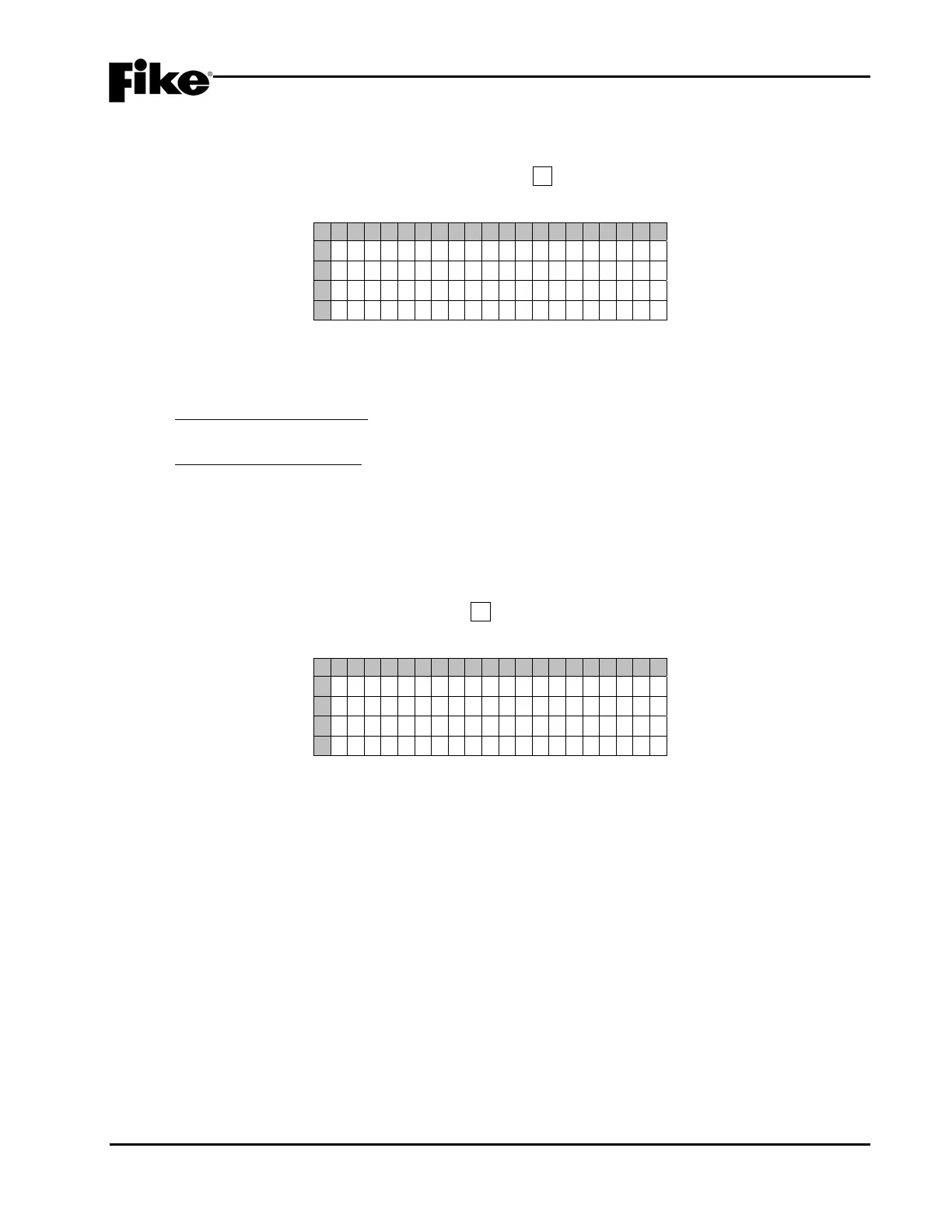
4.5.2.5 HOW TO VERIFY THE VESDA COMMUNICATION COMMAND SET
The COMMAND SET screen lets you verify the software version that is being used by the connected HLI.
From the “VESDA Configuration Menu” screen, press the F5 key to access the “VESDA Command Set”
screen, as shown below:
1 2 3 4 5 6 7 8 9 0 1 2 3 4 5 6 7 8 9 0
A
HL I TYPE :
B
M A S TER - SLAVE ( NEWER )
C
S O FTWARE VERS I ON :
D
003 . 008 . 000
Exhibit 4-58: VESDA Command Set Screen
• Pressing ENTER will cause the panel to query the connected HLI to determine its software version.
The software version of the HLI will be displayed on Row D.
MASTER-SLAVE (NEWER): Allows communication with up to 40 VESDA units while still meeting UL
and NFPA’s 10 second supervision response time. HLI firmware version 3.08.00 or higher.
PEER-TO-PEER (OLDER): Allows communication with up to 40 VESDA units, but only 10 can be
connected to the HLI and still meet UL and NFPA’s 10 second supervision response time. HLI
firmware versions older than 3.08.00.
4.5.3 HOW TO CONFIGURE AUXILIARY POWER CIRCUTS AS AUX/NACS
The Aux/NAC option lets you configure the Cheetah Xi’s auxiliary power circuits for use as notification
appliance circuits (NACs).
From the “Configuration Menu 4” screen, press the F3 key to access the “Aux/NAC Menu” screen, as shown
below:
1 2 3 4 5 6 7 8 9 0 1 2 3 4 5 6 7 8 9 0
A
A U X I L I A R
NAC MENU
B
F 1 - AUX NAC FUNCT I ONS
C
F 2 - AUX NAC ZONES
D
Exhibit 4-59: AUX / NAC Menu
F1 = Auxiliary NAC Function Screen
F2 = Auxiliary NAC Zones Screen
LATTENTION: These programming options are not available at this time, but will be added to the Cheetah
Xi panel in the future. The current Cheetah Xi hardware does not support these features. Any changes
made to these programming features will have no effect on the panel operation.


 To Next Page