30
RGU-10A , RGU-100A
Instruction Manual
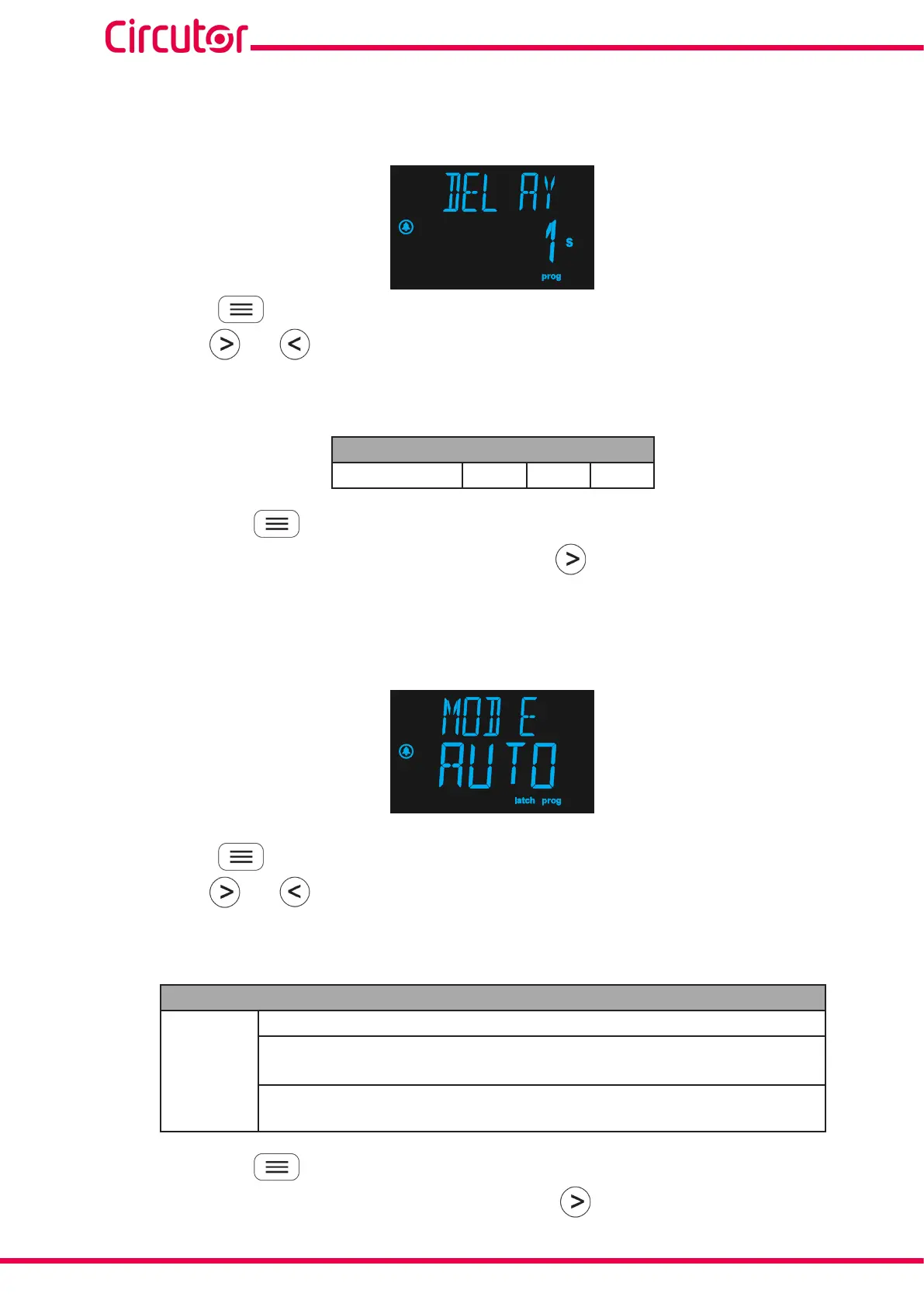
7.1.2 - DELAY OF THE PREALARM RELAY
This screen is used to configure the delay of the pre-alarm relay trip, in seconds.
Press the key to enter edit mode, the programming value flashes.
Use the keys and to skip through the different options.
Configuration values
Table 13:Configuration values: Delay of pre-alarm relay.
Delay of pre-alarm relay
Possible values 1 s. 3 s. 5 s.
Hold down the key for > 3s to validate the data and exit edit mode.
To skip to the next programming point, press once the key .
7.1.3 - PREALARM OPERATION
This screen is used to configure the operation of the pre-alarm.
Press the key to enter edit mode, the programming value flashes.
Use the keys and to skip through the different options.
Configuration values
Table 14:Configuration values: Pre-alarm operation.
Pre-alarm operation
Possible
values
DISA, pre-alarm deactivated.
AUTO, pre-alarm activated with latch deactivated; if the condition for the pre-
alarm clears, the pre-alarm is disconnected.
MANU, pre-alarm activated with latch activated, the pre-alarm clears when re-
setting via the keyboard.
Hold down the key for > 3s to validate the data and exit edit mode.
To skip to the next programming point, press once the key .


 To Next Page