Completing a Network Install 19
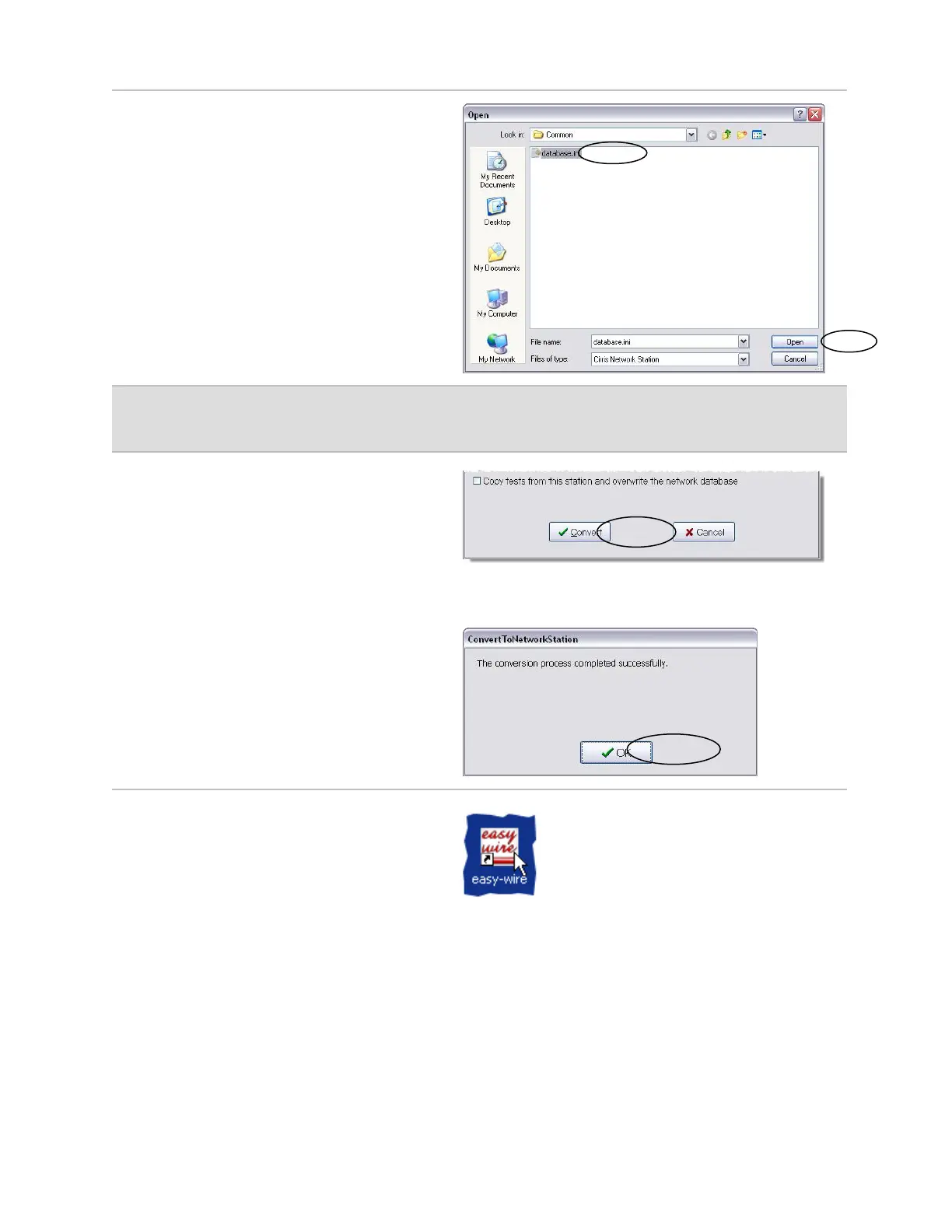
4. Browse to the database.ini file on the
server and click Open.
The default server location is at:
C:\Documents and Settings\
Users\Documents\Cirris\Common\
database.ini.
The "Convert Stand Alone Station to
Network Station" window will open.
Note: The test programs from other stand-alone stations must be exported, and afterwards
imported at any station connected to the network database.
5. When you are ready to continue,
click Convert.
The conversion process may take a
few minutes to several hours
depending on how much data is being
converted to the network database.
6. When the conversion process is
complete, the "Convert To Network
Station" window will open. Click OK.
7. On your desktop, double-click the
Easy-Wire icon to open the software.



 To Next Page