EasyManua.ls Logo

Cirris CH2 - Checking System Sound Prompts

Cirris CH2
64 pages
Print Icon
To Next Page IconTo Next Page
To Previous Page IconTo Previous Page
Loading...
Checking the System 15
Checking the Sound
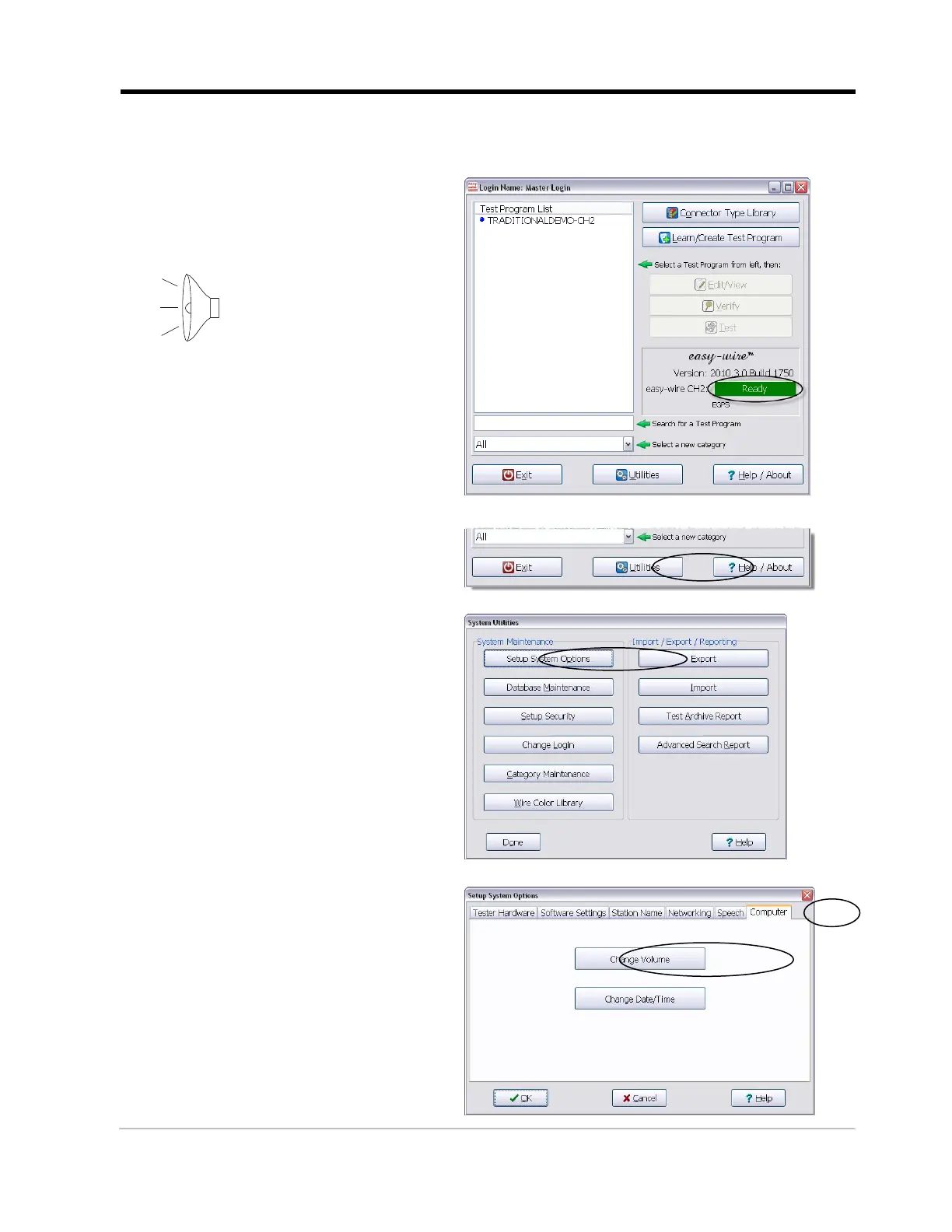
The Easy-Wire software relies on sound prompts to provide test feedback to the operator.
1. In the Easy-Wire main menu,
click the green status indicator.
You should hear two trumpet
sounds coming from the tester.
2. If you hear the sounds, skip
to Connecting to a Network
on page 14.
If you do not hear the sounds,
continue with the steps below.

3. From the Easy-Wire main
menu, click Utilities.
4. Click Setup System Options.
5. Open the “Computer” tab and
click Change Volume.

Other manuals for Cirris CH2

Related product manuals