Completing a Network Install 18
Attaching a Station to the Network Database Server
You must complete the following procedure on each computer station (not on the network
database server). Before performing this process you should have previously installed the
Cirris software on each station and on the Network Database Server.
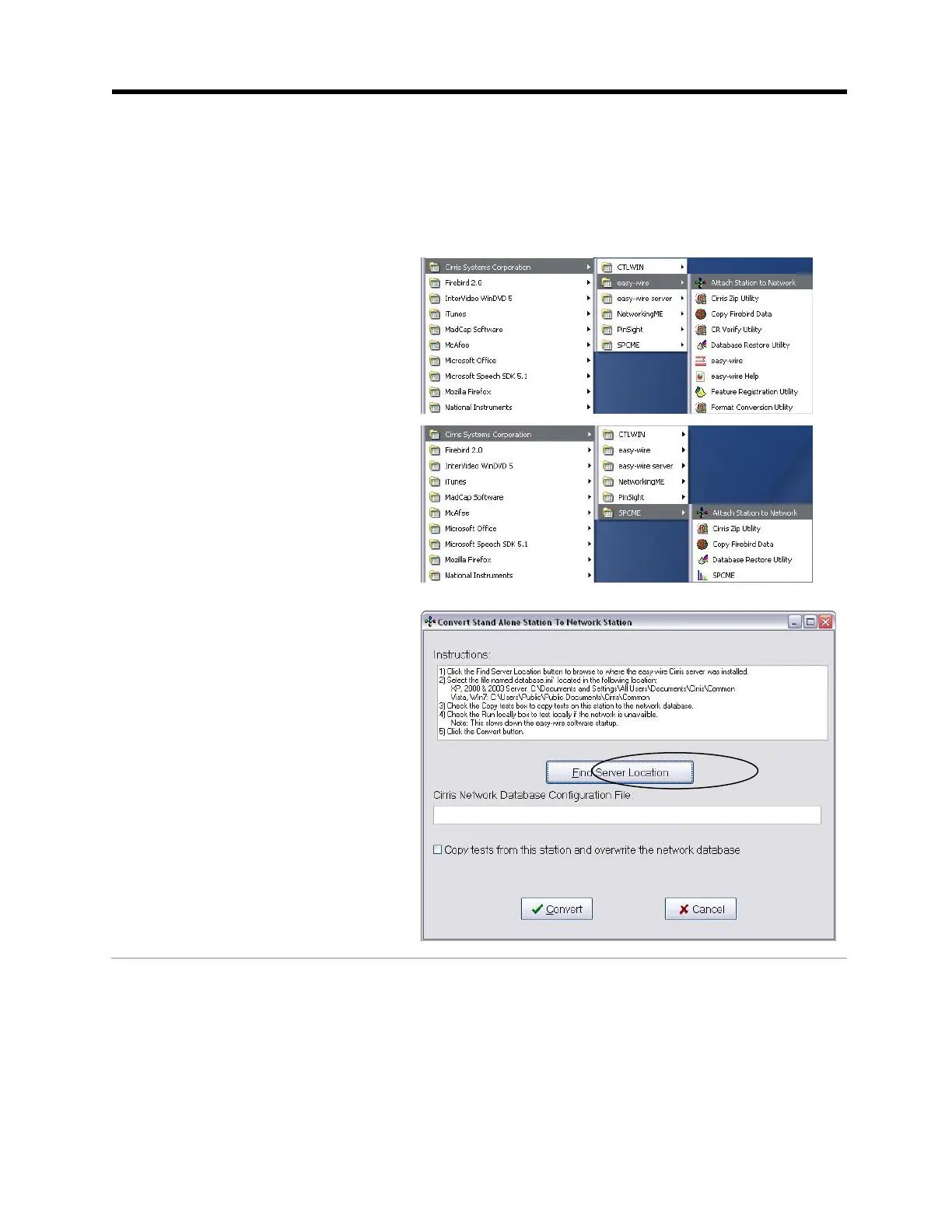
1. On your PC, click the Windows Start button.
2. If you are attaching Easy-Wire
software, click Programs, Cirris
Systems Corporation, Easy-Wire,
Attach Station to Network.
If you are attaching the SPC
Made Easy software, click
Programs, Cirris Systems
Corporation, SPCLink, Attach
Station to Network.
3. When this window appears, click
Find Server Location to locate the
database configuration file.



 To Next Page