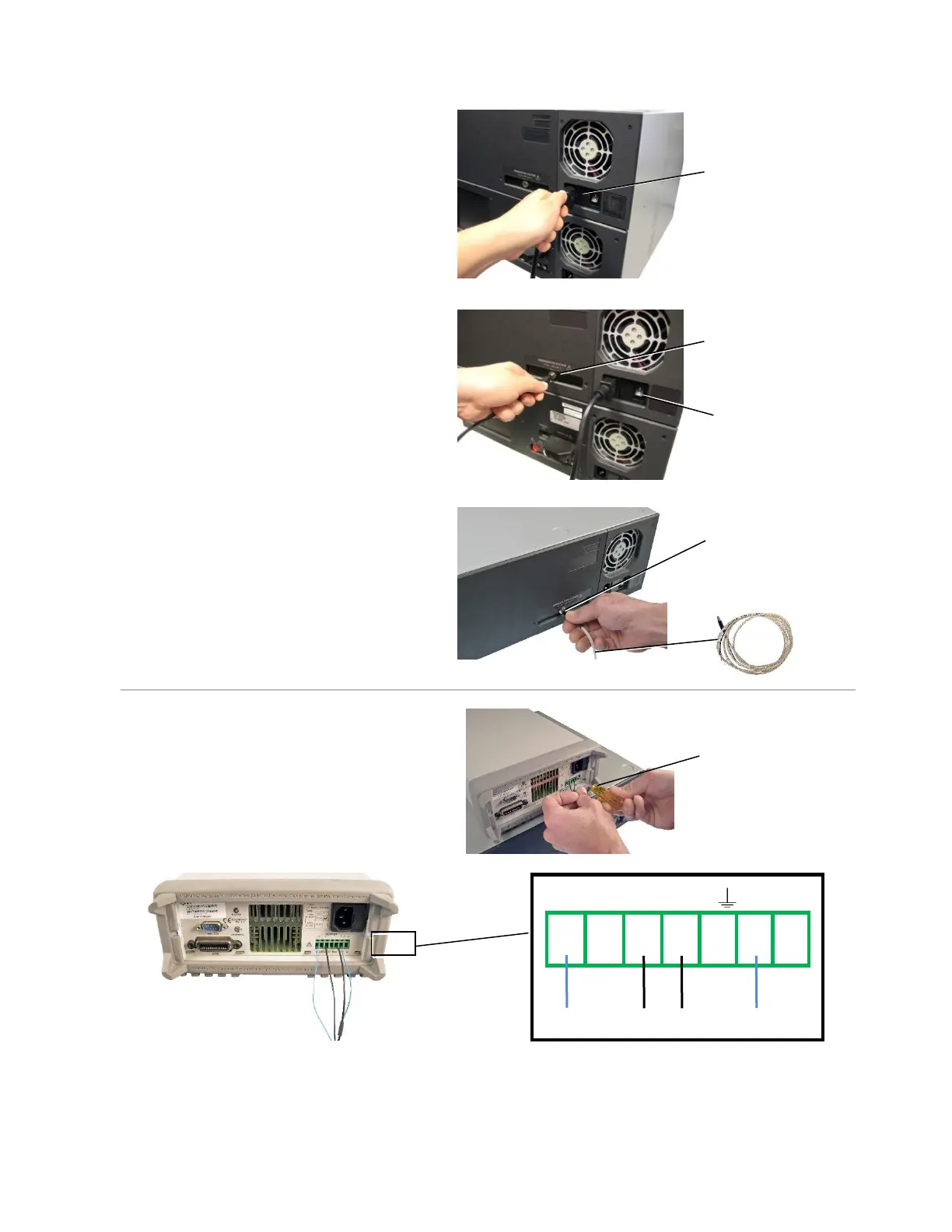
3. On the back of the EBox, plug the
power cable into the power
connector and plug the other end into
a grounded outlet.
4. For a fixed power supply, plug your
fixed voltage power supply into the
Energization Voltage socket on the
back of the EBox, power on the EBox,
and then skip to “EBox Instructions”
on page 54.
For a variable power supply,
Plug the connector end of your
External EBox Cable into the
“Energization Voltage” socket.
5. Insert the 4 External EBox Cable
wires into their corresponding slots
on the back of the variable power
supply. Secure the wires by
tightening the screws on the terminal
block with a small screw driver (see
the diagram below).
Energization voltage
socket
Energization voltage
socket



 To Next Page