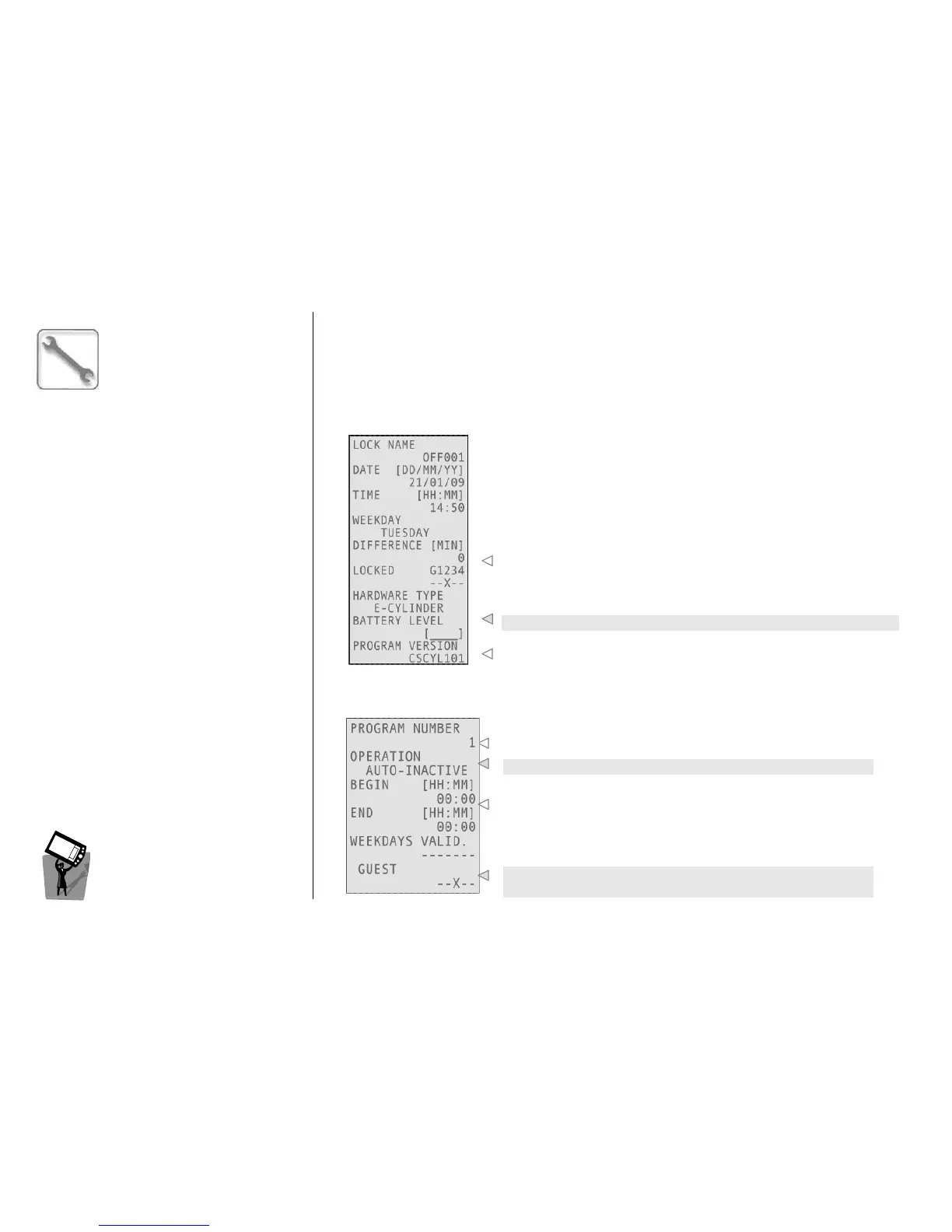
This menu allows the creation of a Device Info service card. With this specific card, it is possible to
download from the device all the information about its initialization, date and time settings, battery
level and software version. This operation can be performed by encoding the card and then
presenting it to the device; when the operation is complete, the device gives two green blinks.
To read a Device Info card, it is necessary to use the proper menu (see below).
R
RR
R
EAD
EAD EAD
EAD
D
DD
D
EVICE
EVICE EVICE
EVICE
I
II
I
NFO
NFO NFO
NFO
C
CC
C
ARD
ARDARD
ARD
The information downloaded on the Device Info card can be
visualized on the encoder’s screen by choosing this menu and
presenting the card to the encoder.
Time difference between device and encoder.
Device battery level.
Firmware version installed on the device.
C
CC
C
REATE
REATEREATE
REATE
A
AA
A
UTOPROGRAMS
UTOPROGRAMSUTOPROGRAMS
UTOPROGRAMS
This menu allows you to program automatic functions in the specified days and hours.
You can set up to 15 programs for normal locks and up to 60
programs for special locks.
This is the operation type (see below).
Beginning and end of autoprogram period of validity (with 15
minutes tolerance) and weekdays of validity.
It is possible to lockout several types of cards (Guest, Staff 1, 2, 3,
4).



 To Next Page