4-23
Cisco Unified IP Phone 7906G and 7911G for Cisco Unified Communications Manager 6.0
OL11954-01
Chapter 4 Configuring Settings on the Cisco Unified IP Phone
Device Configuration Menu
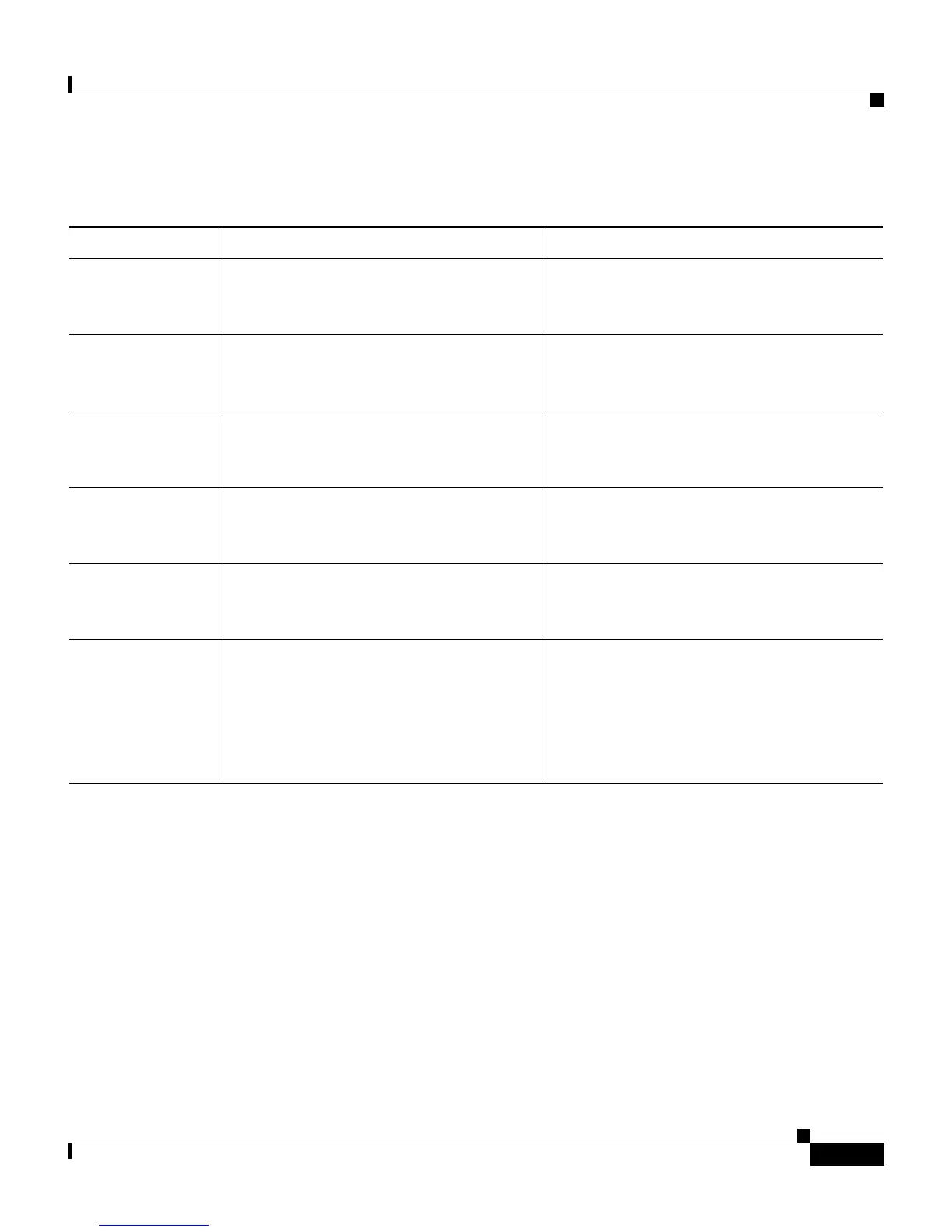
Table 4-8 HTTP Configuration Menu Options
Option Description To Change
Directories URL URL of the server from which the
phone obtains directory information.
From Cisco Unified Communications
Manager Administration, choose Device
> Phone > Phone Configuration.
Services URL URL of the server from which the
phone obtains Cisco Unified IP Phone
services.
From Cisco Unified Communications
Manager Administration, choose Device
> Phone > Phone Configuration.
Messages URL URL of the server from which the
phone obtains message services.
From Cisco Unified Communications
Manager Administration, choose Device
> Phone > Phone Configuration.
Information URL URL of the help text that appears on the
phone.
From Cisco Unified Communications
Manager Administration, choose Device
> Phone > Phone Configuration.
Authentication
URL
URL that the phone uses to validate
requests made to the phone web server.
From Cisco Unified Communications
Manager Administration, choose Device
> Phone > Phone Configuration.
Proxy Server
URL
URL of proxy server, which makes
HTTP requests to non-local host
addresses on behalf of the phone HTTP
client and provides responses from the
non-local host to the phone HTTP
client.
From Cisco Unified Communications
Manager Administration, choose Device
> Phone > Phone Configuration.


 To Next Page
 Loading...