• Block list syntax is the same as shown above, except for
one additional rule: Block lists do not include routing
priority numbers.
• Unit ID numbers and routing priority values are always
separated with commas (,) and never with spaces.
• To make sure that the packet flow is allowed or blocked in
both directions, the unit ID numbers for each link in a Pass
list or Block list must be listed in forward order and in
reverse order.
• If a wireless link is not specified in a Pass list, it will be
assigned the lowest routing priority, but will not be
completely excluded from routing.
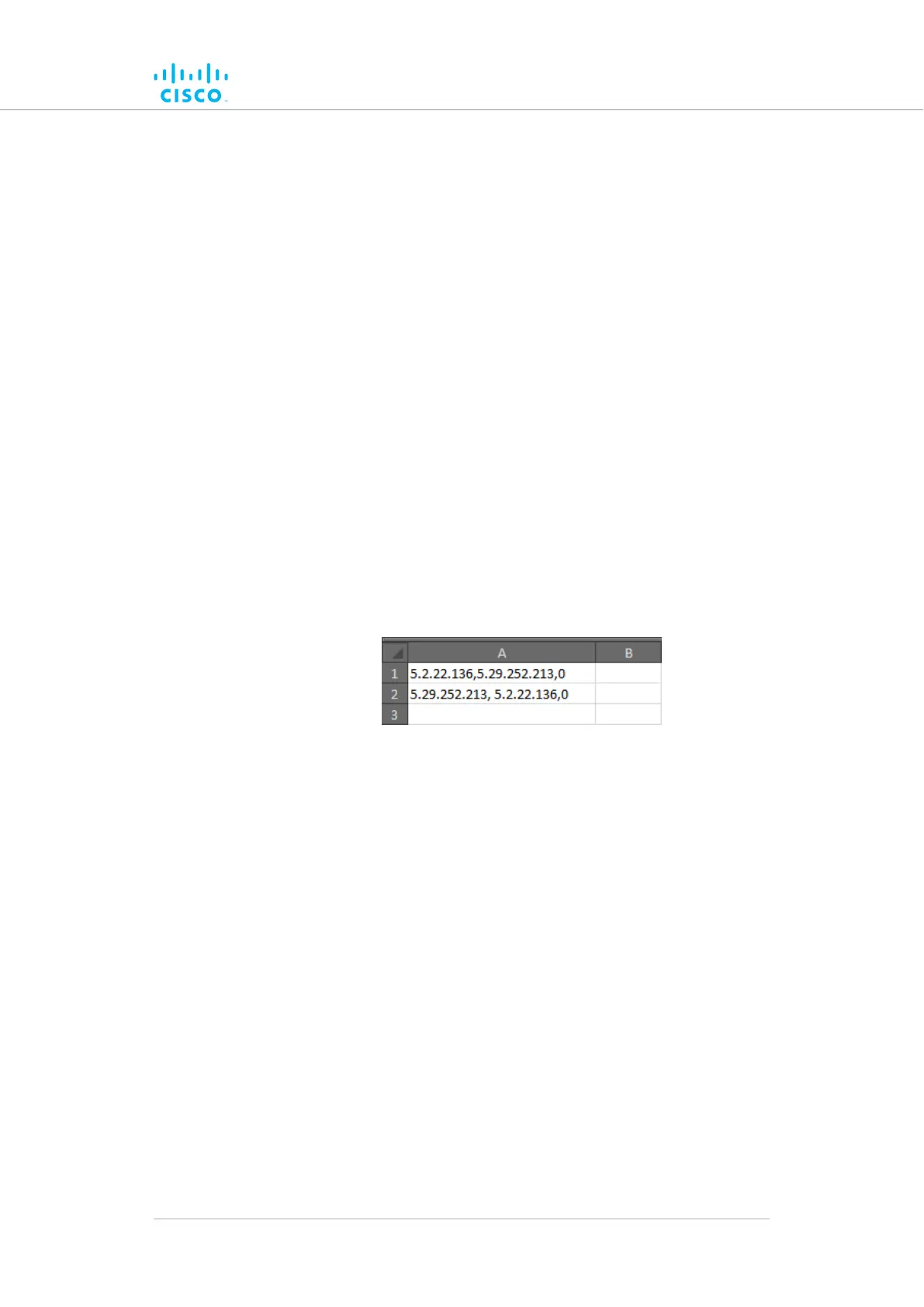
3. Example 1: If you want to create a simple Pass list that includes
the link between unit ID numbers 5.2.22.136 and 5.29.252.213
(Figure 37 (page 111)), and give the link routing priority 0 (the
highest possible priority):
• Cell A1 of the *.CSV file would contain the parameter
5.2.22.136,5.29.252.213,0
• Cell A2 of the *.CSV file would contain the parameter
5.29.252.213, 5.2.22.136,0
Figure 37. Sample Pass list (Example 1)
4. Example 2: If you want to create a Pass list that includes the
links between unit ID numbers 5.2.22.136 and 5.29.252.213 (with
routing priority 0), and between unit ID numbers 5.29.252.213
and 5.155.105.128 (with routing priority 1) (Figure 38 (page 112)):
• Cell A1 of the *.CSV file would contain the parameter
5.2.22.136,5.29.252.213,0
• Cell A2 of the *.CSV file would contain the parameter
5.29.252.213, 5.2.22.136,0
• Cell A3 of the *.CSV file would contain the parameter
5.29.252.213,5.155.105.128,1
• Cell A4 of the *.CSV file would contain the parameter
5.155.105.128,5.29.252.213,1
Device configuration using the configurator interface
© 2021 Cisco and/or its affiliates. All rights reserved. Page 111 of 189



 To Next Page