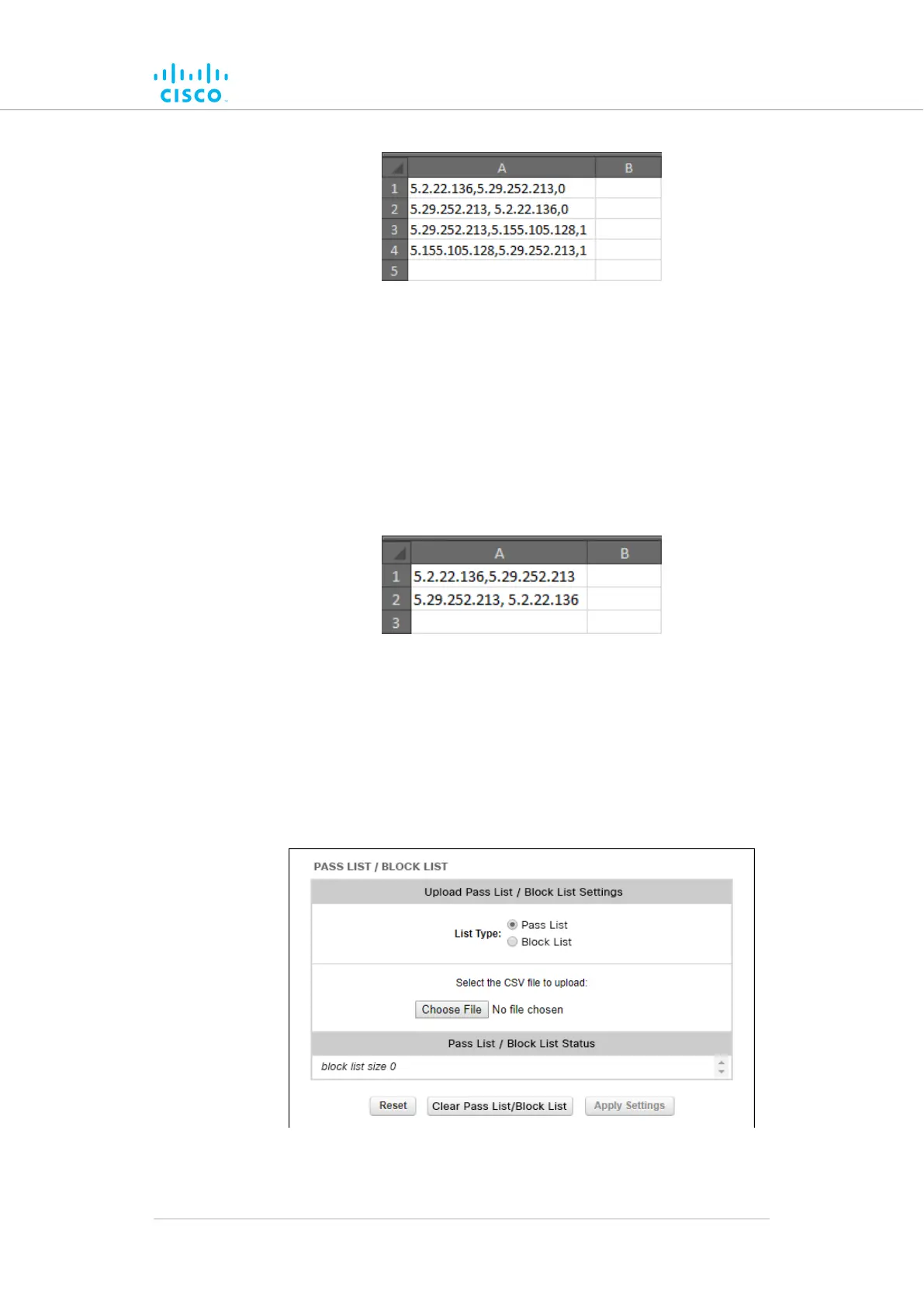
Figure 38. Sample Pass list (Example 2)
5. Example 3: If
you want to create a simple Block list that includes
the links between unit ID numbers 5.2.22.136 and 5.29.252.213
(Figure 39 (page 112)):
• Cell A1 of the *.CSV file would contain the parameter
5.2.22.136,5.29.252.213
• Cell A2 of the *.CSV file would contain the parameter
5.29.252.213, 5.2.22.136
Figure 39. Sample Block list (Example 3)
6.
Save and close the *.CSV file.
To upload a Pass list or Block list using the Configurator interface, do the
following steps:
1. Click the –pass list / Block list link under ADVANCED
SETTINGS in the left-hand settings menu.
Figure 40. Configurator (Pass list / Block list dialog)
Device configuration using the configurator interface
© 2021 Cisco and/or its affiliates. All rights reserved. Page 112 of 189



 To Next Page