4. T
o show the password as it is being typed, check the Show
Password check-box.
5. Save the Viewmode Credentials settings by clicking the Change
button. Alternatively, clear the settings by clicking the Reset
button.
To change the View Mode settings, do the following steps:
1. Log in to the unit's Configurator GUI with Administrator
credentials. See “Accessing the Cisco FM4200 Fiber for device
configuration” (page 57) for more information.
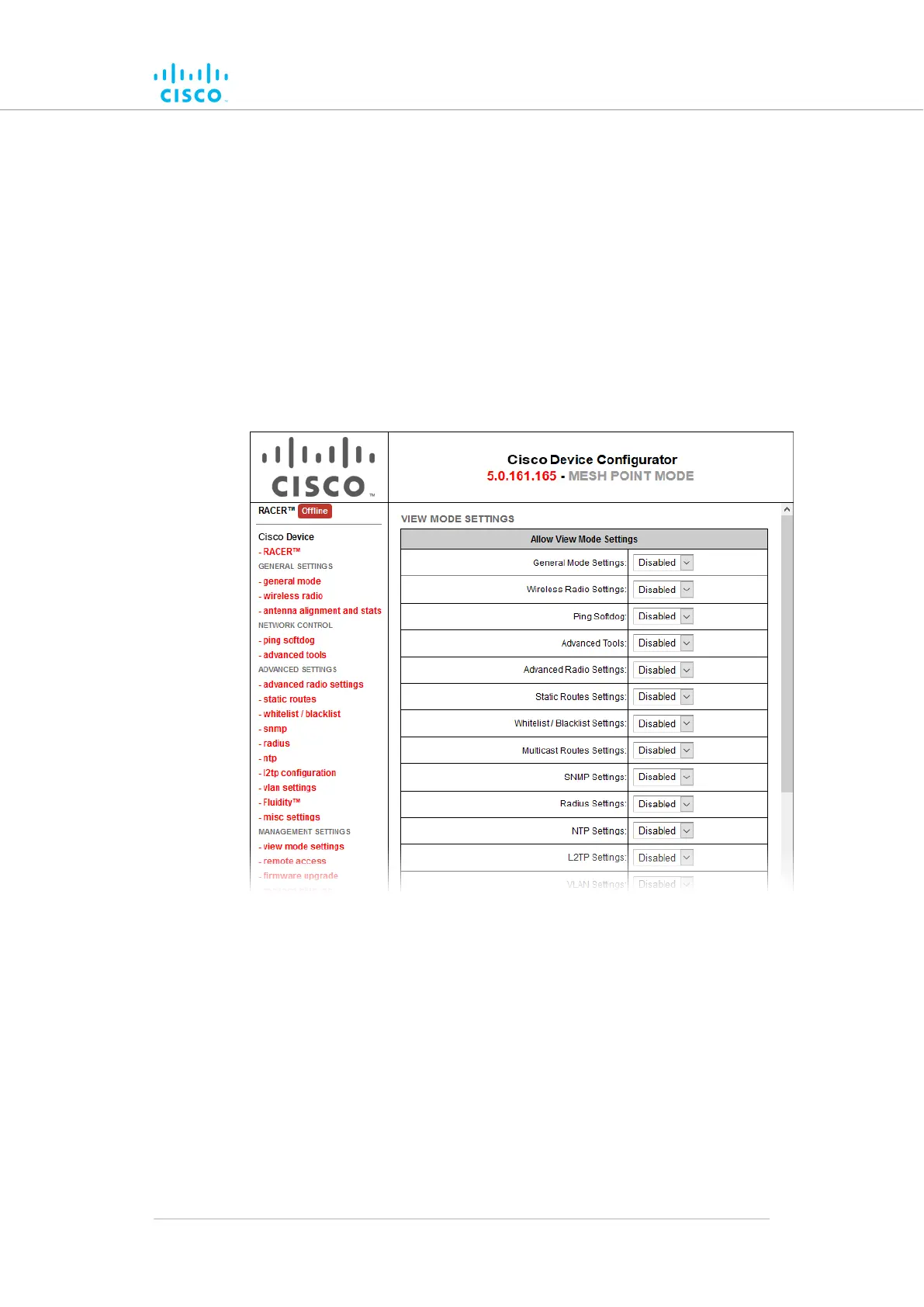
2. Click the -view mode settings link under MANAGEMENT
SETTINGS in the left-hand settings menu (Figure 55 (page 141)).
Figure 55. Configurator GUI (VIEW MODE SETTINGS dialog)
•
The VIEW MODE SETTINGS dialog will be shown.
3. To allow or prohibit access to any device-configuration settings,
click the relevant drop-down, and click the Disabled or Enabled
setting:
• If the Disabled option is selected for a device-configuration
setting, the setting for that category will be visible but not
accessible to ordinary users.
• If the Enabled option is selected for a device-configuration
setting, the setting can be modified by ordinary users.
Device configuration using the configurator interface
© 2021 Cisco and/or its affiliates. All rights reserved. Page 141 of 189



 To Next Page