ARES 506-606 - 02.2005 - GB
I.8
INFOTRAC CALIBRATION
PROCEDURE "OPERATING SPEED"
The operating speed has to be calibrated when you change the
size of the rear tires or the radar (if the tractor is fitted with it).
Note: The original calibration is carried out with new tyres.
Depending on tire wear, it is recommended to recalibrate the
INFOTRAC.
Procedure
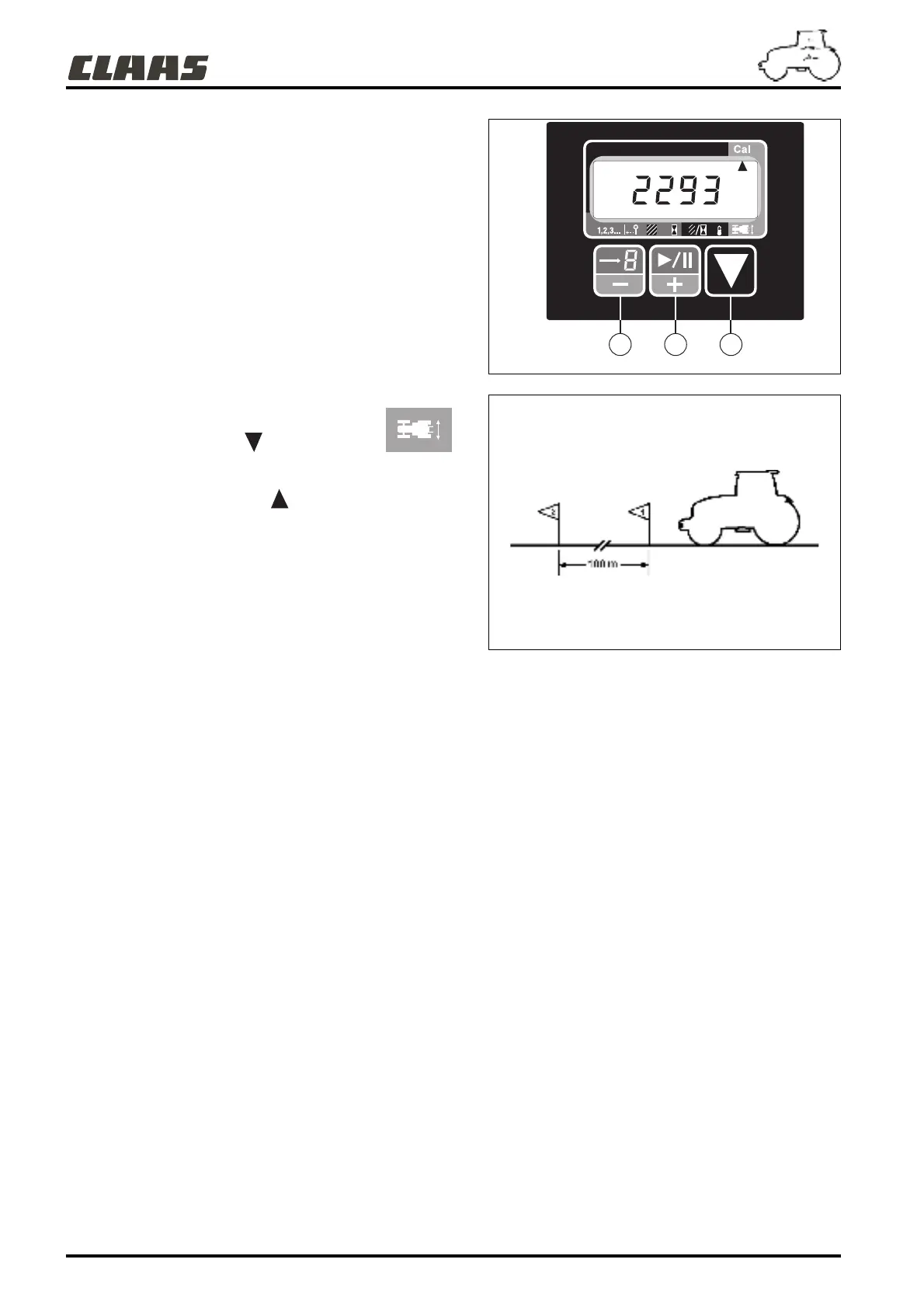
1 - Set up 2 marks 100 metres apart on a level, straight and dry
metalled road.
2 - Stop the tractor at approximately 15 to 20 meters before the
first marker.
3 - With key (C), put index in front of symbol .
4 - Press key (C) for at least 3 seconds until the former
calibration value and index under the "Cal" indication
is displayed.
5 - Select a forward gear to suit an average speed of 7 km/h.
6 - Use the clutch and accelerator manually to keep to a stable
forward speed.
7 - When passing the first marker, press key (B), the former
value disappears and a flashing value is displayed which
changes proportionally to the travelled distance. This
display indicates that calibration is in progress.
8 - As soon as the second marker is passed, press key (B)
again.
9 - Briefly pressing key (C) validates the new calibration value.
10 - Pressing key (C) again returns the display to the partial
event counter function.
Note: If problems are encountered before calibration
validation), you can quit the calibration mode by pressing
key (C). In this case, the former calibration is kept. Therefore,
you must restart the calibration procedure from the
beginning.
581hsn15
001hsn01
A B C



 To Next Page