ARES 506-606 - 02.2005 - GB
J.14
ADJUSTING THE TRACK WITH
SMOOTH SHAFT REAR
AXLE (ARES 696)
- Raise the rear of the tractor to free the wheels and chock the
tractor in position.
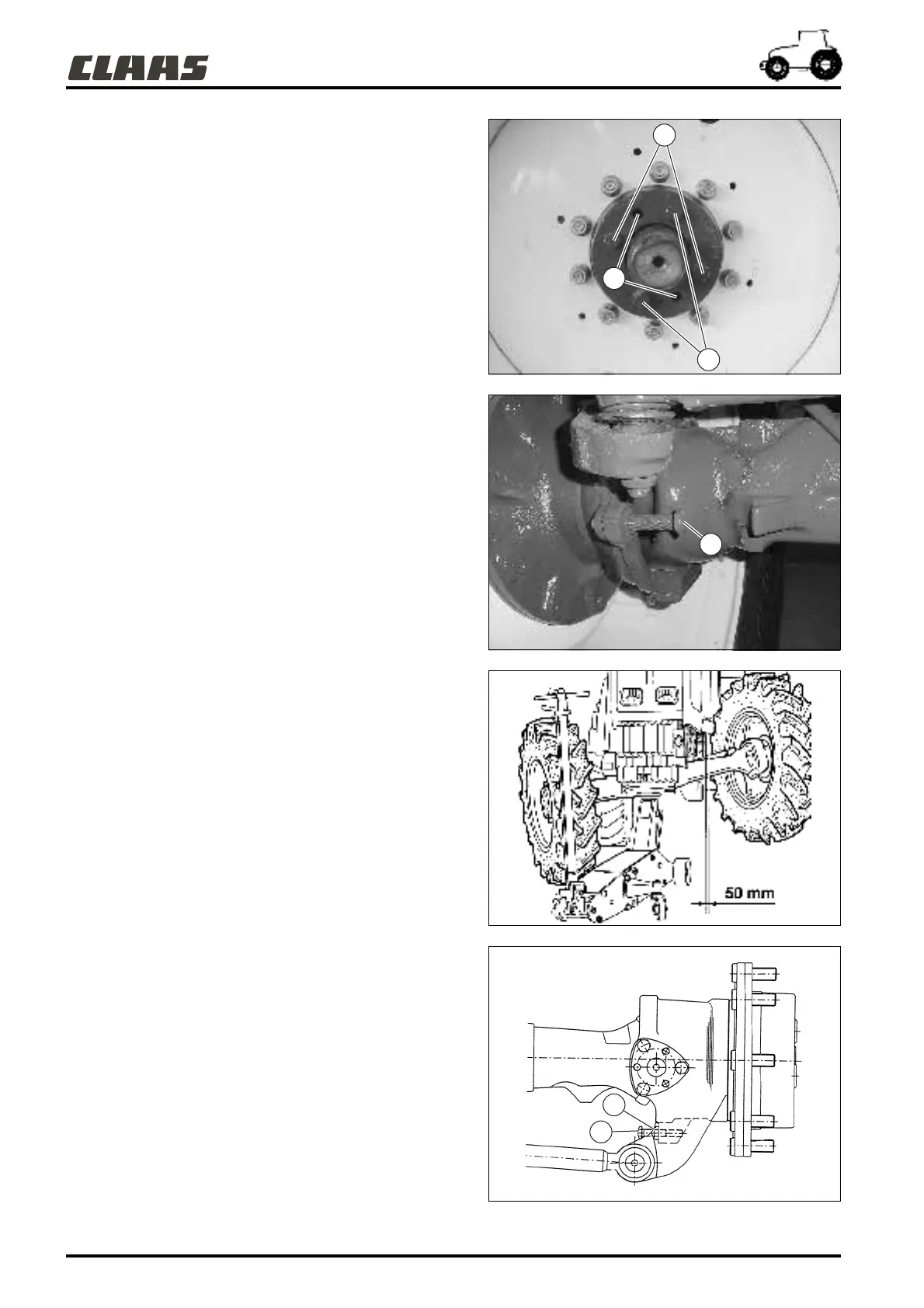
- Loosen 2 attachment screws opposite (1) the hub by about
3 turns.
- Completely unscrew the 2 other screws opposite (2).
- Screw these 2 screws M20 into the threaded holes (3) and
tighten them alternately until disengagement from the fixed
hub is obtained.
- Position the wheel on the smooth shaft to obtain the desired
track respecting the minimum and maximum values indicated
in the table of tracks.
- Remove the 2 screws from the holes (3) and place them back
in the holes (2).
- Then tighten the 4 screws M20 at a torque of 70 daN.m.
FRONT AXLE STEERING LOCK
STOPS
The steering lock stops (5) are adjusted during initial assembly.
Check regularly that there is no interference between the tyre and
the tractor.
CHECK
- Lift the front of the tractor using a jack.
- Set the wheels to full right lock and swing the axle to its limits
in both directions.
- Check that there is a distance of 50 mm between the tyre and
the closest point of the tractor.
- Carry out the same check on left lock.
- If the tyre/ tractor distance is different from 50 mm, adjust the
stops.
ADJUSTMENT
- Unblock each counter nut (1). Unscrew the stops (2) until
there is 50 mm clearance between the tyres and the tractor ;
- Tighten up the counter nuts (1).
Important: When there is a tyre change or a change of track,
always check the 50 mm clearance.
341hpn12
451hpn01
451hsn06
451hsn04
2
3
1
5
2
1



 To Next Page