ARES 506-606 - 02.2005 - GB
B.11
"FORWARD SPEED" COMPUTER
CALIBRATION PROCEDURE
The forward speed computer must be calibrated when you
change the size of your tractor's rear tyres.
Note: The original calibration is carried out with new tyres.
Recalibrating the computer is recommended as the tyres
wear.
PROCEDURE
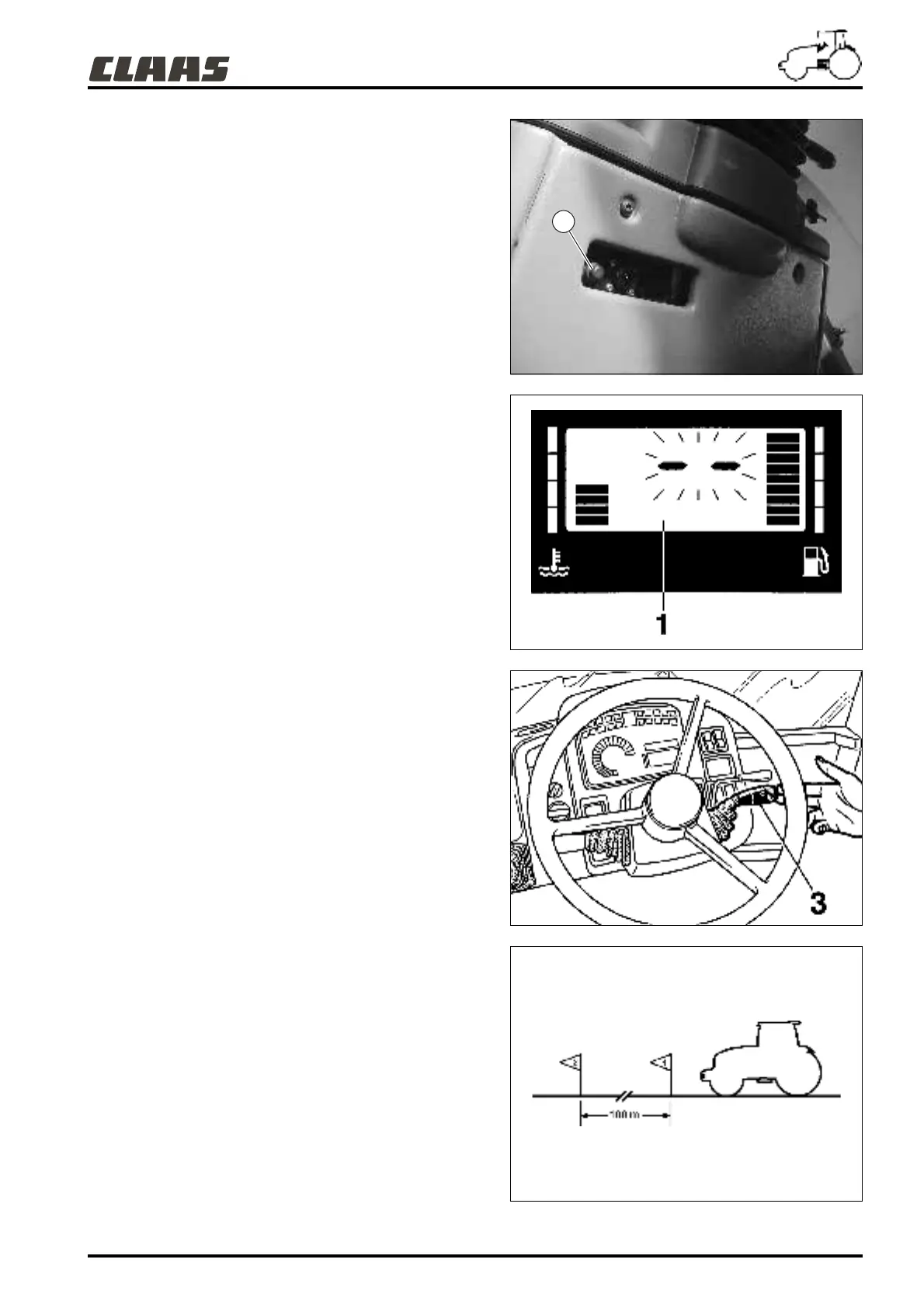
- Drive the tractor to a straight, dry black-coat road between two
markers 100 meters apart.
- Stop the tractor at approximately 15 to 20 meters before the
first marker.
- Then, remove the plastic paneling (clipped under the
instrument panel) (4).
- Press this button for at least 5 seconds and 2 horizontal
dashes appear on the digital display (1): These show that the
computer is in calibration mode.
- Select a gear making it possible to reach an average speed of
7 km/h.
- Use the clutch and accelerator manually to keep to a stable
forward speed.
- As you pass over the first mark, press button (4), the 2
horizontal dashes start to flash (calibration in progress).
- As you pass over the second mark, press button (4) once
more.
- To validate the calibration turn off the engine, then remove the
two marker 7 and marker 21 fuses for a minimum of
30 seconds (see chapter C).
- Reinsert these 2 fuses and the computer will be calibrated for
the new set of tyres.
Note: If the calibration phase lasts for more than 2 minutes,
the time taken between the 2 presses on switch (4), the
digital display shows "Er". Return to normal mode by
pressing lever (3), and the previous calibration is saved.
During calibration, if the display panel also indicates "Er"
(e.g. : you cover 300 meters instead of 100 meters), return to
normal mode by lever (3).
601msn10
601hsn17
601hsn15
001hsn01
4



 To Next Page