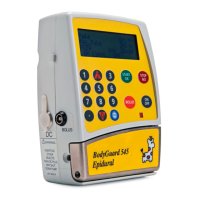
BodyGuard 595™Color Vision Operator Manual
Set bolus dose volume and press .
Trigger the bolus through the external bolus
cable.
Set bolus dose volume and press .
Set the patient lockout time and press .
During the lockout time bolus will be unavailable.
The time remaining until the next available bolus
dose will be displayed on the screen.
Set the interval between bolus doses and press
.
Set the lockout time from patient bolus and auto
bolus and press .
PCA 10:00 - 70% █
■
A: MORPHINE
Patient Bolus Dose
3 mL
Enter and Press Key
PCA 10:00 - 70% █
■
A: MORPHINE
Auto-Bolus Dose
3 mL
Enter and Press Key
PCA 10:00 - 70% █
■
A: MORPHINE
Patient Bolus Lockout Time
5 Minutes
Enter and Press Key
PCA 10:00 - 70% █
■
A: MORPHINE
Auto-Bolus interval
2 Minutes
Enter and Press Key
PCA 10:00 - 70% █
■
A: MORPHINE
Patient Bolus To Auto-Bolus
3 Minutes
Enter and Press Key


 To Next Page
 Loading...