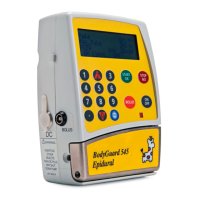
BodyGuard 595™Color Vision Operator Manual
The pump will not accept a second press within a minimum time interval removing the
risk that movement triggering a series of apparent requests (within the correct min
and max pressing times) from being recognized as a genuine request.
NOTE: user can stop bolus at any time by pressing
NOTE: if patient requests more boluses than are allowed, the pump will display
“Bolus Locked” and will track the amount of boluses have been requested. The
bolus history can be reviewed by scrolling the Info Menu. See “View Patient
History” section of the manual
NOTE: during operation, bolus parameters (dose and lockout time/interval) can be
adjusted by pressing key and confirming the relevant access code.
Auto Bolus
Auto bolus is the facility to set an automatic (intermittent) bolus. Auto bolus can be
combined together with patient controlled bolus. Auto bolus is not available on pump
default settings; it must be activated via the technician menu.
NOTE: when a protocol is selected with the auto bolus feature activated the
pump will deliver the predetermined dose at a predetermined time without the
need for a remote bolus request by the patient/operator of the device.
NOTE: if an automatic bolus was selected a
warning screen will appear. Confirm by pressing
.
NOTE: The bolus delivery can be stopped at any time by pressing .
NOTE: during operation, bolus parameters (dose and lockout time/interval) can
be adjusted by pressing key and confirming the relevant access code.
Bolus Menu
During operation bolus parameters: bolus dose and lockout time/ interval can be
changed by pressing key and confirming the relevant access code.
EPIDURAL 10:00 - 70% █
■
A: BUPIVICAINE
Warning ! Patient will
Periodically receive
an automatic bolus.
Press to Confirm


 To Next Page
 Loading...