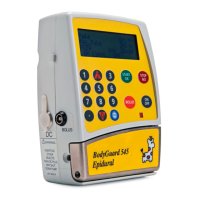
BodyGuard 595™Color Vision Operator Manual
NOTE: The Bolus Titration can only be changed
if the Bolus Titration mode has been defined as
ON in the "Change Set Up" option. The default
set-up is OFF.
Change Bolus Dose: set a new bolus volume
and press . To confirm the change enter
code level one and press .
Change lockout/interval: set a new time
between boluses and press . To confirm the
change enter code level one and press .
Clinician Activated Bolus
A Clinician Activated Bolus can be performed before starting the infusion (also known
as Loading Dose) or during the infusion.
To infuse a Clinician Activated Bolus before starting the infusion, perform the following
steps:
EPIDURAL 10:00 - 70% █
■
A: BUPIVICAINE
Bolus Menu
Change Bolus Dose :
Change lockout/interval
Select , and press
Bolus Titration
On
Select , and press
EPIDURAL 10:00 - 70% █
■
A: BUPIVICAINE
Change Bolus Dose
0.05 mL
Press to Cancel
Enter and Press Key
EPIDURAL 10:00 - 70% █
■
A: BUPIVICAINE
Change lockout/interval
1 Minutes
Press to Cancel
Enter and Press Key


 To Next Page
 Loading...