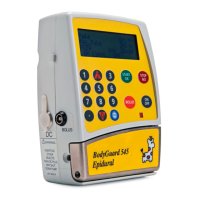
BodyGuard 595™Color Vision Operator Manual
If the protocol parameters that were set exceed
the toxicity limit (MediGuard
TM
level) the pump will
not allow you to proceed to the next step and will
alarm "MediGuard
TM
Limit Exceeded" and return
to the "Max MediGuard
TM
Rate" screen so you
can check and amend your entry.
Finally confirm protocol parameters by pressing
and going back to main menu,
Or pressing to review and change
parameters.
NOTE: BodyGuard 595 Color Vision™ is capable of delivering the bolus dose at
up to 1200 ml/hr. The user can adjust bolus delivery down to a minimum of 40
ml/hr in "Change set up mode" using the level three access code.
Select Protocol (start an infusion)
Under normal, everyday circumstances most users of dedicated infusion pumps use the
pumps to perform the same or limited number of infusion protocols for the majority of
patients. For example, in pain management it is common for patients to be on a
morphine regime consisting of bolus only delivery of a concentration of 1-2mg/ml
morphine supplied by pharmacy in a fixed infusion bag volume. The service may use
different bolus volumes or lockout times depending on individual patient needs.
This means once you have set up these protocols, using the level three access code in
‘Modify Protocol Library’ as described in the previous section, Level 1 code users can
access the pump and run the standard protocols for a patient without having to enter or
change any infusion parameters.
This is achieved as follows:
Load the administration set as explained
previously. Turn the pump on by pressing .
The following will appear.
BodyGuard 595
Color Vision Pain Manager
Pump Serial Number: V123456
Production Date: 1-Jan-2000
Software Version
BGCV595_01L
Protocol Sample
PCA 10:00 - 70% █
■
MEDIGUARD LIMIT
EXCEEDED
PCA 10:00 - 70% █
■
A: MORPHINE
Confirm: Press
Review: Press


 To Next Page
 Loading...