10
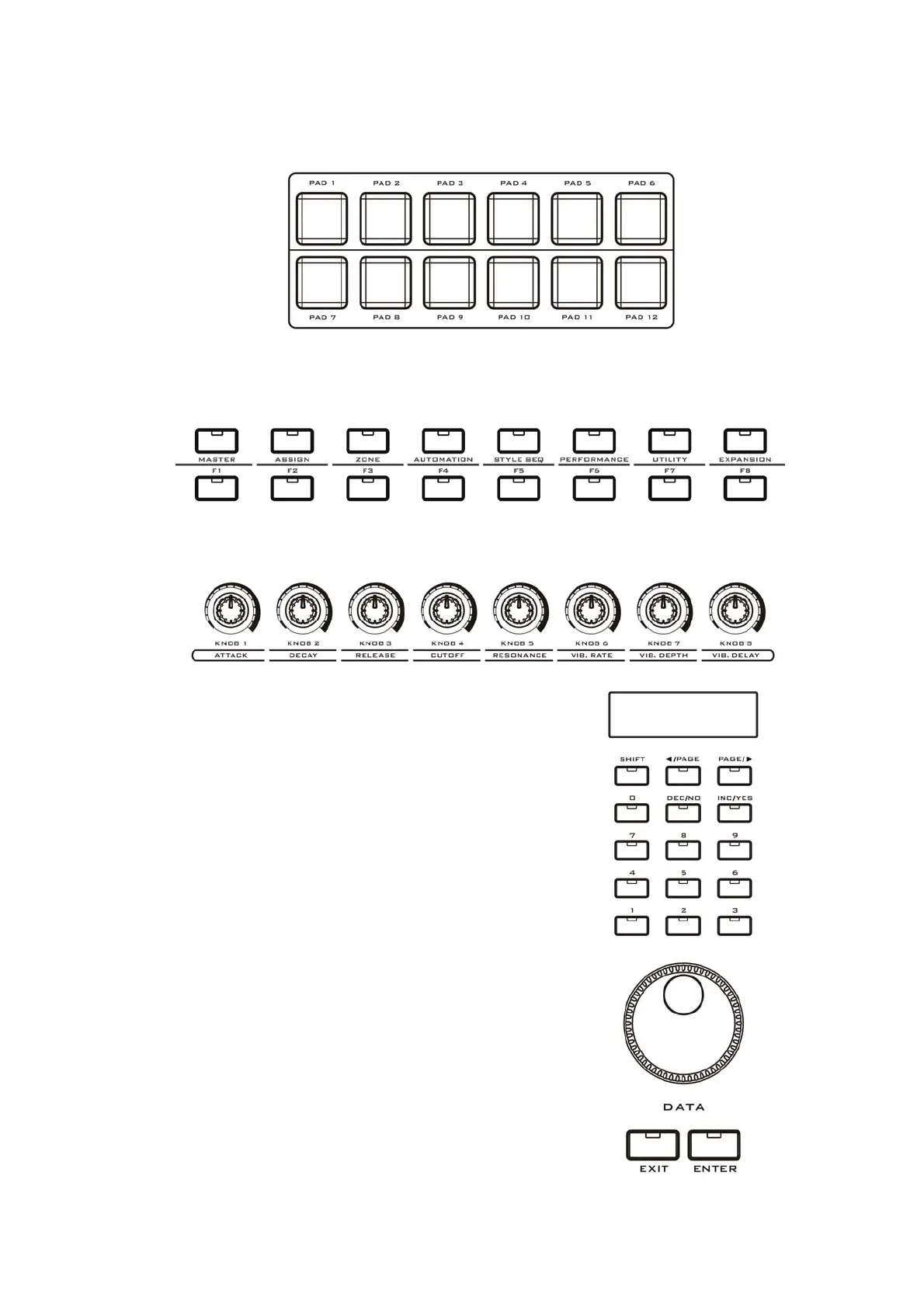
5. The pads (PAD 1-12): They are velocity sensitive, you can define them to
trigger drum notes, or use them as control buttons, or use them to play songs.
6. The FUNCTION buttons: They are used to control all the functions of the
instrument and used for scene select.
The function shortcut buttons (F1-F8): They are used for fast function select or
to send user-defined parameters.
7. The potentiometer knobs (KNOB 1-8): Those knobs have left-mid-right locators,
and can be used for real time control and sound changes, the functions can be
re-defined.
8. The DISPLAY: You will see all the VX
information here.
The digit buttons (NUMBER 0-9): They are used
to input values.
The SHIFT button: It is used with other control
parts for more functions.
The CURSOR/PAGE buttons: Use those buttons
to locate a place you want.
The DEC INC/ NO YES buttons: Use them to
change value or confirm an operation.
9. The DATA dial: Use it to change the value
quickly.
The EXIT/ENTER buttons: Use them to confirm
or cancel an operation.


 To Next Page