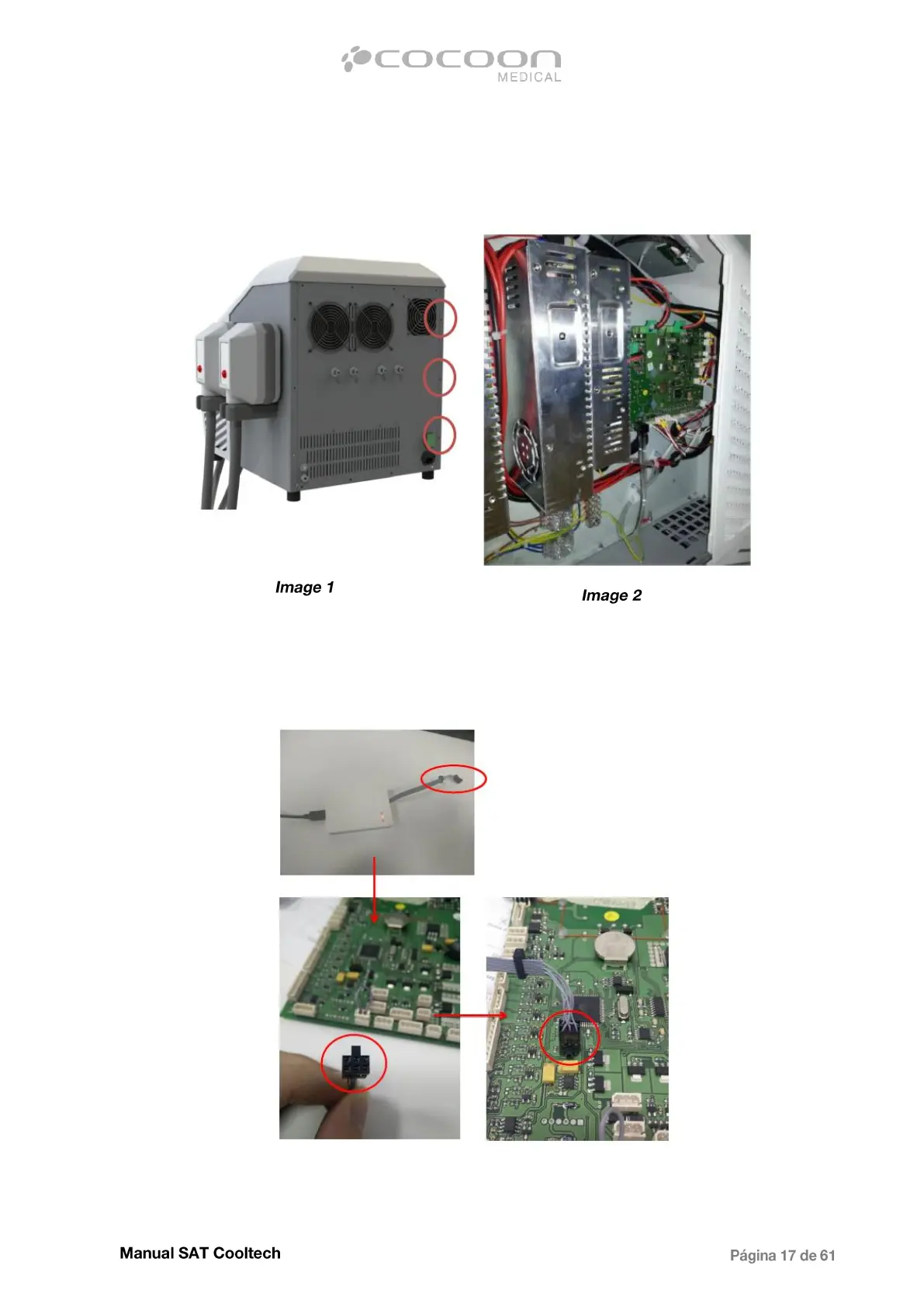
Before starting the software update of the equipment, it is necessary to access the Main CPU. Remove
the left cover of the equipment by unscrewing the 3 rear screws, as shown on the image1 and access to
the electro cabinet (Image2):
Once the PCB of the equipment is located, connect the AVR programmer to the PCB. Pay attention on
the connector position:
Start the previously installed Atmel Studio, turn the equipment on and follow the steps:


 To Next Page