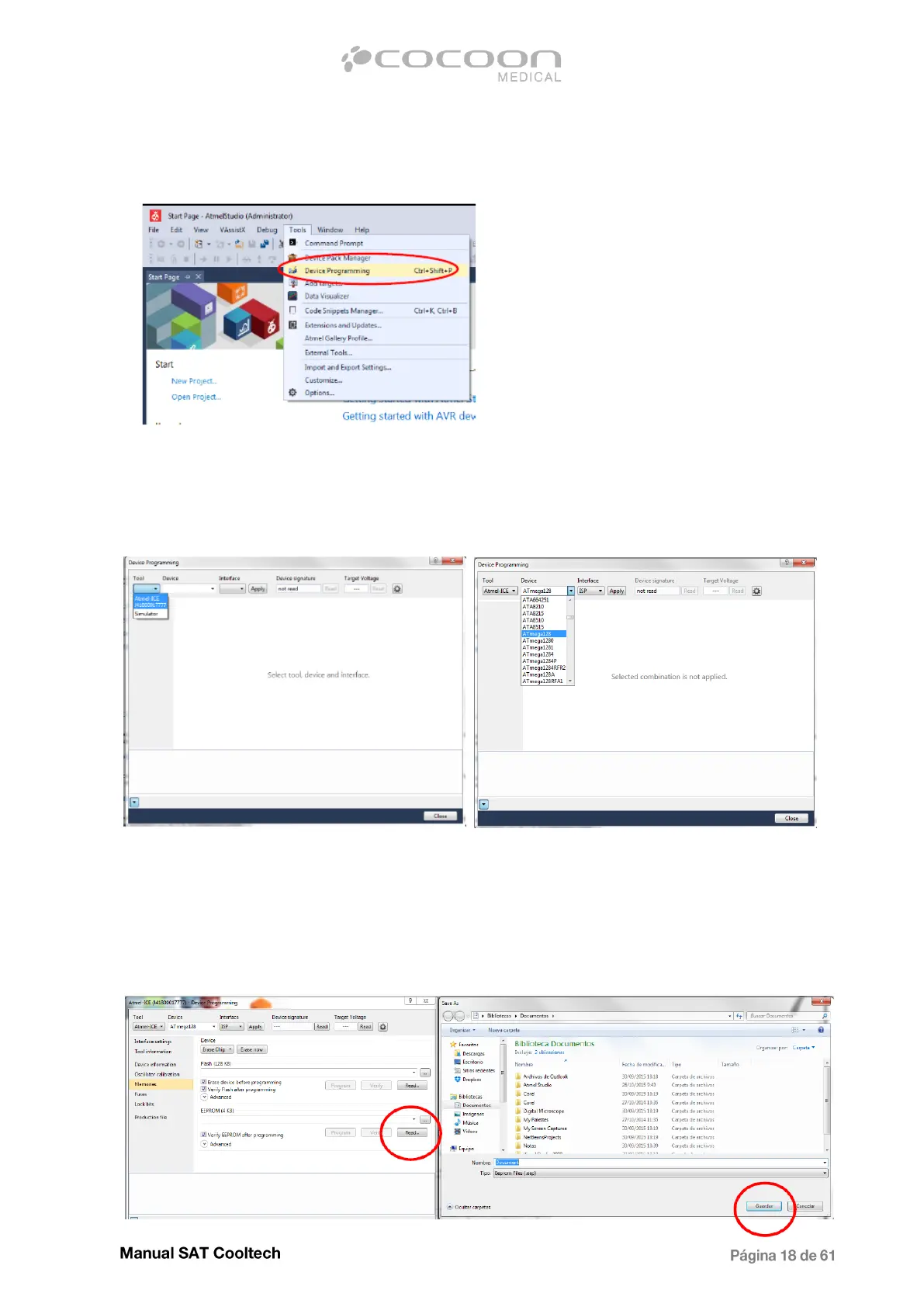
1. Select "Tools -> Device Programming" as shown in the image:
2. Configure the necessary data for the programming:in the "Tool" drop-menu select "Atmel-ICE" and in
the drop-menu "Device" select "ATmega128". Then press the "Apply" button.
3. Before programming it is necessary to read and save the EEPROM information for the equipment. To
make this procedure, go to the "Memories" tab and click the "..." button in the EEPROM section:


 To Next Page