C002332_02_CR3 User Manual - 5
Save Settings
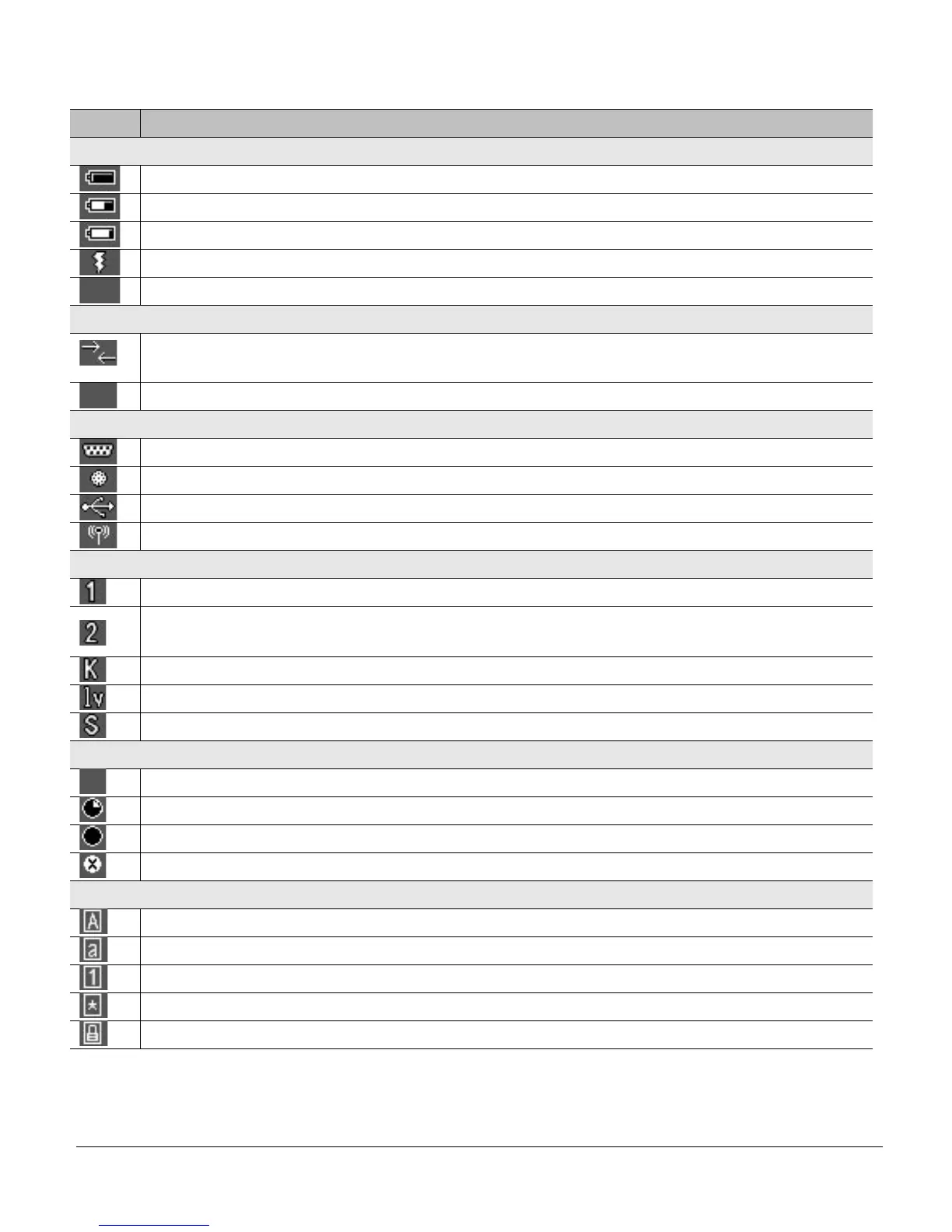
The chart below shows all of the icons for CodeViewer™ software and their definitions.
Icon Description
Power Icons
50% to 100% capacity of battery
20% to 50% capacity of battery
0% to 20% capacity of battery – recharge battery as soon as possible
Battery is recharging
No icon is displayed when battery blank is used with a cabled reader
Connection Icon
Reader is connected physically or wirelessly to a receiving device (computer, handheld, etc.)
Note: Some RS232 configurations can not be detected
No icon is displayed when the reader does not detect a connection
Communication Mode Icons
RS232 communication mode enabled
PS2 communication mode enabled
USB communication mode enabled
Bluetooth communication mode enabled
Packet Mode Icons
One way mode – no acknowledgement required
Two way mode – packetized, bidirectional communication between a CR3 and an application
(may also indicate download mode)
Keyboard mode – can be used as either USB keyboard or PS/2 keyboard input mode
Virtual COM port 1 mode – data can be sent in one way mode
Secure mode – data encryption mode enabled
Memory Icons
No stored data to send
Some stored data to send
Memory is full – no available memory
No batch mode – data is not being stored in the reader’s memory
Input Mode Icons
Caps Lock – data entered manually on the keypad will be in capital letters
Lower Case – data entered manually on the keypad will be in lower case letters
Numeric – data entered manually on the keypad will be numeric
Symbol – data entered manually on the keypad will be symbols
Locked – buttons pushed on the reader’s keypad will be ignored



 To Next Page