C002332_02_CR3 User Manual - 22
Save Settings
1.12 - Attaching Handle
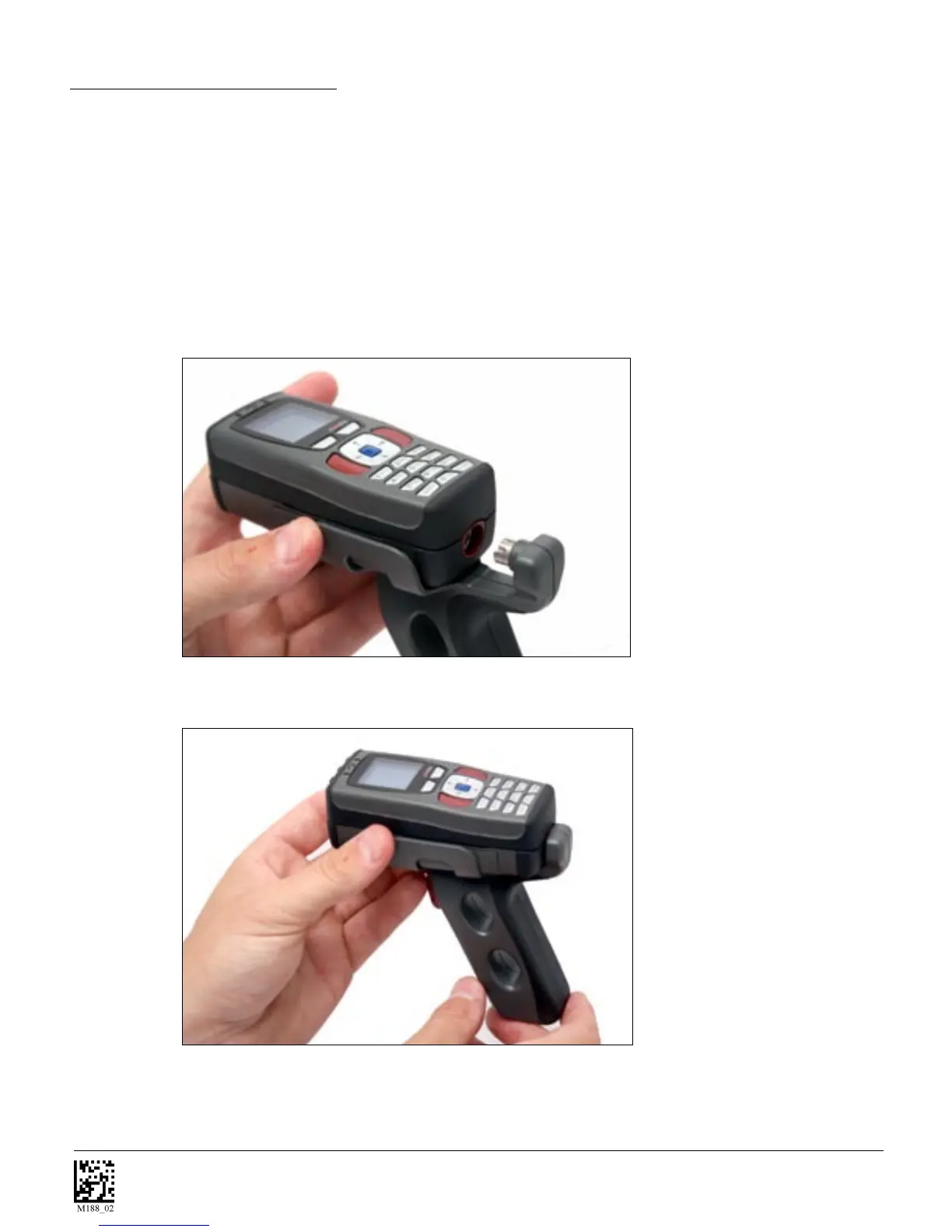
To attach the handle, please use the following steps.
1. Place the CR3 in the cradle of the handle and slide the unit back (Figure 1.19).
Be careful not to place fingerprints on the front glass when attaching handle.
2. Once the 8-pin DIN connector of the handle begins to enter the opening
in the back of the unit, firmly press the unit back until the unit is flush against
the handle (Figure 1.20).
Figure 1.19
Figure 1.20



 To Next Page