C002332_02_CR3 User Manual - 8
Save Settings
1.6.2 - USB Cable Installation Guide
To connect the CR3 to your host computer via USB interface:
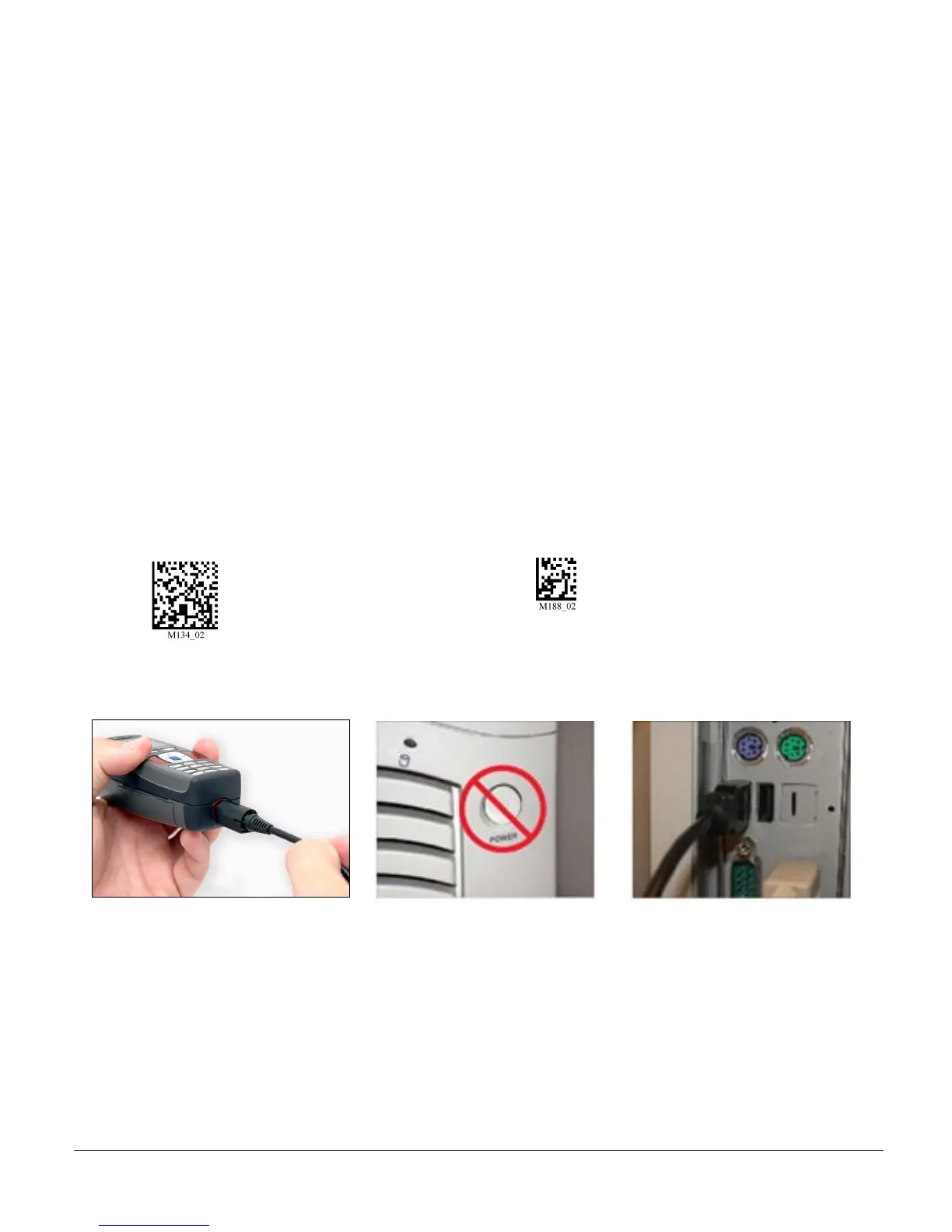
1. Make sure the USB cable is sufficiently attached to your CR3 unit (Figure 1.7).
2. You DO NOT need to power off your host computer (Figure 1.8). The CR3 with USB interface can be
plugged into any host while the computer is powered up.
3. Connect the USB interface cable to the host (Figure 1.9). If you are unsure of the proper location to
connect the USB cable please consult the manual of your host computer.
4. The USB interface does not require additional power supply. If you are using 1950 mAH battery for
batch mode, the CR3 will automatically recharge the battery whenever the unit is a attached to a host
that is powered up.
5. The CR3 will power on automatically.
6. Scan the USB Keyboard Mode code to then the Save Setting code to configure reader:
USB Keyboard Mode Save Settings
7. Your CR3 unit should be ready for use. Open the application on your host computer that you wish to
send data to and begin scanning.
Figure 1.7
Figure 1.8
Figure 1.9



 To Next Page