C002332_02_CR3 User Manual - 51
Save Settings
5.3 - Windowing
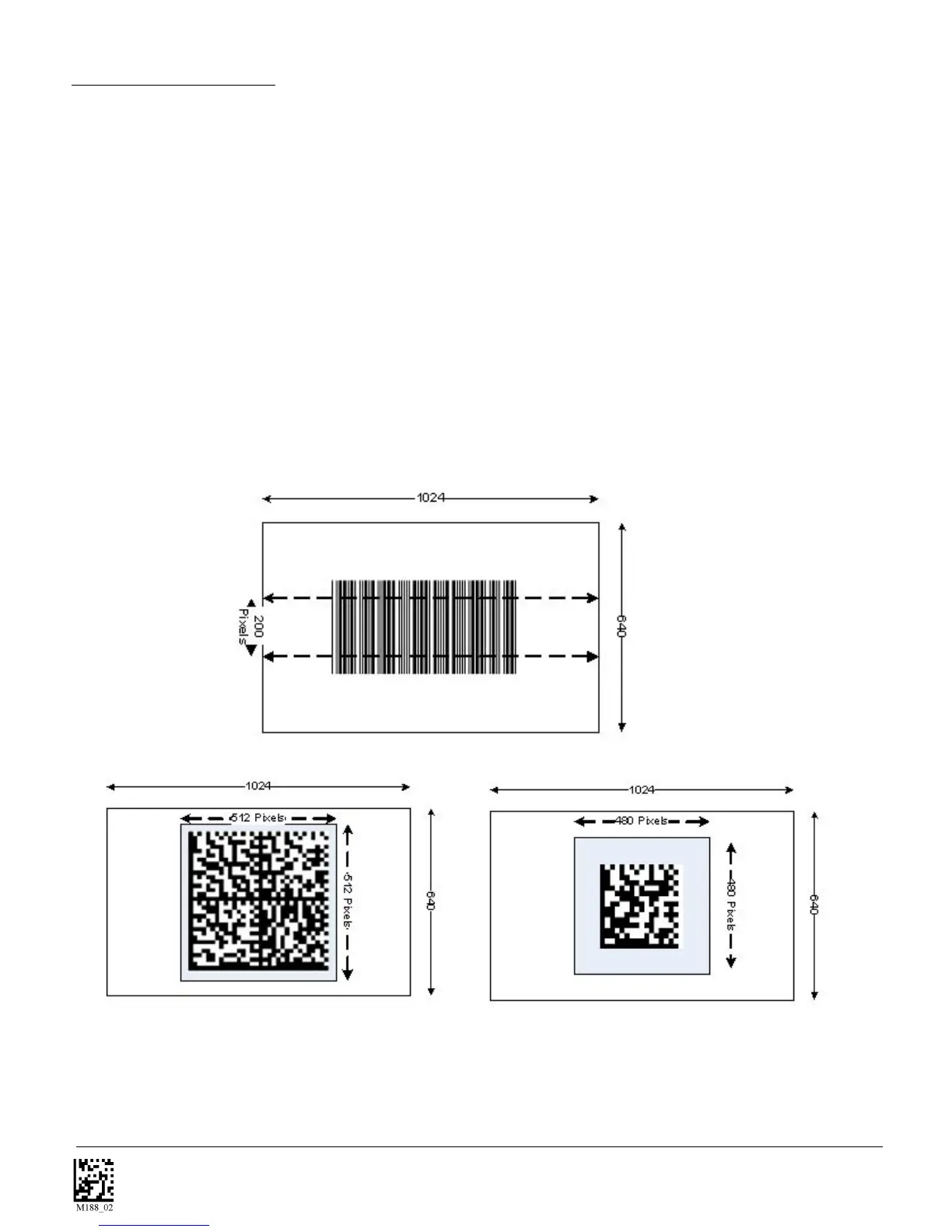
If only one size of bar code is being scanned in an application, the CodeReader can be optimized to reduce
processing time by adjusting the viewing frame within the field of view of the image (ONLY FOR SXGA
MODE).
By reducing the 640 axis of the imager to 200 pixels, 1-D codes are processed quicker. Because only a
horizontal strip of a 1-D code is needed to be decoded this narrow strip of the imager is all that is needed.
The area above and below the 200 pixels, which is always in the center of the imager, is ignored. This re-
duces the number of pixels that must be processed.
Windowing can also improve the processing time of 2-D codes
You may also negatively impact the reader performance if the window size is too small. If it is necessary to
have the reader farther away to read the code than normal the window may be too small.
Reading other types of codes, especially large codes, may be difficult while using this setting.
Medium Code Windowing
Small Code Windowing



 To Next Page