C002332_02_CR3 User Manual - 58
Save Settings
7.1 - Reset Reader to Factory Defaults
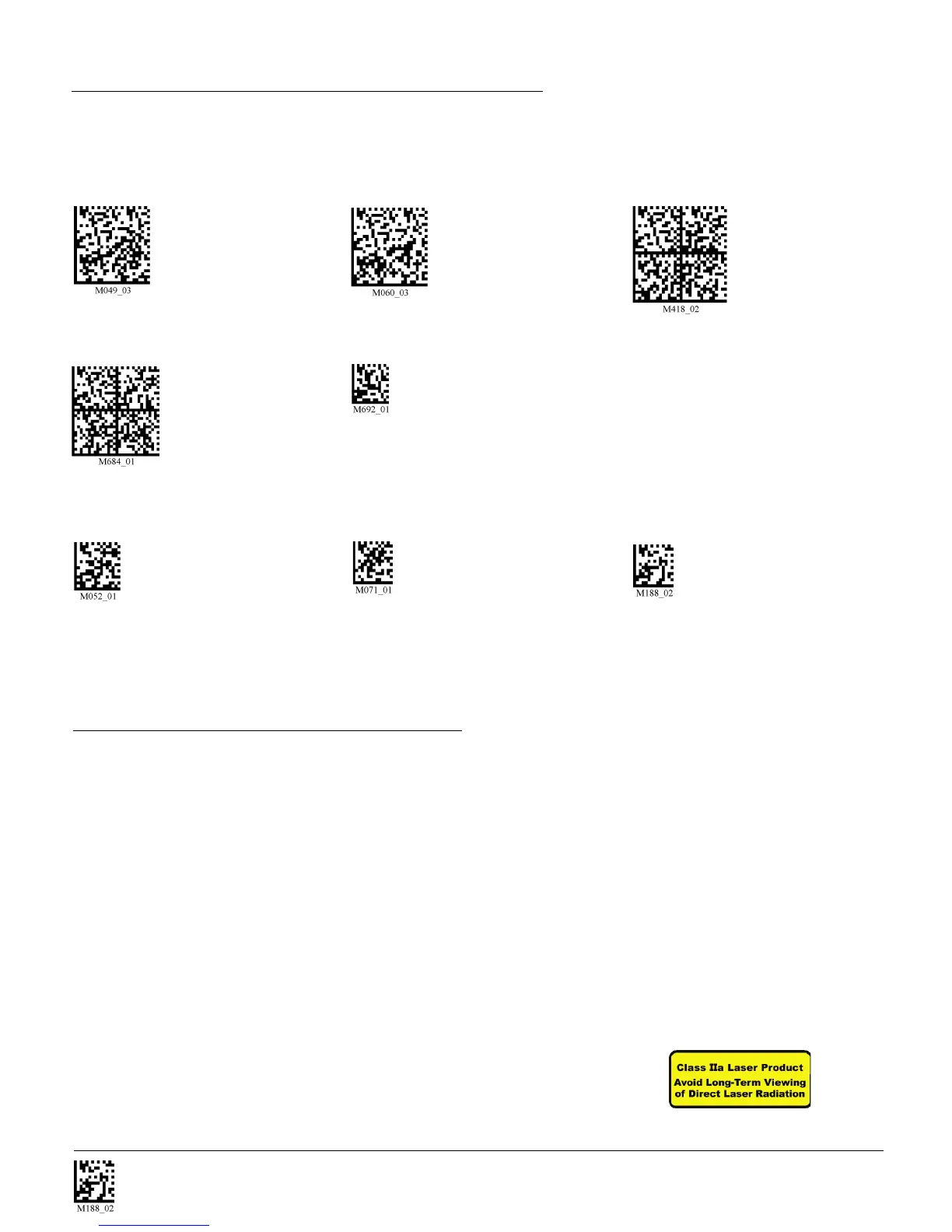
Scan the following codes to reset reader:
Reset to USB Factory Reset to PS/2 Factory Reset to RS232 Factory
Default Settings Default Settings Default Settings
Reset to RF One Way Bootloader Mode
Factory Default Settings
Clear All CodeXML Rules Clear All Stored Data Save Settings Code
Prefix & Suffix
Note: If you scan the following codes, you may lose your current settings. Make sure to save settings
on your reader before scanning the above codes.
7.2 - General Safety Information
Repairs and Adjustments - Only those individuals authorized by Code should attempt to make repairs or
adjustments to CR3 equipment. If the reader casing is opened the warranty is voided
Power Supply - Use only the particular power supply provided for use with a specific unit when operating
Code equipment.
Accessories - Only those accessories approved by Code (page 9) should be utilized with Code equipment.
Non-compliance with any of the above may result in:
• Injury to individuals handling the equipment
• Damage to the equipment
• Voiding of the maintenance contract
Lasers - The CR3 utilizes a laser FOR TARGETING PURPOSES ONLY.
If the laser is activated, do not stare into the beam.
Radio settings will
not be reset with
this code.
Radio settings will
not be reset with
this code.
Radio settings will
not be reset with
this code.
Bootloader mode is
utilized to download new
version of bootloader
firmware and cutom
applications.



 To Next Page