C002332_02_CR3 User Manual - 23
Save Settings
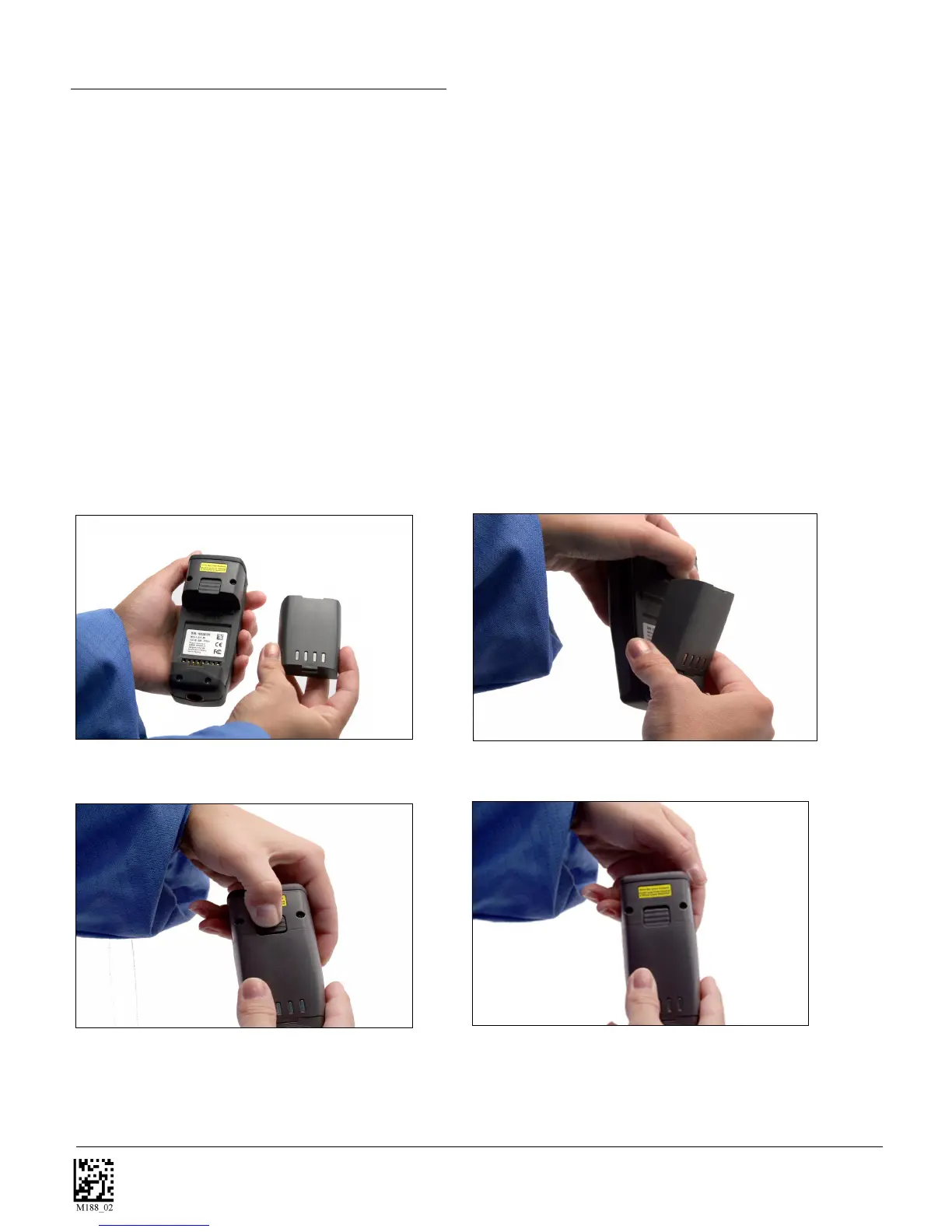
1.13 - Reader Battery Installation
Attaching and Detaching the Lithium Ion Battery
The CR3 comes with a 1950 mAH Lithium Ion battery. To install battery, make sure the battery is in the
correct position (figure 1.21). Place the plastic tab of the battery into the reader (figure 1.22). Push the
battery in and slide the locking mechanism down (figures 1.23 & 1.24)
Charging the Lithium Ion Battery
The battery automatically charges everytime a cable inteface is attached to the unit and the host is
powered up.
Note: The RS232 interface power adapter must be plugged into a wall socket for the unit to charge.
If you power-up the CR3 with a completely discharged battery it will take up to 10 minutes before the unit
will become operational.
Figure 1.21
Figure 1.22
Figure 1.23
Figure 1.24



 To Next Page