C002332_02_CR3 User Manual - 15
Save Settings
Radio Range and Transferring Data
The CR3 radio is a Class 1 device. If connected to another Class 1 device the unit has roughly
a 300 foot line of sight operating range. If connecting to a Class 2 or Class 3 device, the operating
range may drop to match the lower range. Once a unit is connected, the application software on
the host must be open to receive data.
When the CR3 detects the radio is out of range, the CR3 will store data on the reader’s non-volatile
memory. The reader will continue to try and send data until radio is back in range. Once the data is sent
the data will be erased from the units memory. If the radio cannot connect in 90 seconds, it will give an
error beep. The reader will continue to try and connect until it has reached the programmable radio time out
setting.
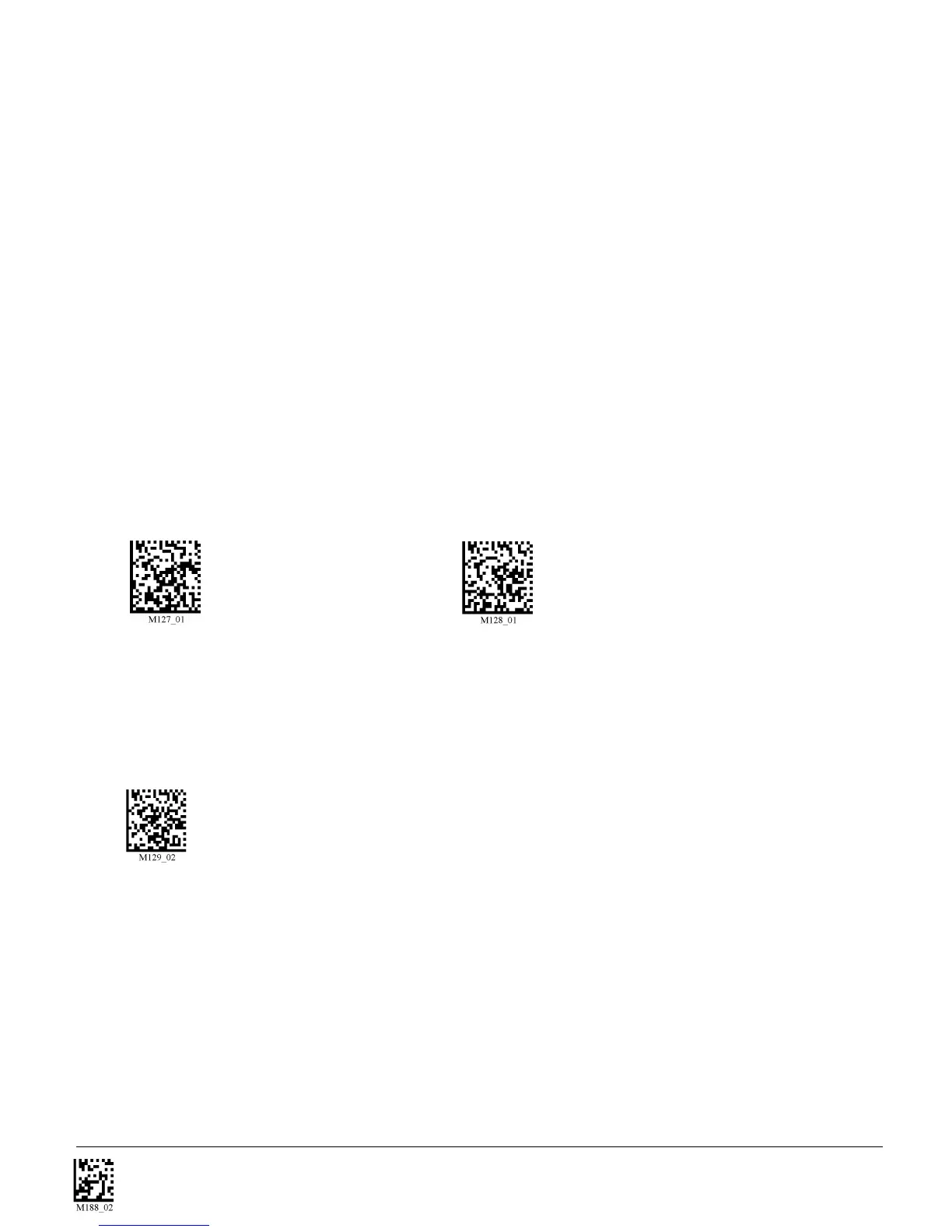
The CR3 Bluetooth protocol allows for two (2) forms of communication:
1. One Way Mode - Defined as one way communication between the reader and host. One Way
mode only recommended when connecting to a device well within itse specified range or if
connected to a device without an operating system (i.e. printer). There are two settings in this mode:
• Max Range (Default) - Greater range but data reliability is lower
• Max Reliability - Limits range but reliability is improved
RF One Way Mode (Max Range) RF One Way Mode (Max Reliability)
Note: While robust, One Way Mode doesn’t guarantee data integrity and you may have data loss.
2. RF Two Way Mode - This is two way communication between the host and reader. This requires the
implementation of software at the application level.* The reader receives confirmation via packet
protocol verification and is 100% reliable. Data will be automatically retransmitted if necessary.
RF Two Way Mode
* Note: You will need to install application software that supports packet communication to operate
in RF Two Way Mode. Code offers the CodeXML Bluetooth Modem and a Windows or Pocket PC
version of software called CodeXML Router - Bluetooth Edition (BE) that provides for end-to-end
Bluetooth handshakes that eliminate out-of-range data loss. CodeXML Router - BE also offers
Bluetooth to keyboard wedge communication for applications that require keyboard port input.
If you are using the CodeXML Bluetooth modem, you must use RF Two Way Mode.



 To Next Page