USER SETUP
34
CONTENTS
Blinds open
Blinds close
Switch on all lights
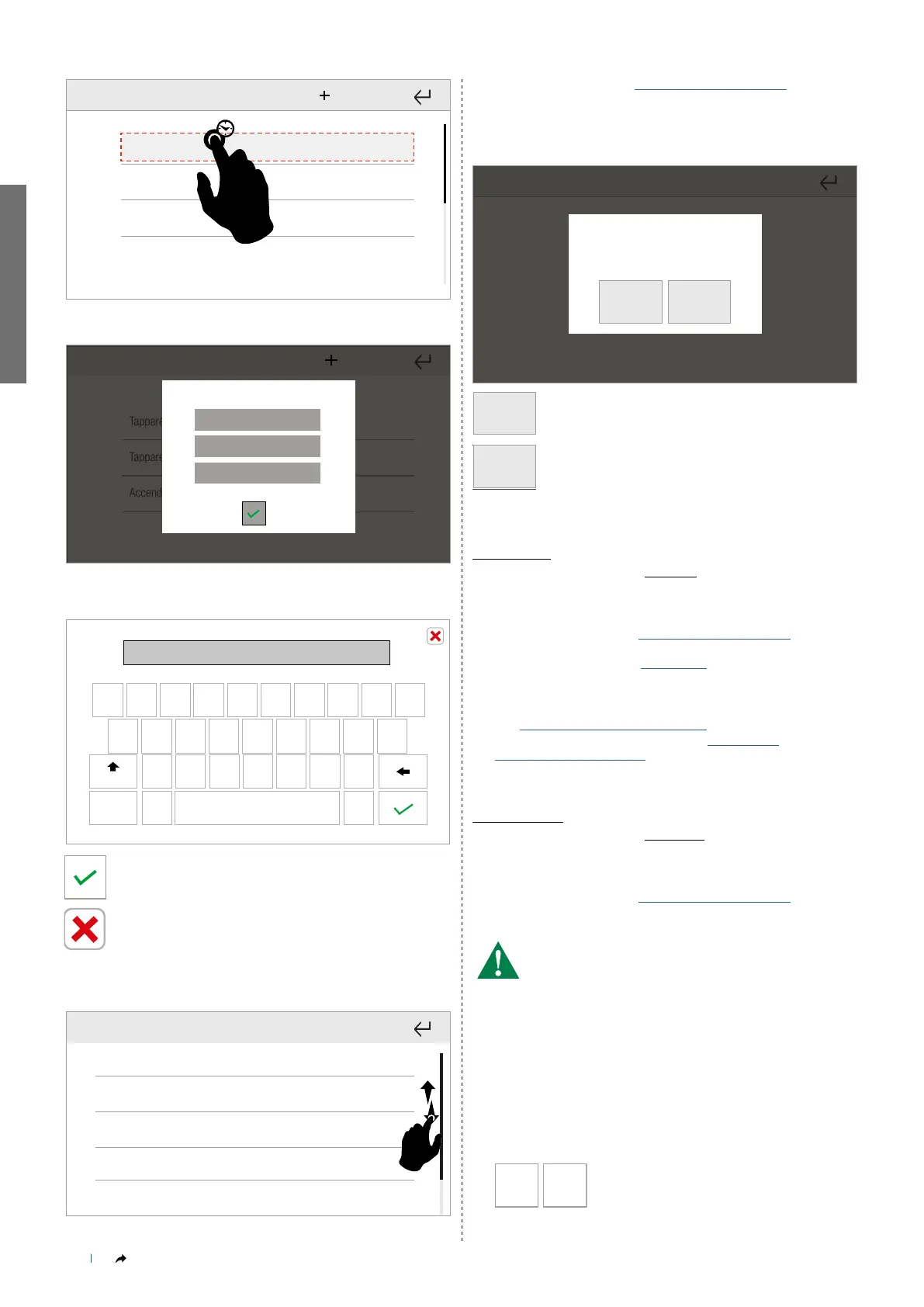
Press and hold a scenario to open the advanced functions menu.
Tapparelle apri
Tapparelle chiudi
Accendi tutte le luci
Rename
Delete
Edit
Rename a scenario
q w e r t y u i o p
a s d f
g
h
j
k
l
z
x c v b
n
m
123
Aa
-=\<
Blinds open
Name the scenario and confirm by pressing the icon.
q w e r t y u i o p
a s d f
g
h
j
k
l
z
x c v b
n
m
123
Aa
Persiana 2|
-=\<
When you have finished entering the desired functions,
press the icon to exit.
Edit scenario
Other
Blinds
Lights
Irrigation
Automation
Press the desired function to open the specific menu.
Proceed as in paragraph “New scenario" on page 32
Delete scenario
Press to delete the scenario.
Confermare?
Confirm?
YES NO
YES
Confirm
NO
Or cancel the procedure
Scheduled
Setup-User setup menu-Scenarios-Scheduled
• NEW SCENARIO
Proceed as in paragraph “New scenario" on page 32
You will need to add a schedule to the scenario.
For more information, see on page 18
• ADVANCED FUNCTIONS
See “Advanced functions" on page 33
To edit scheduling, refer to paragraph "FUNCTION
SCHEDULING" on page 18
Conditioned
Setup-User setup menu-Scenarios-Conditioned
• NEW SCENARIO
Proceed as in paragraph “New scenario" on page 32
Select at least one condition from those available in the 3 VIDEO,
ALARM, HOME AUTOMATION systems.
The selected conditions must be for the same system!
• DOOR ENTRY SYSTEM: allows execution of a scenario on receipt
of an incoming EXTERNAL, INTERCOM or FLOOR DOOR call or
ALARM.
• HOME AUTOMATION: allows execution of a scenario when a
System manager input in the home automation system opens or
closes.
• ALARM: allows execution of a scenario when one or more sensors
in the anti-intrusion system remain/s in a certain condition (open
or closed) for the time period set by the user.
OrAnd
The AND/OR function determines whether
conditions must arise simultaneously or if only
one of the conditions need to be satisfied for
the scenario to be activated.
Press the icon to toggle between AND and OR mode.



 To Next Page