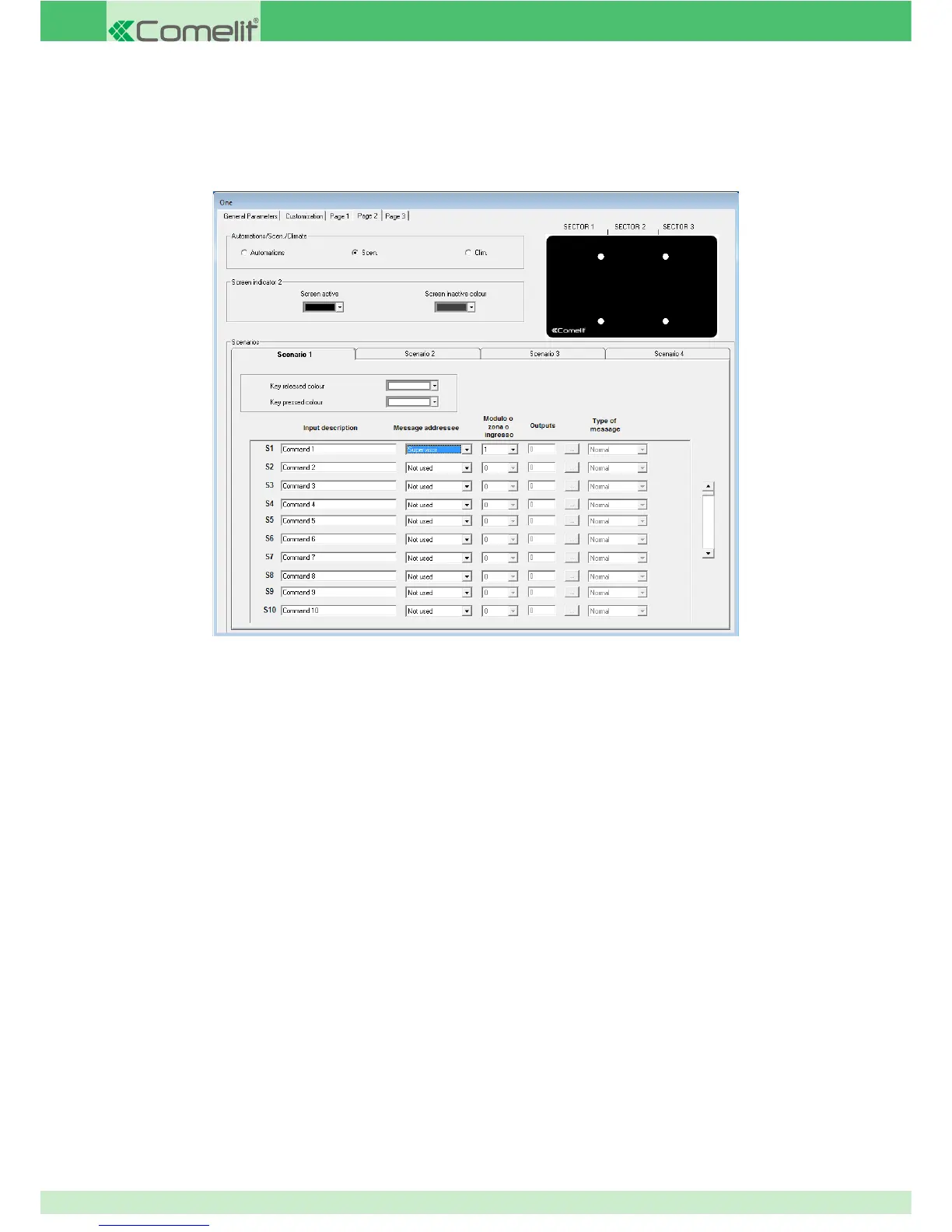
3.6.3.2 - SCENARIO MANAGEMENT
The scenario input can be used to send 16 different commands over the BUS. For example, it is useful if you want to switch off all
the lights in the home, lower all the rolling shutters, deactivate the controlled sockets, etc... In this case, several commands are
required and sent over the BUS; the scenario input can be used for this purpose. When the button connected to the scenario input
is pressed, the 16 commands are carried out consecutively; the time between one command and the next can be set (0.5 seconds
by default).
AUTOMATIONS/SCENARIO/CLIMATE: select the Scenarios function in this menu.
SCREEN 2 INDICATOR: this menu can be used to customise the colour of the screen indicator (this appears in the top right-hand
corner of the device), assigning one colour to the screen when it is active and another when the screen is inactive.
MESSAGE ADDRESSEE
INPUT DESCRIPTION
Field used to enter a short description of the function or the module managed by the button/arrow.
MODULE + OUTPUT: the module + output function is used to control one or more module outputs. When this option is selected,
you must enter the number of the module and output(s) you wish to control.
ZONE: the function enables control of several outputs on different modules. This setting is used to send a command which
switches off all the lights in an apartment or lowers all the shutters, etc... To do this, the outputs must be assigned to the same
zone or group on the output settings screen.
For example, if you want to control all the lights, one zone (for example ZONE 5) must be assigned to all the outputs connected
to the lights, and then an input set as "Zone" in the message addressee fi eld, entering zone number 5.
SUPERVISOR: the supervisor function sends a command directly to the system supervisors, for example Planux Manager, Serial
Bridge, Minitouch. This command is used by the supervisors to activate internally stored commands, or to use the input status
for logic rules or other functions. You must set the number of the supervisor input to send.
For example, if you want to use a button to activate a scenario stored in the memory of a Planux Manager or Minitouch
supervisor, you must set the input in this way. This also applies if you want to use an input status for a logic or link function on
the serial bridge.
102



 To Next Page