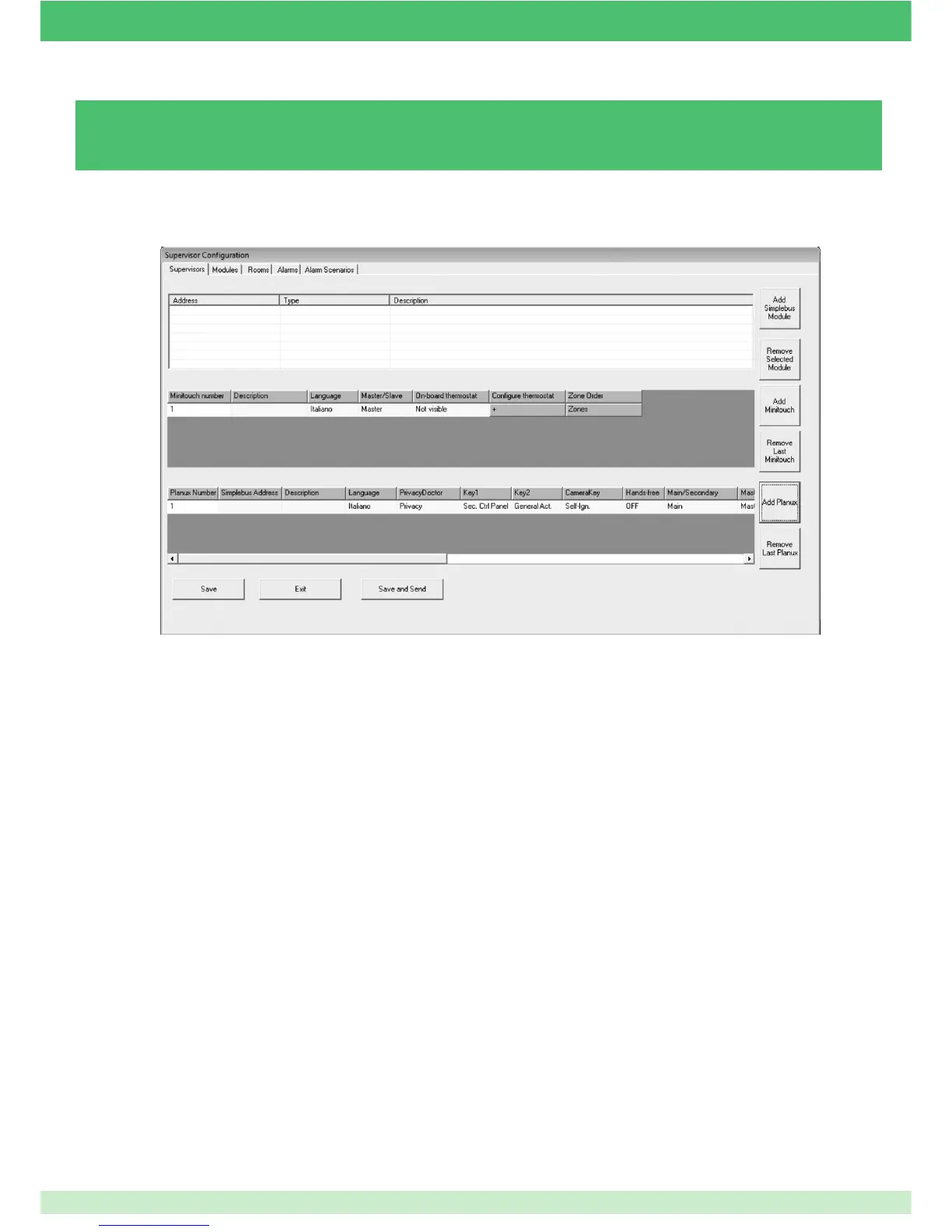
3.5.3 - ADDING / REMOVING A PLANUX MANAGER OR MINITOUCH
Once a monitor has been added, the functions must be confi gured.
Planux / Minitouch number: Number identifying the supervisor (entered by default).
Simplebus address: Enter the address of the door entry monitor internal unit.
Description: Enter a short description of the monitor to select it from the Planux Manager menu (for example, where it is installed).
Language: Select the Planux Manager / Minitouch menu language.
Privacy Doctor: Select the Privacy / Doctor key function.
Key 1: Select the function of key 1.
Key 2: Select the function of key 2.
Camera key: Select the "eye" key function.
Hands-free: Enable or disable the Hands-free function.
Main/Secondary: Set the monitor as main or secondary.
Master/Slave: Set the monitor as master or slave.
On-board thermostat: Set the SimpleHome address of the thermostat on board the Minitouch. This address should only be set from
this menu and must not be addressed in any other way. If set to "Not visible", the climate zone controlled by the thermostat on board
the Minitouch will not be displayed.
Room order: This menu can be used to decide the order in which rooms are displayed on the supervisor. To set an order on individual
supervisors, a separate confi guration must be exported for each of them.
To remove a monitor:
} Press Remove Last Planux or Remove Last Minitouch.
» The last Planux Manager / Minitouch entered will be removed.
To add a monitor:
} Press Add Planux or Add Minitouch.
81



 To Next Page