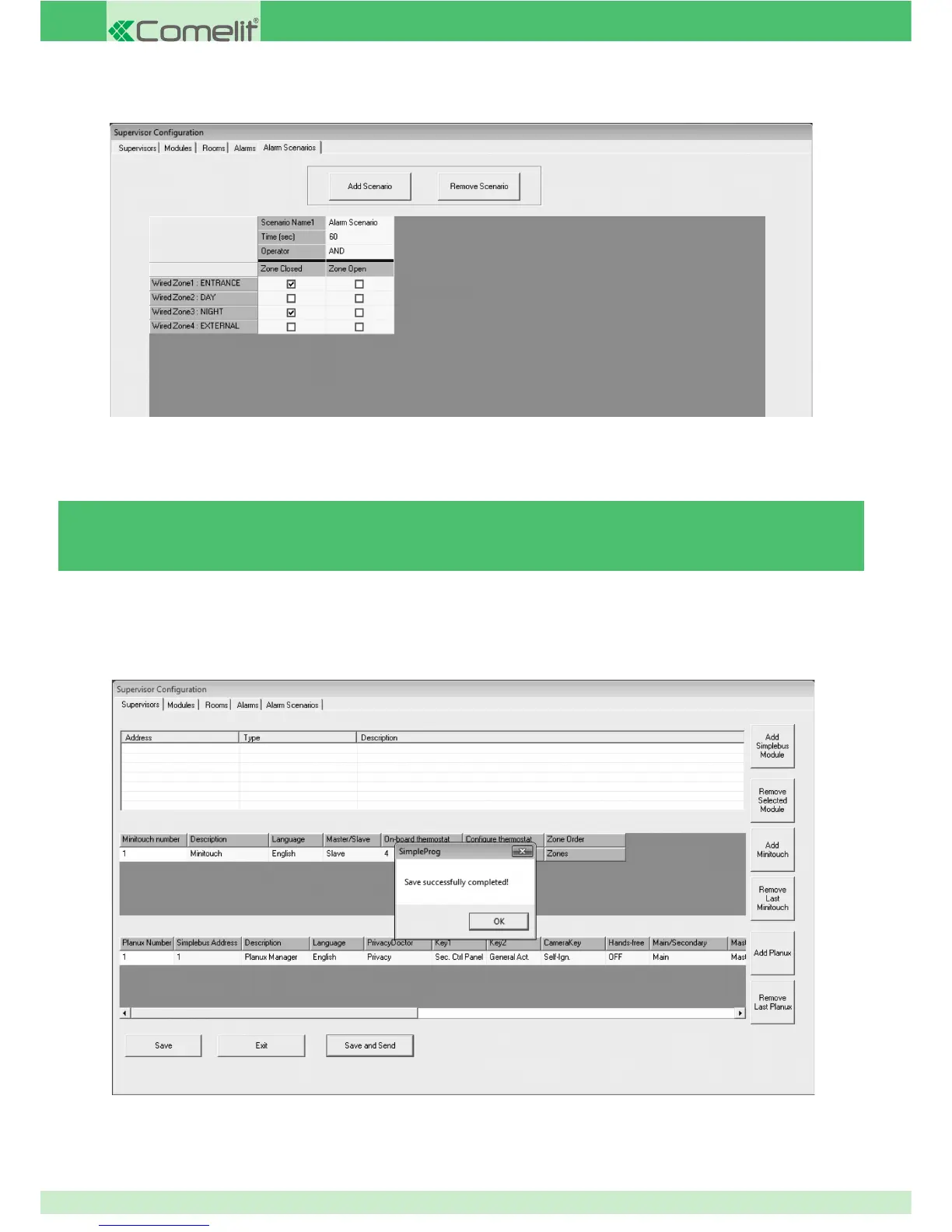
5. Select the wired / radio zones and the status to be linked with the scenario.
In the case of the scenario that has just been created:
» The name of the scenario appearing in the list of conditioned scenarios on the Planux Manager / Minitouch monitor will be "Alarm
Scenario".
» It will be activated if both "Entrance Door" and "Sitting Room Window" are open for 60 seconds.
3.5.13 - CREATING THE SUPERVISOR CONFIGURATION FILE
Once all parameters have been set for the system, the confi guration fi le for the Planux Manager monitor must be created.
» The text "Save successfully completed!" will appear.
1. On the Supervisor tab, press Save and Send.
2. Press OK.
94



 To Next Page