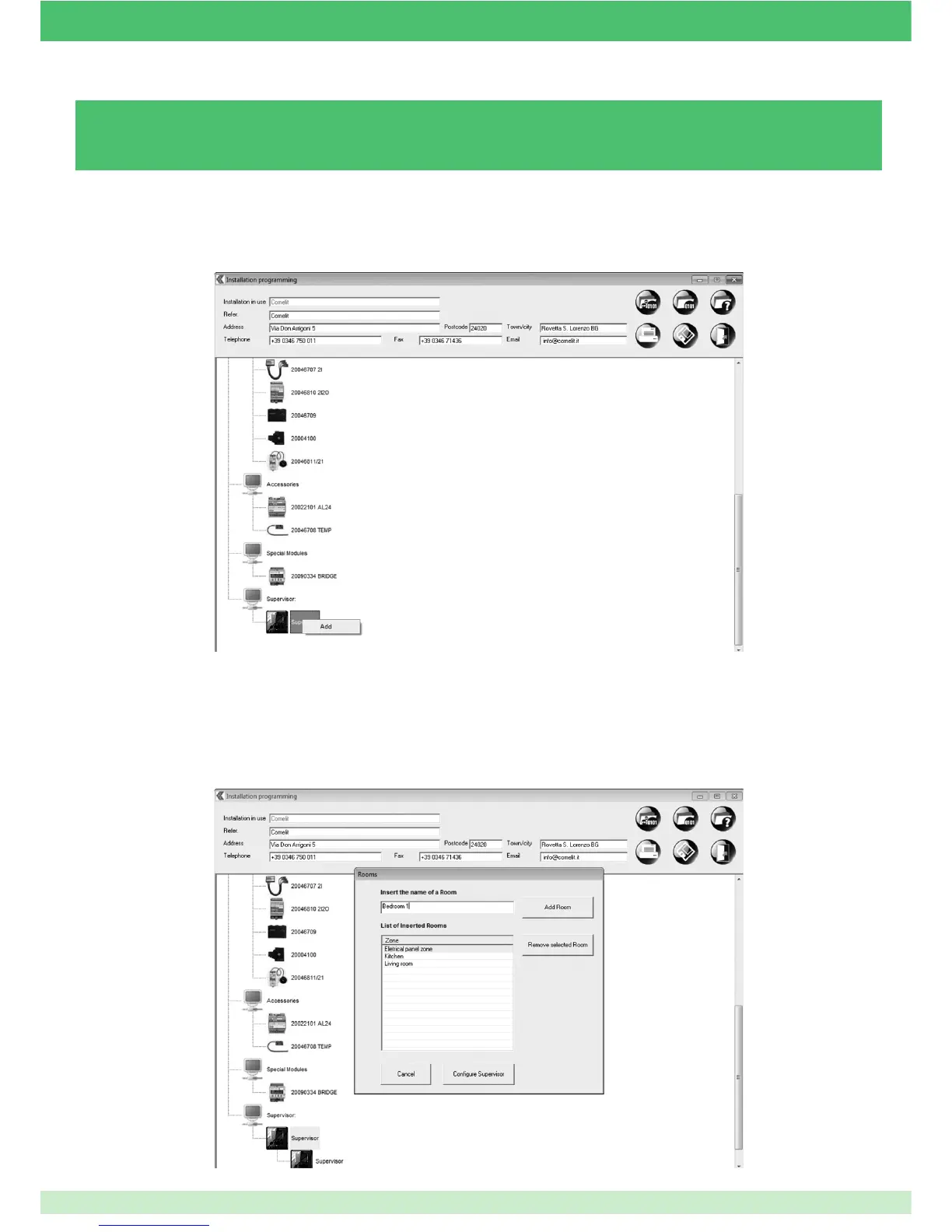
3.5.1 - ADDING A PLANUX MANAGER / MINITOUCH MODULE
The home can be divided into different rooms (e.g. Ground Floor, First Floor, Day Zone, etc...).
» Each room entered at this stage will then be displayed on the Planux Manager / Minitouch monitor.
Caution: the entire system must have been confi gured before programming the Planux Manager / Minitouch.
6. Click Con gure Supervisor.
4. Enter the name you wish to assign to the room.
5. Press Add Room.
Repeat steps 4 and 5 to enter several rooms.
1. Open the le corresponding to the desired system.
2. Right-click on the Supervisor icon.
3. Left-click on the Add button.
79



 To Next Page