3.4 - MODULE PROGRAMMING
The settings and programmable operating modes are listed below, according to the type of module to be confi gured.
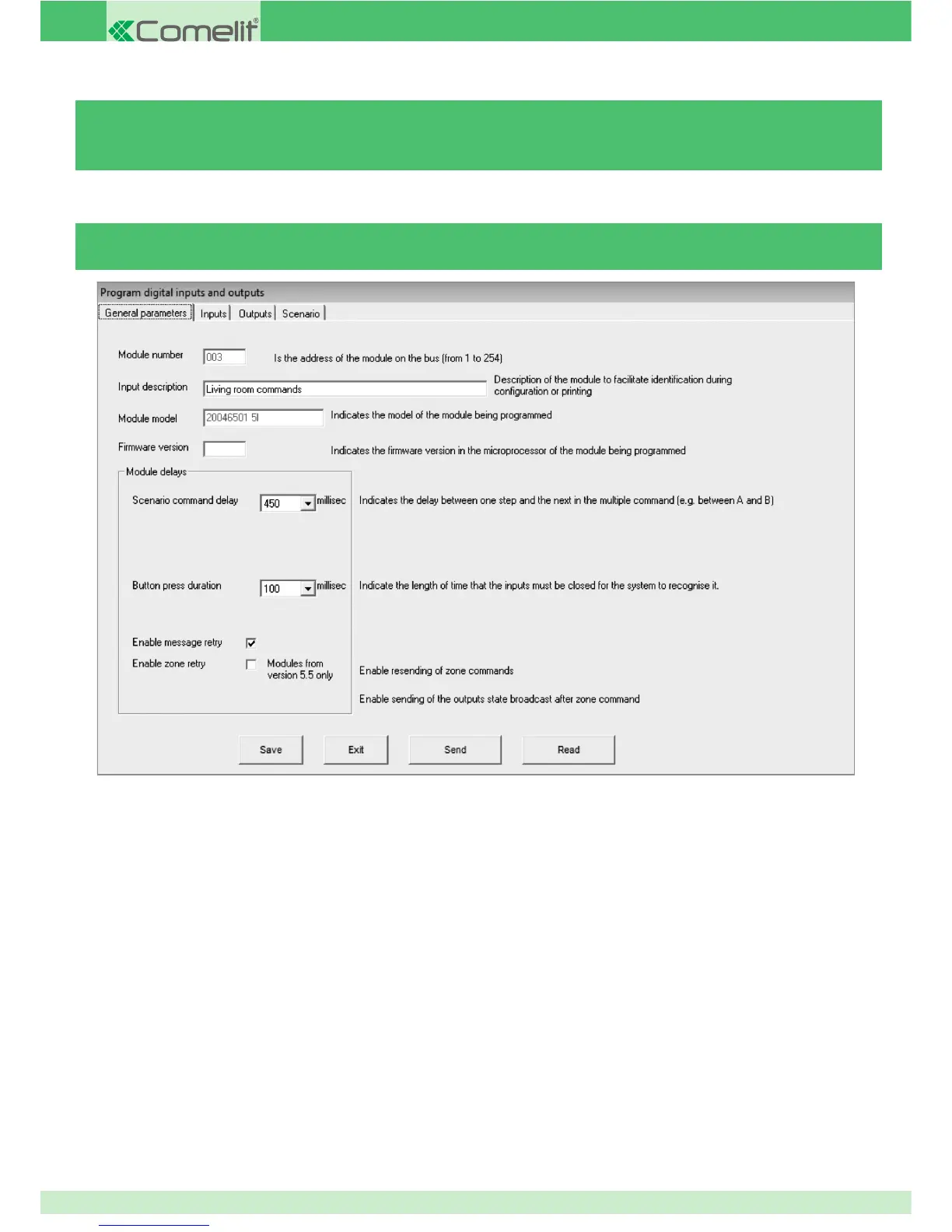
GENERAL PARAMETERS
MODULE NUMBER: indicates the module address or the serial number assigned by SimpleProg. Serial number assignment takes place
using the software with the "Serial number programming" function.
DESCRIPTION: indicates a description of the module, where you can enter the installation point and function of that module. The more
precise the description, the easier it will be to identify the module in the future, for example: Mod5 503 GF bathroom entry or Mod34
underground LIGHTS E.P. or even Mod35 GF shutters E.P. etc...
FIRMWARE VERSION: indicates the module fi rmware version. If a reading has never been taken from the module, this value remains set
to 1. The value 1 should not be considered the fi rmware version. To update this information with the current module fi rmware version,
we recommend taking a reading from the module as soon as it is added to the system, before moving on to the confi guration of the
programming parameters. The module fi rmware version is also displayed on the "Search modules" screen.
SCENARIO COMMAND DELAY: this parameter can be used to set a delay time for the execution of the 8 commands relating to the
scenario input. This time only adjusts the time it takes to execute the commands carried out by the scenario input.
For example, if at the scenario input you set a fi rst command to lower the shutter and a second to switch off a light, the execution of the
second command can be delayed using this time. If you set 3000 ms, the shutter will be lowered as soon as the button is pressed and
the light will only be switched off 3 seconds later.
MODULE DELAY: indicates the delay between receipt of a zone command and output switching, on receipt of a zone command. This
setting is used to delay the execution of commands to differentiate execution across various modules and therefore prevent the
generation of large amounts of data over the BUS.
For example, if you order a module to deactivate all outputs with a zone command and a delay of 2 seconds has been set, the outputs
Digital modules
64



 To Next Page