OPERATING MODES
MODE
SUPERVISOR
The supervisor sets the period (Day, Night, Empty), the temperature setpoints and the operating mode (Summer,
Winter). The user will be able to adjust the temperature within the limits set by the supervisor.
USER MODE
The user can set the setpoint using the adjustment knob, regardless of the setpoint selected via the supervisor. The
selected setpoint will be the most recent received.
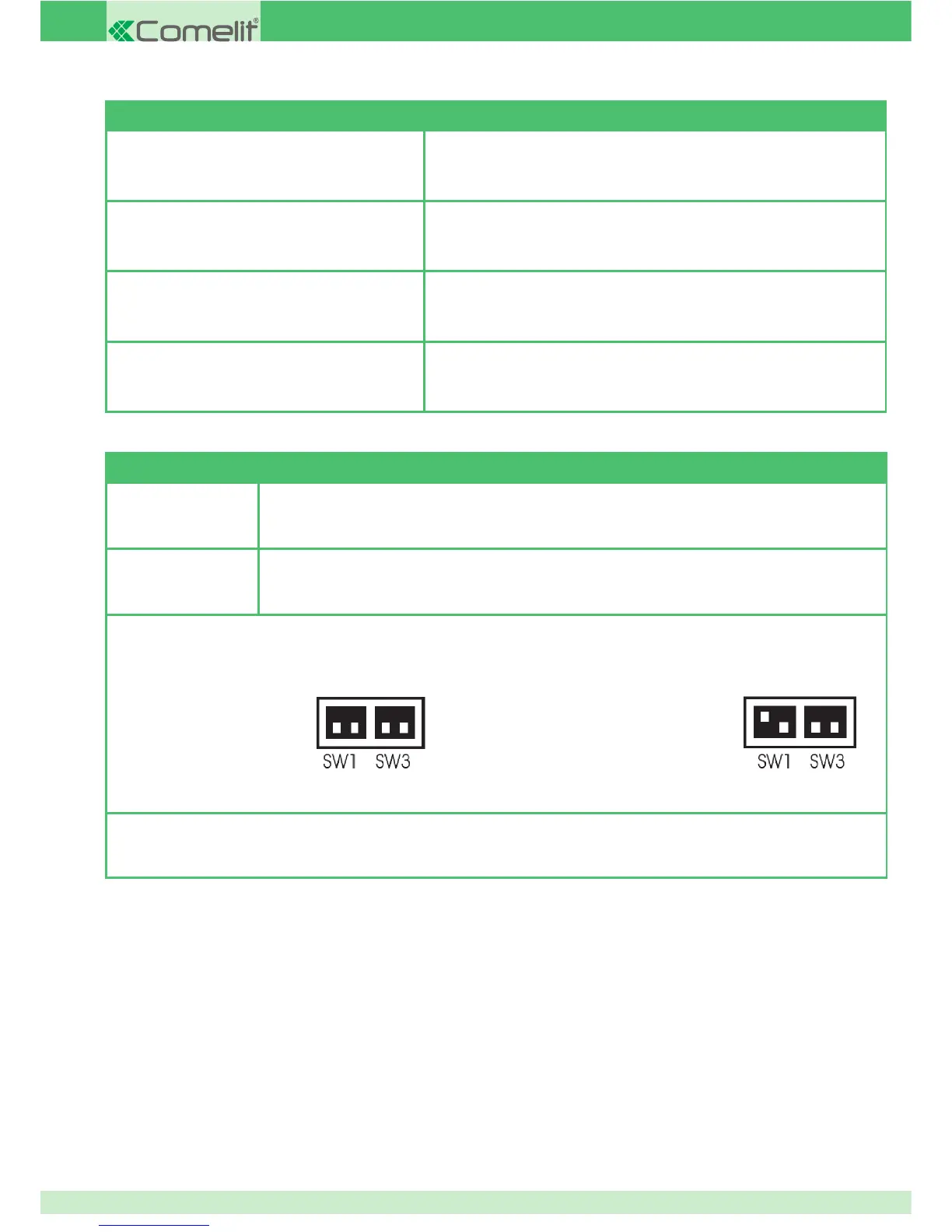
The mode is selected by changing the position of the rst of the dip switches underneath the front panel (lever this off at the sides to remove
it) alongside the diverter slider:
In both modes, the temperature reduction input closure ensures that the setpoint taken into account corresponds to the Night period.
FRONT PANEL INDICATIONS AND COMMANDS
Time
Local relay status (if activated, steady red) or transit status of signals over bus
( ashing, red or green).
LCD Display temperature measured within the room.
DIVERTER
SLIDER
Set operating mode:
- SUMMER
- WINTER
- OFF
KNOB
Set room temperature
(between 5 and 30°C).
SUPERVISOR MODE:USER MODE:
20



 To Next Page